
客户端工具连接
MatrixOne 现在支持通过以下几种数据库客户端工具的方式连接 MatrixOne 服务:
MySQL Client
Navicat
DBeaver
前期准备
已完成安装并启动 MatrixOne。
通过 MySQL Client 连接 MatrixOne 服务
下载安装 MySQL Client。
下载完成后,你可以使用 MySQL 命令行客户端来连接 MatrixOne 服务。
mysql -h IP -P PORT -uUsername -p
连接符的格式与 MySQL 格式相同,你需要提供用户名和密码。
此处以内置帐号作为示例:
user: root
password: 111
mysql -h 127.0.0.1 -P 6001 -uroot -p
Enter password:
备注
上述代码段中的登录账号为初始账号,请在登录 MatrixOne 后及时修改初始密码,参见密码管理。
连接成功提示如下:
Welcome to the MySQL monitor. Commands end with ; or \g. Your MySQL connection id is 1031
Server version: 8.0.30-MatrixOne-v4.2.1 MatrixOne
Copyright (c) 2000, 2022, Oracle and/or its affiliates.

Oracle is a registered trademark of Oracle Corporation and/or its affiliates. Other names may be trademarks of their respective owners.
Type 'help;' or '\h' for help. Type '\c' to clear the current input statement.
更多关于安装部署的问题,参见部署常见问题。
备注
MatrixOne 与客户端默认是非加密传输,如果需要开启加密传输请参见数据传输加密。
通过 Navicat 连接 MatrixOne 服务
下载安装 Navicat。
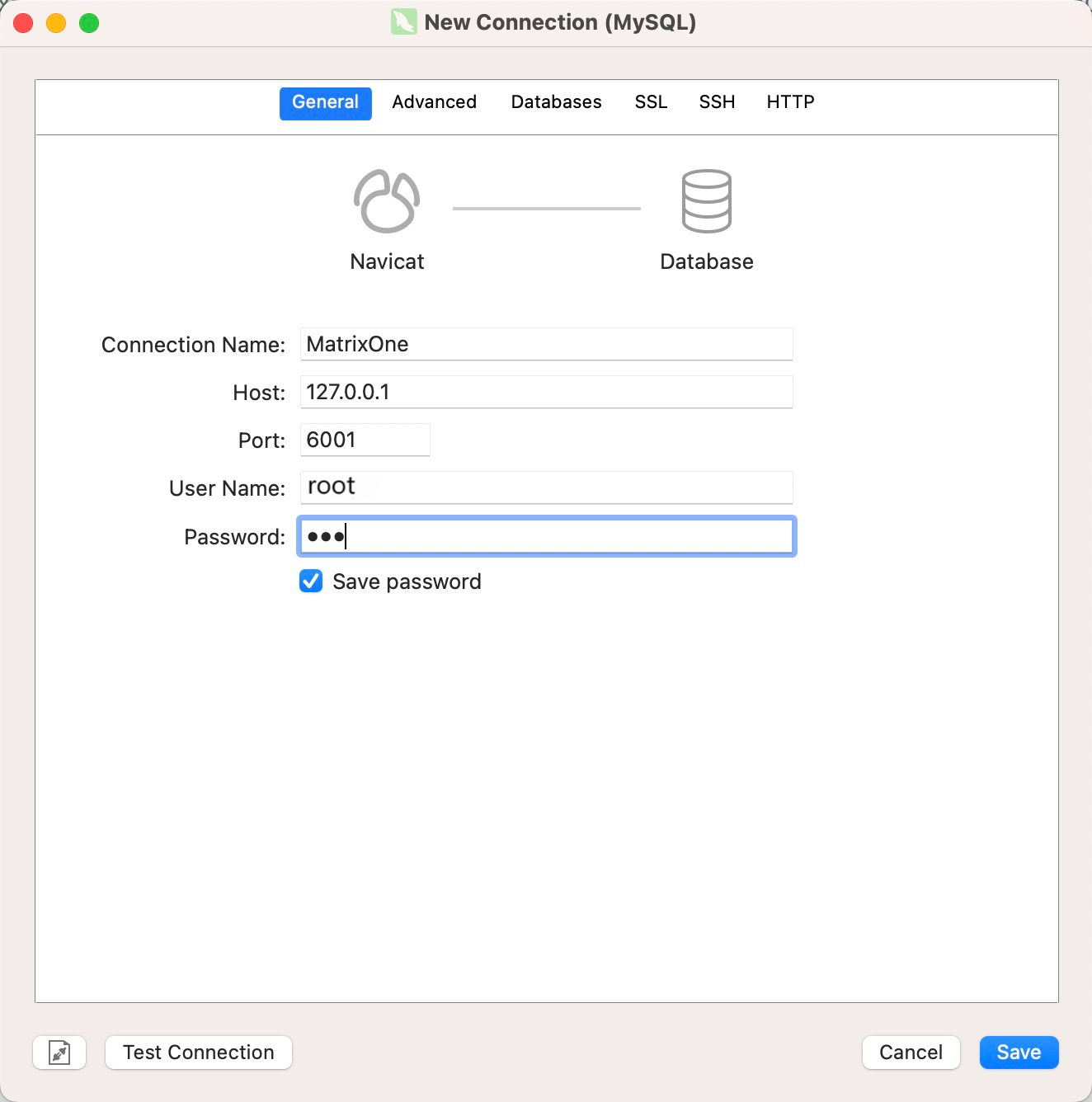
安装 Navicat 完成后,打开 Navicat,点击左上角 Connection > MySQL,在弹窗中填入如下参数:
Connction Name: MatrixOne
Host: 127.0.0.1
Port: 6001
User Name: root
Password: 111
Save password:勾选
点击 Save 保存设置。
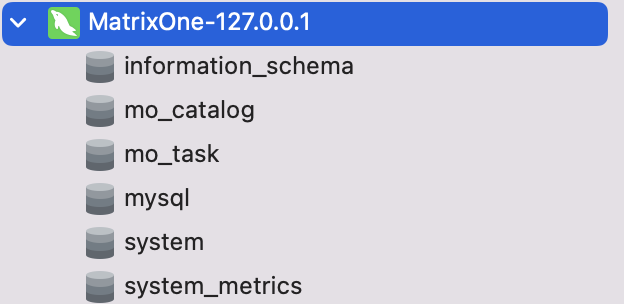
双击左侧数据库目录中的 MatrixOne,图标点亮,连接成功。
连接到 MatrixOne 后,在左侧数据库目录栏,你将看到 6 个默认系统数据库:
右侧窗口可查看有关此连接的基本信息:
<div align="center">
<img src=https://community-shared-data-1308875761.cos.ap-beijing.myqcloud.com/artwork/docs/develop/navicat-connection.png width=50% heigth=50%/>
</div>
通过 DBeaver 连接 MatrixOne 服务
下载安装 DBeaver。
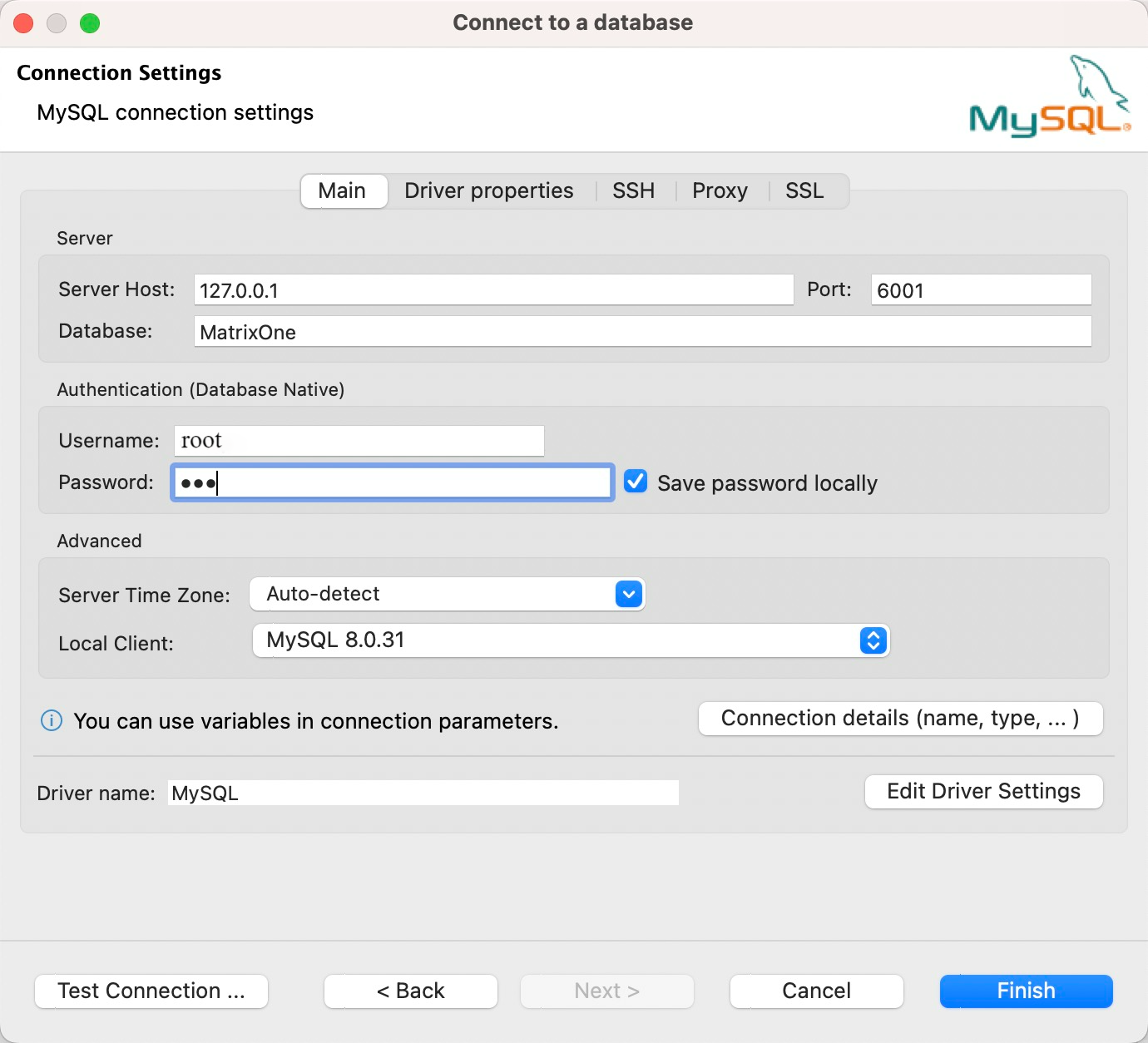
安装 DBeaver 完成后,打开 DBeaver,点击左上角连接图标,在弹窗中选择 MySQL,点击 Next。
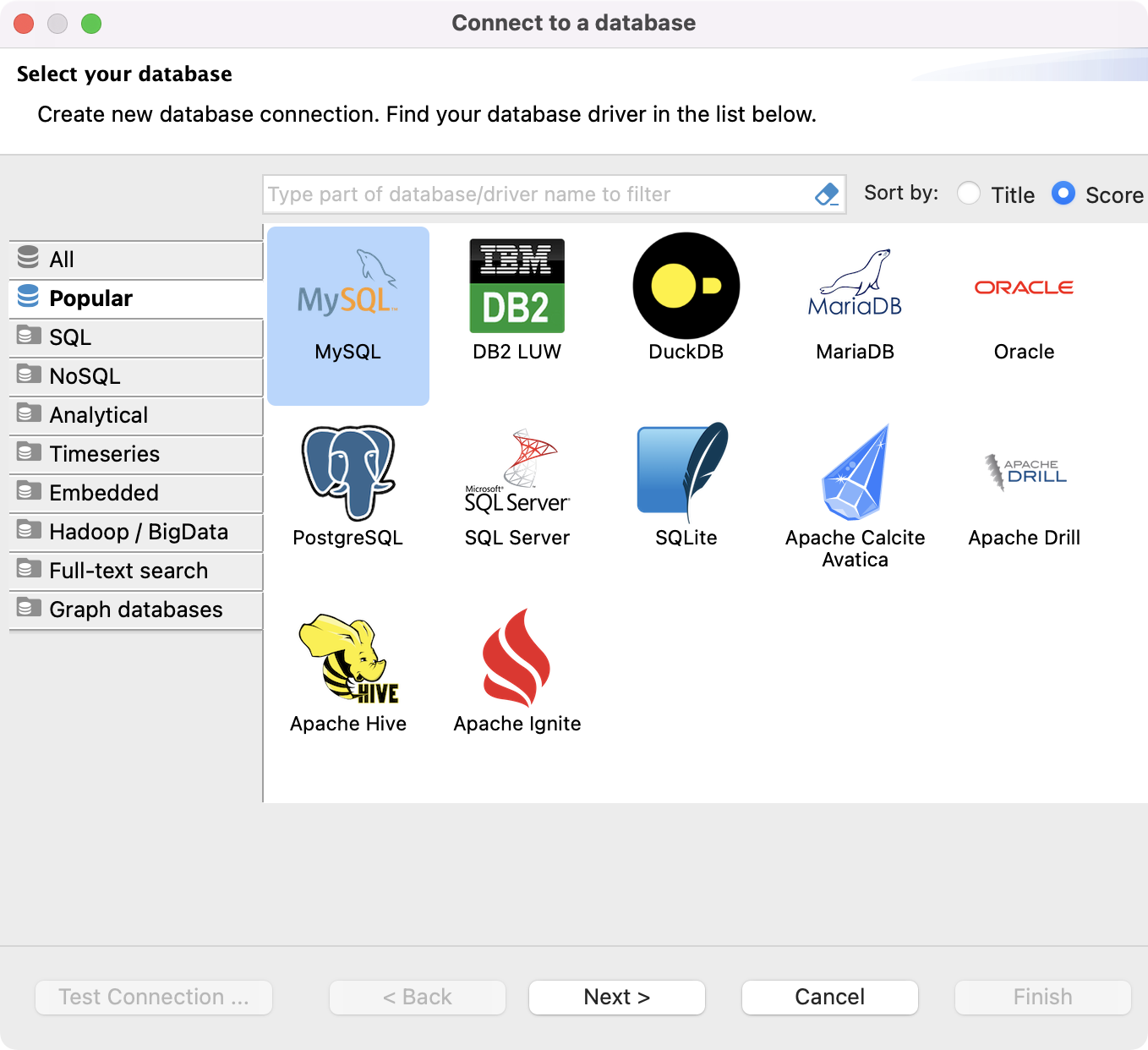
在 Connect to a database 窗口的 Main 区中填写如下参数:
Host: 127.0.0.1
Port: 6001
Database: MatrixOne
User Name: root
Password: 111
Save password locally: 勾选
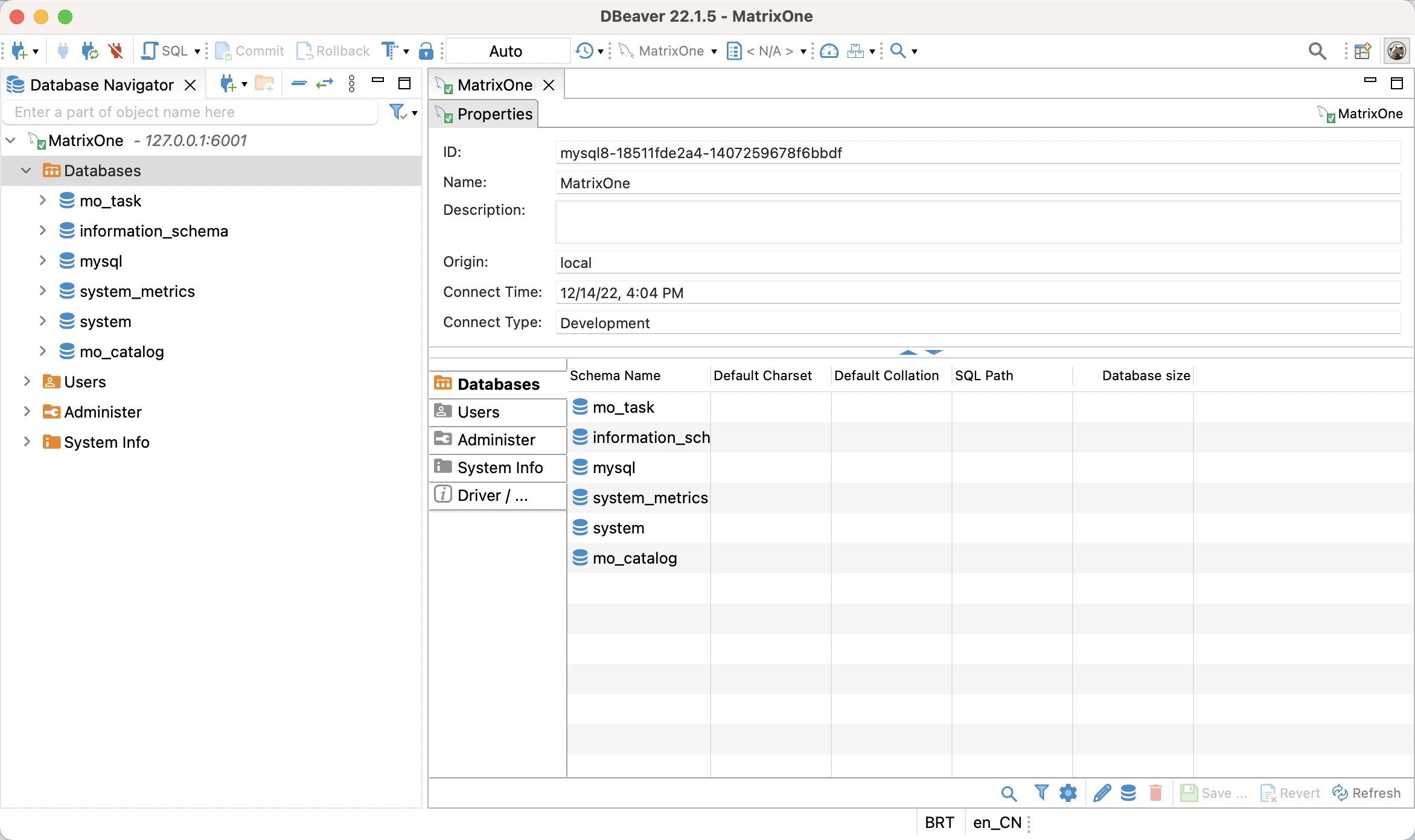
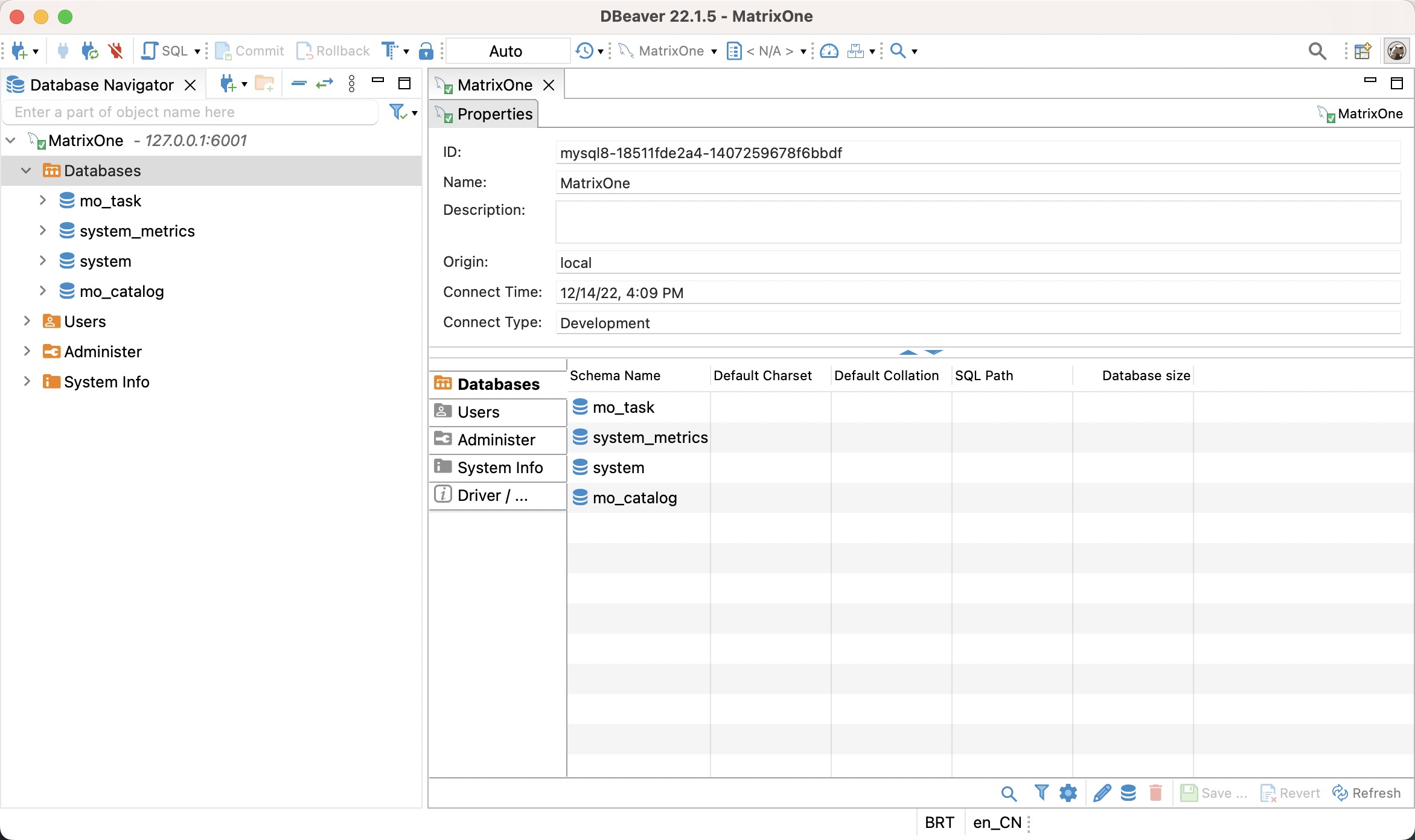
双击左侧目录中的 MatrixOne,连接 MatrixOne 服务。你可以在左侧目录树中看到默认的四个系统数据库:
默认情况下,DBeaver 中不展示视图。如需显示完整的系统数据库,你可以右键单击 MatrixOne,选择 Connection view 并打开 Show system objects:
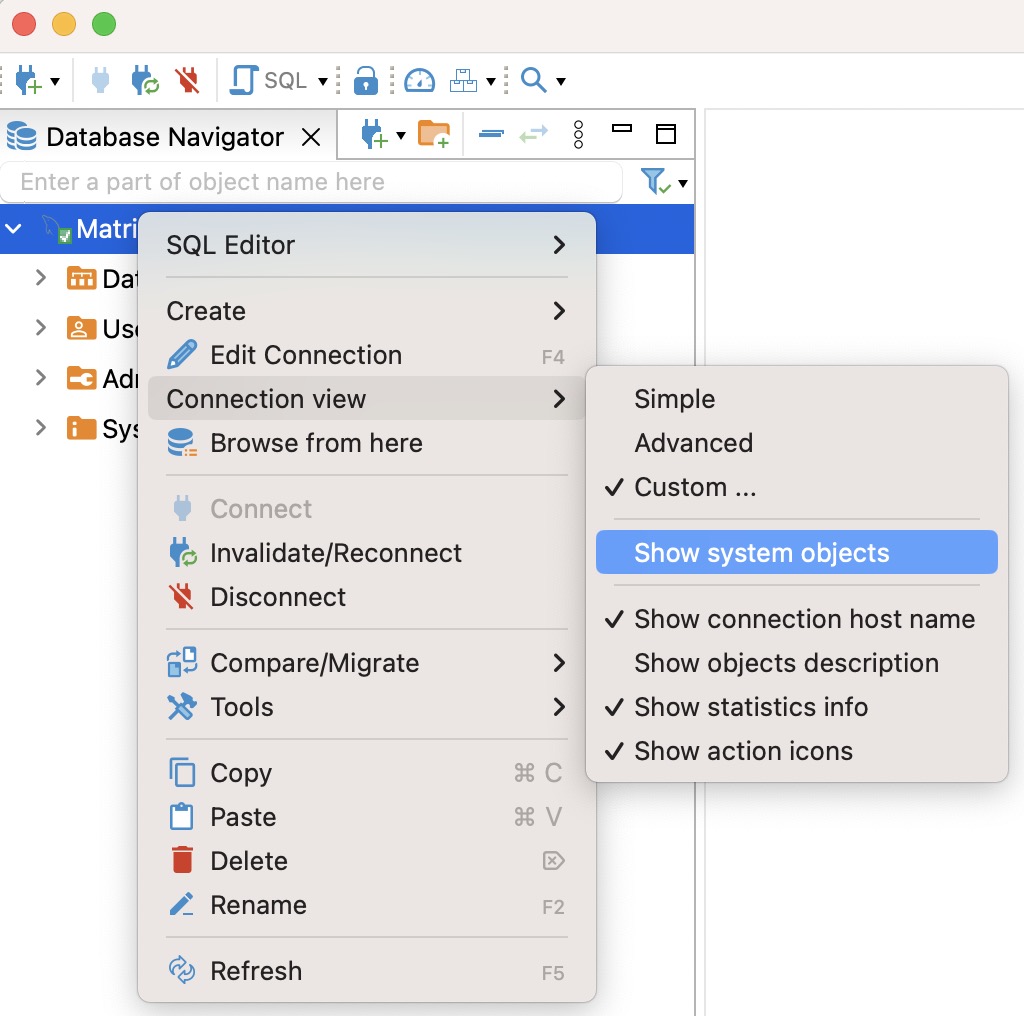
设置完成后,你将看到 6 个系统数据库。