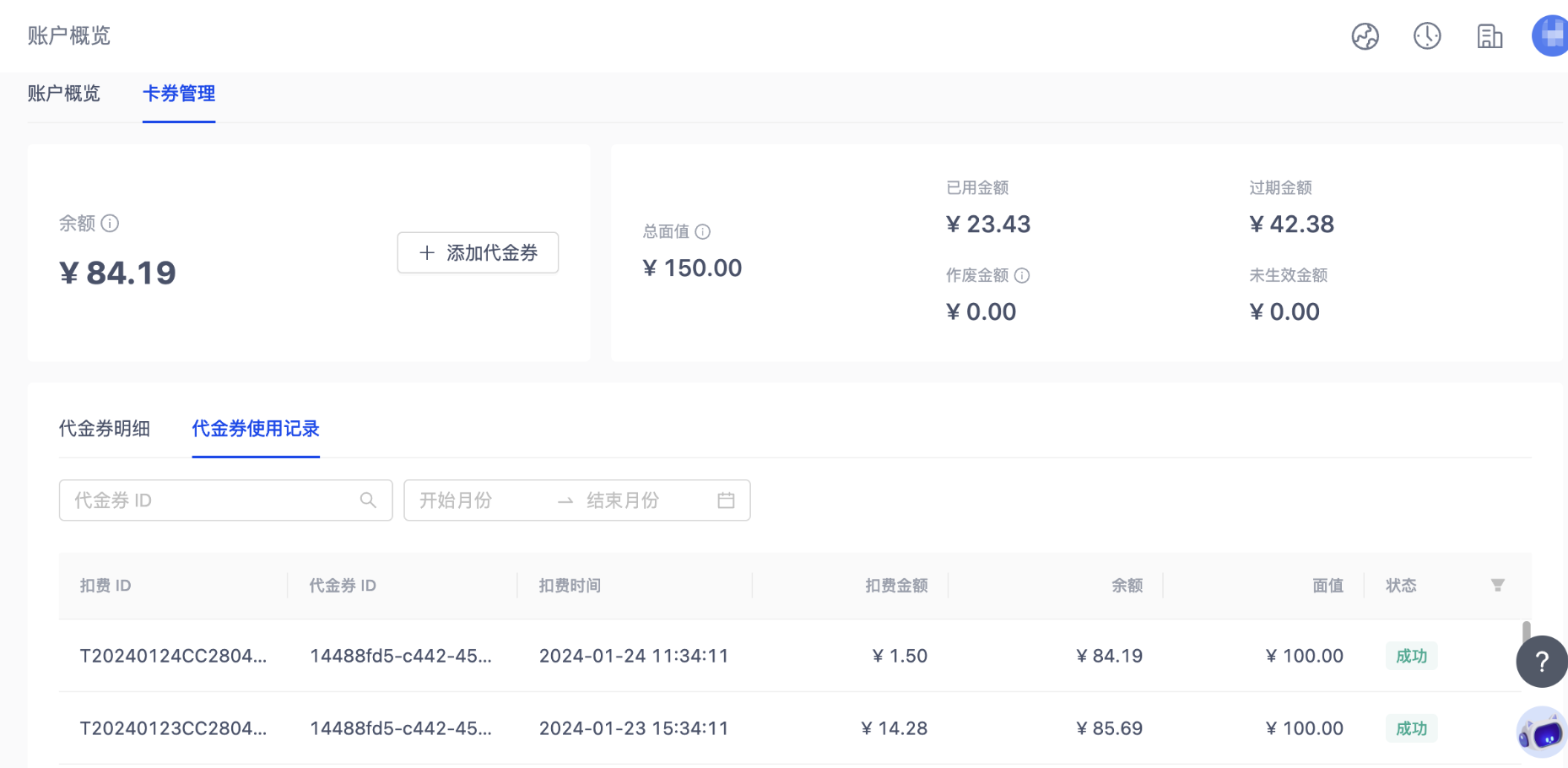
Coupons Management
A coupon is a virtual voucher granted to customers as a credit, redeemable against the cost of cloud services.
Log in to the instance console and choose Billing > Account Overview > Coupons to open the coupon management page, where you can see your coupons in detail. Click the + Add Coupon button on the page and enter an activation code to activate a coupon. Once a coupon is used it cannot be returned or exchanged. The platform consumes coupons closest to expiration first, then the smallest-balance coupons.
Note
Mind the validity period — coupons are usable only within their validity window. Once expired, any remaining balance is unusable.
Coupon details
You can filter coupons by validity period to see the details. Only coupons in Available status can be used to offset charges. Balance = total face value − used − expired − voided − pending.
Used: amount fully consumed for closed coupons + amount used before expiration for expired coupons + amount used before void for voided coupons + amount used so far for currently available coupons.
Expired: total of expired coupons − amount used before expiration.
Voided: total of voided coupons − amount used before void.
Pending: total face value of activated coupons that have not yet reached their start time.
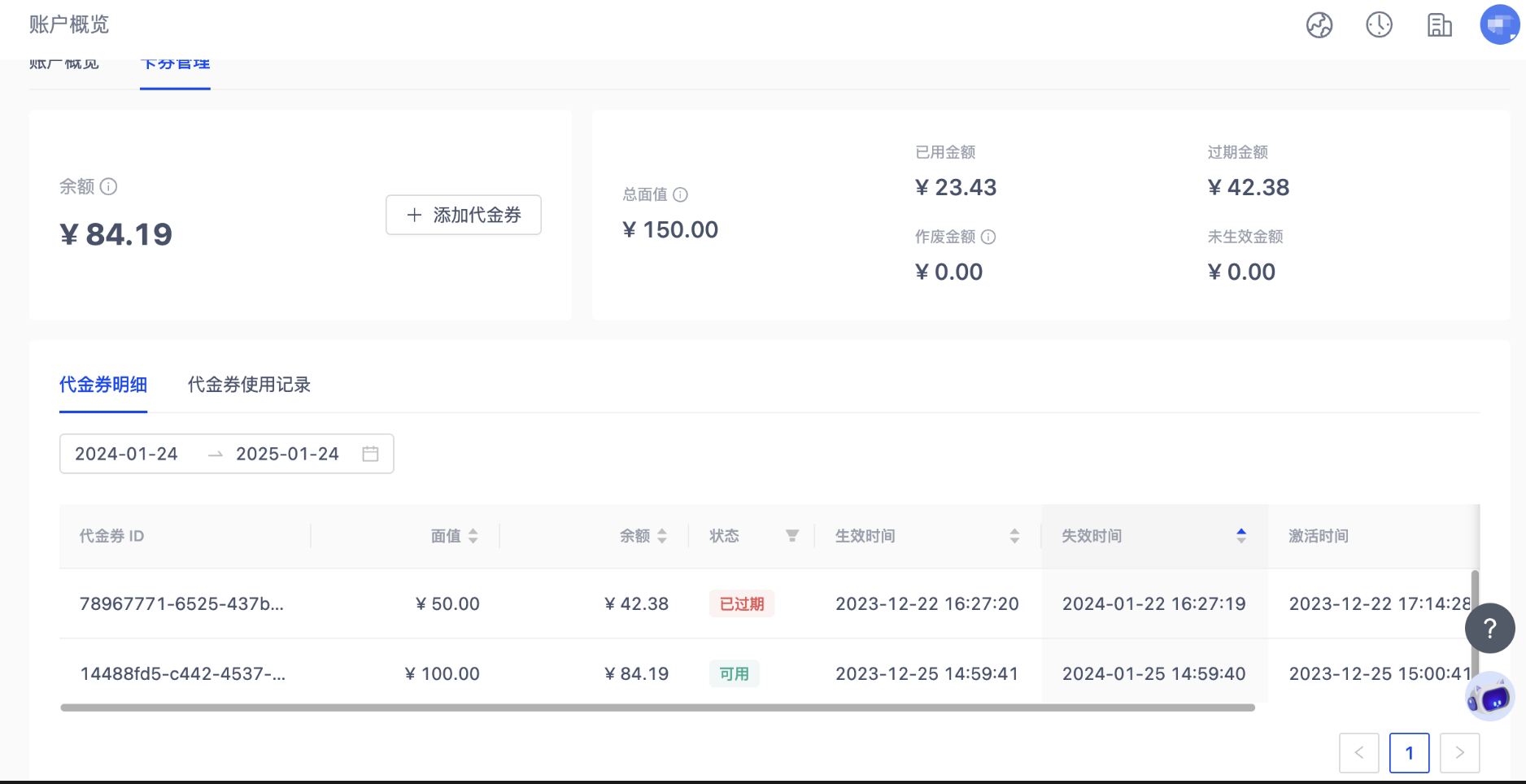
Status values:
Pending: coupon is activated but its start time hasn’t arrived yet.
Available: coupon is within its validity window with remaining balance.
Used up: coupon balance is zero.
Expired: coupon has passed its validity window.
Voided: coupon is invalid.
Coupon usage history
In the coupon usage history, filter by coupon ID and validity period to find the entries you care about. Coupon ID does not support fuzzy matching. The deduction status is either success or failure; if a deduction fails, your account balance is unchanged.