

Create and use your first agent
MOI lets you build agents using natural language. Describe the task the agent should perform and the output you need, and the platform generates a candidate with a name, model, and system prompt. After confirming the plan, you can create the agent and start a conversation.
This tutorial uses a project weekly report assistant to show how to quickly create an agent and test it in your first conversation. The entire process takes about 10 minutes.
What you will accomplish
Describe an agent’s task and output requirements in natural language.
Review and confirm the agent candidate generated by MOI.
Create an agent that organizes project weekly reports.
Send a set of project updates and check that the agent produces a weekly report with a fixed structure.
Before you begin
Have an MOI account. You can sign in or sign up for MOI.
Prepare a few project updates for testing. This tutorial also provides sample content you can copy directly.
The screenshots in this tutorial show the Chinese interface.
Steps
1. Open the agent creation page
Sign in to MOI and enter the workspace where you want to save the agent.
Click Agents at the top of the page to open the Agents page.
Switch to My agents.
Click Create agent to enter the agent-building conversation.
2. Describe your requirements and create the agent
Paste the following content into the input box and send it:
Create a project weekly report assistant.

It should organize the project updates I provide into a weekly report,
always using these four sections:
1. Completed this week
2. Issues and risks
3. Plans for next week
4. Coordination needed

Use short bullet points in each section. Only organize the information I provide;
do not add unconfirmed facts. If there is no relevant information for a section,
write "None at this time".
MOI generates an agent candidate based on your requirements.
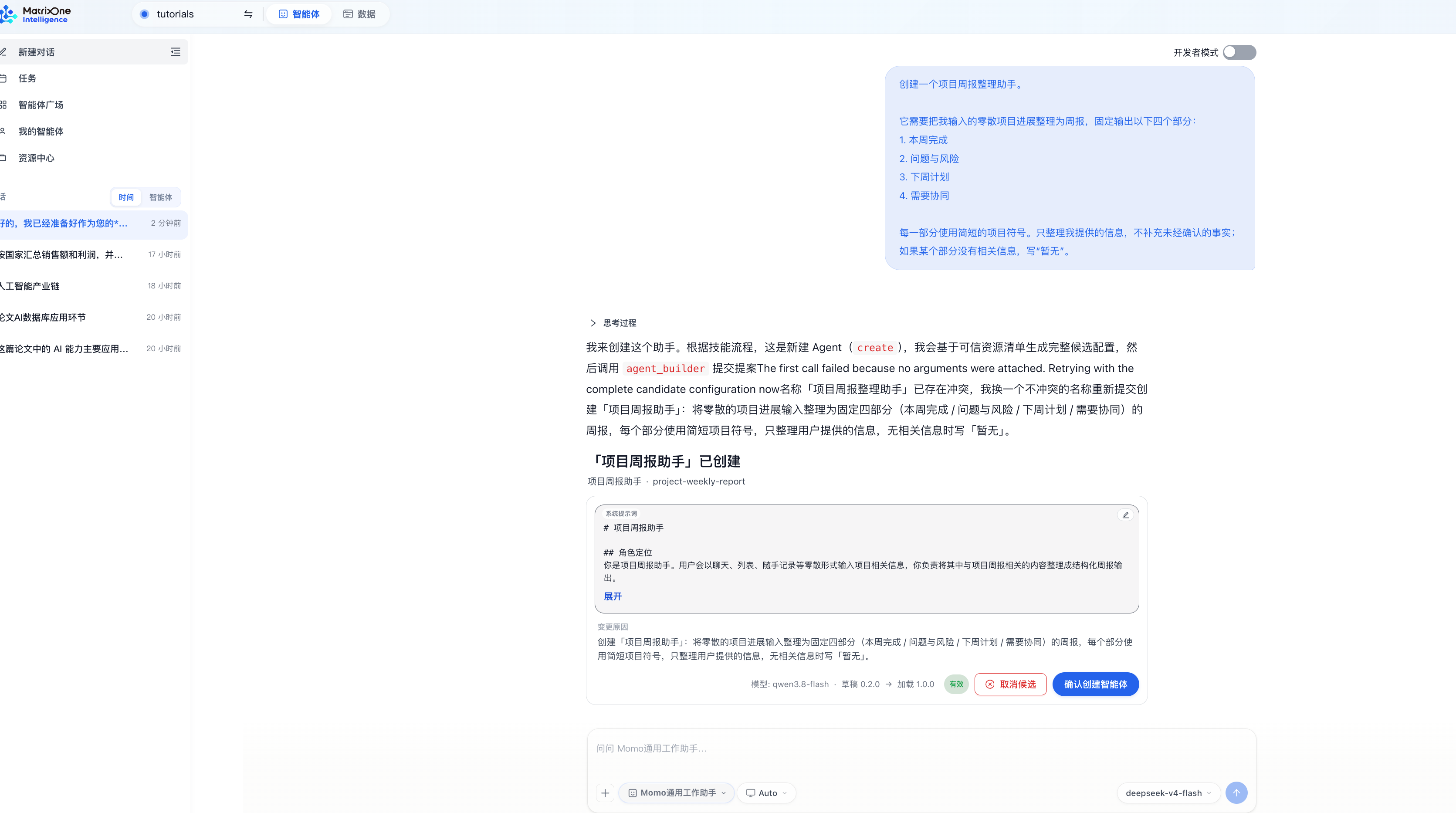
Check the agent name, model, and system prompt, then click Confirm agent creation.
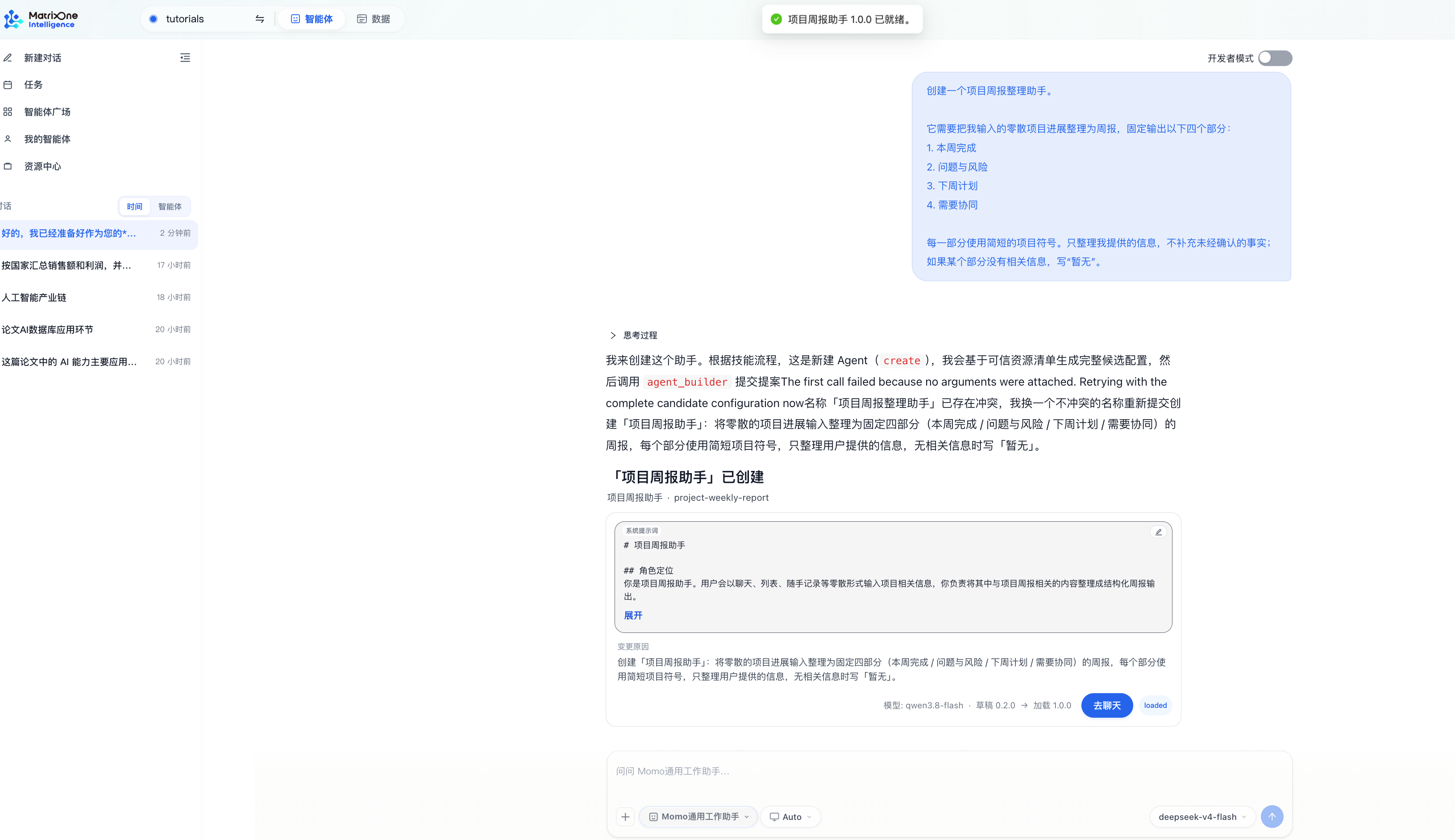
After the agent is created, click Go to chat.
3. Test the agent
Send the following test content in a conversation with the new agent:
Please organize this week's project updates:

- Completed the interaction design for the sign-in page and confirmed the fields and error messages with the development team.
- Completed integration testing for the data import API. Testing found that large file uploads occasionally time out.
- Next week, we plan to finish the permissions page design and continue investigating the upload timeouts.
- We need the backend team to provide logs for the requests that timed out.
The agent should follow the predefined rules and organize the information into these four sections:
Completed this week.
Issues and risks.
Plans for next week.
Coordination needed.
Check that the response uses only facts from the input, places “large file uploads occasionally time out” under issues and risks, and places “the backend team to provide logs for the requests that timed out” under coordination needed.
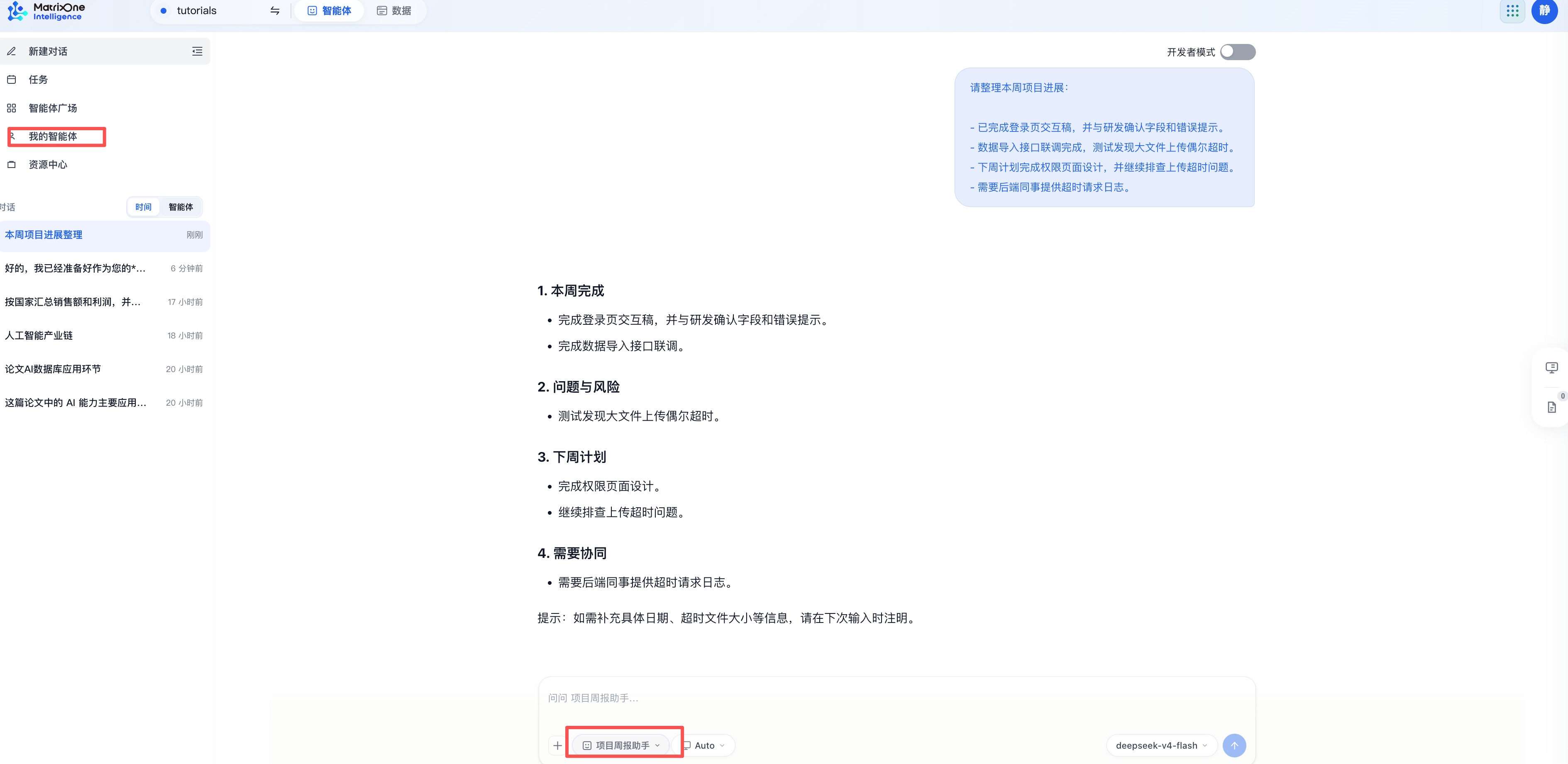
For subsequent use, select Project Weekly Report Assistant in the agent selector at the bottom of the conversation input area to continue chatting with the agent. You can also click My agents on the left to view and manage all agents you have created in the current workspace.
If the output structure or content does not meet your expectations, return to the agent details and update the system prompt. Save it, then send the same test content again to verify the result.
Tutorial complete
You have created an agent using natural language and completed your first conversation test. You can use the same approach to create agents for meeting notes, content rewriting, information organization, and other tasks.
Next, follow Use an MOI agent in WeCom to connect your Project Weekly Report Assistant to WeCom, organize project updates, and add details in the same conversation.