

From a Local Excel File to NL2SQL Questions
Import an Excel workbook into Catalog, add the resulting table to a knowledge base, and ask questions in English. MOI generates SQL, queries the table, and summarizes the results.
This tutorial uses Microsoft’s public Financial Sample workbook, which includes countries, products, sales, profit, and dates.
Before you begin
Sign in to MOI and use the English interface.
Download Financial Sample.xlsx.
1. Import the Excel workbook
Open Data. Under Data Connection, open Import Tasks and click New Import Task.
Select Structured, keep Load Type set to File, and select Local Upload.
Upload
Financial Sample.xlsxand select Sheet1. The worksheet contains 701 rows, including the header.Under Load Target, select New Table and set the save location:
In the location picker, select (or create in place) the Catalog and database. The picker only goes down to the database level — no tables are listed there, which is expected. This example uses Catalog
the_first_tutorialand databaseexcel. Use your own Catalog name if it differs.In the table name field below the picker, enter
sheet1.
You do not need to create the table or its columns in Catalog beforehand: in New Table mode, the import task creates the table and generates columns from the workbook (the next step lets you review the inferred column types).
In Table Definition, set Column Name row to
1and Start from row to2. Review the column names and types before importing. In particular, check how sales, profit, and year values will be stored.
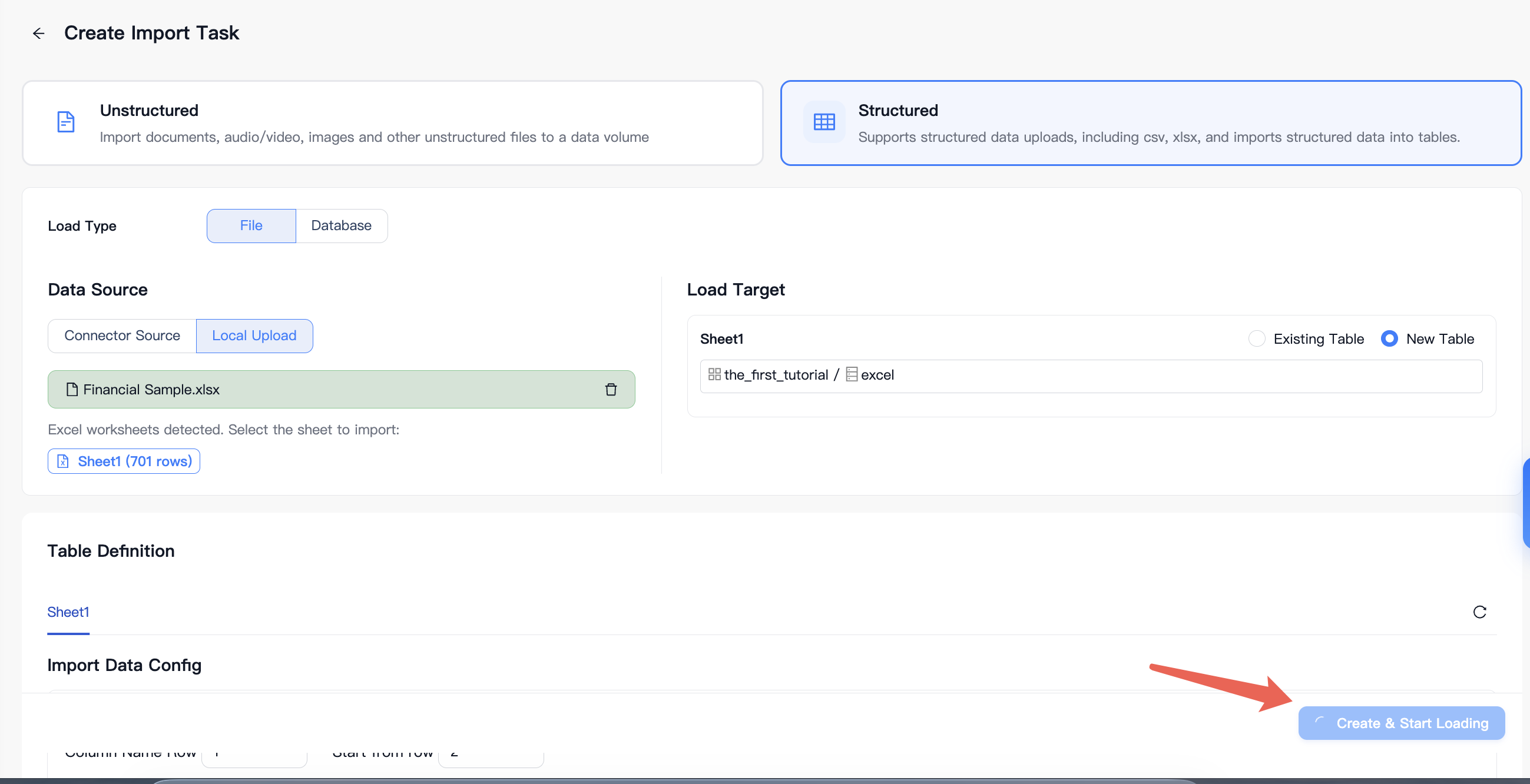
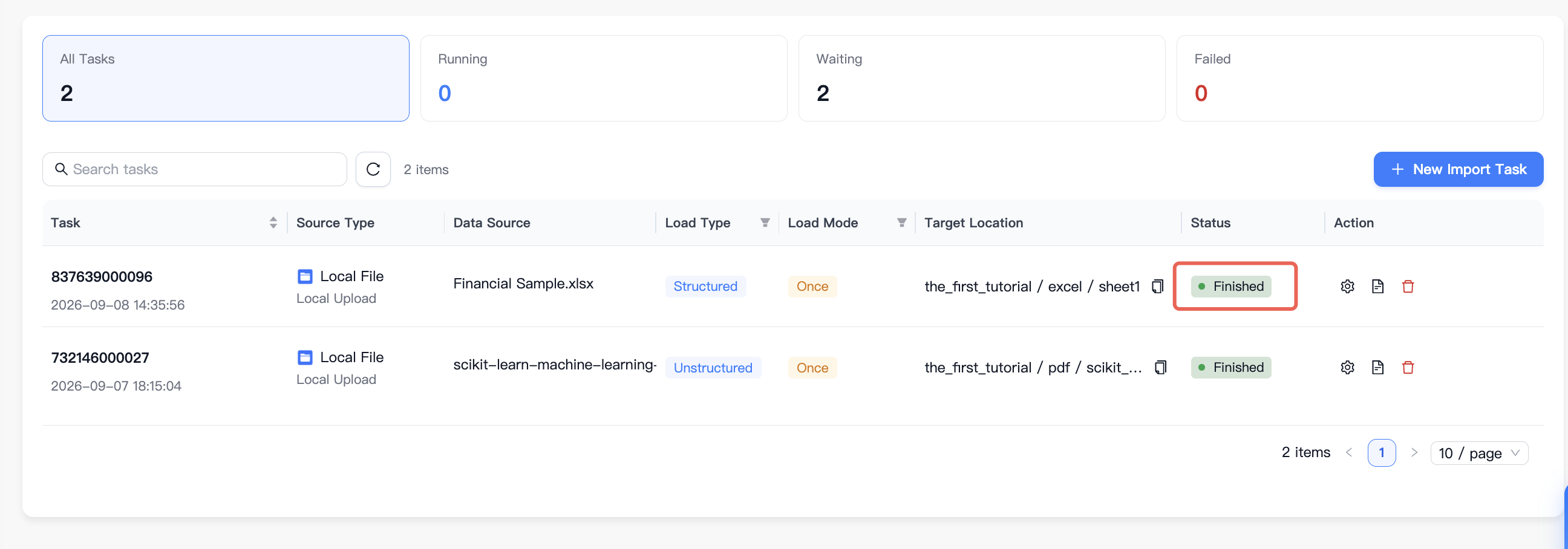
Click Create & Start Loading. Wait until the task status becomes Finished.
2. Create a knowledge base
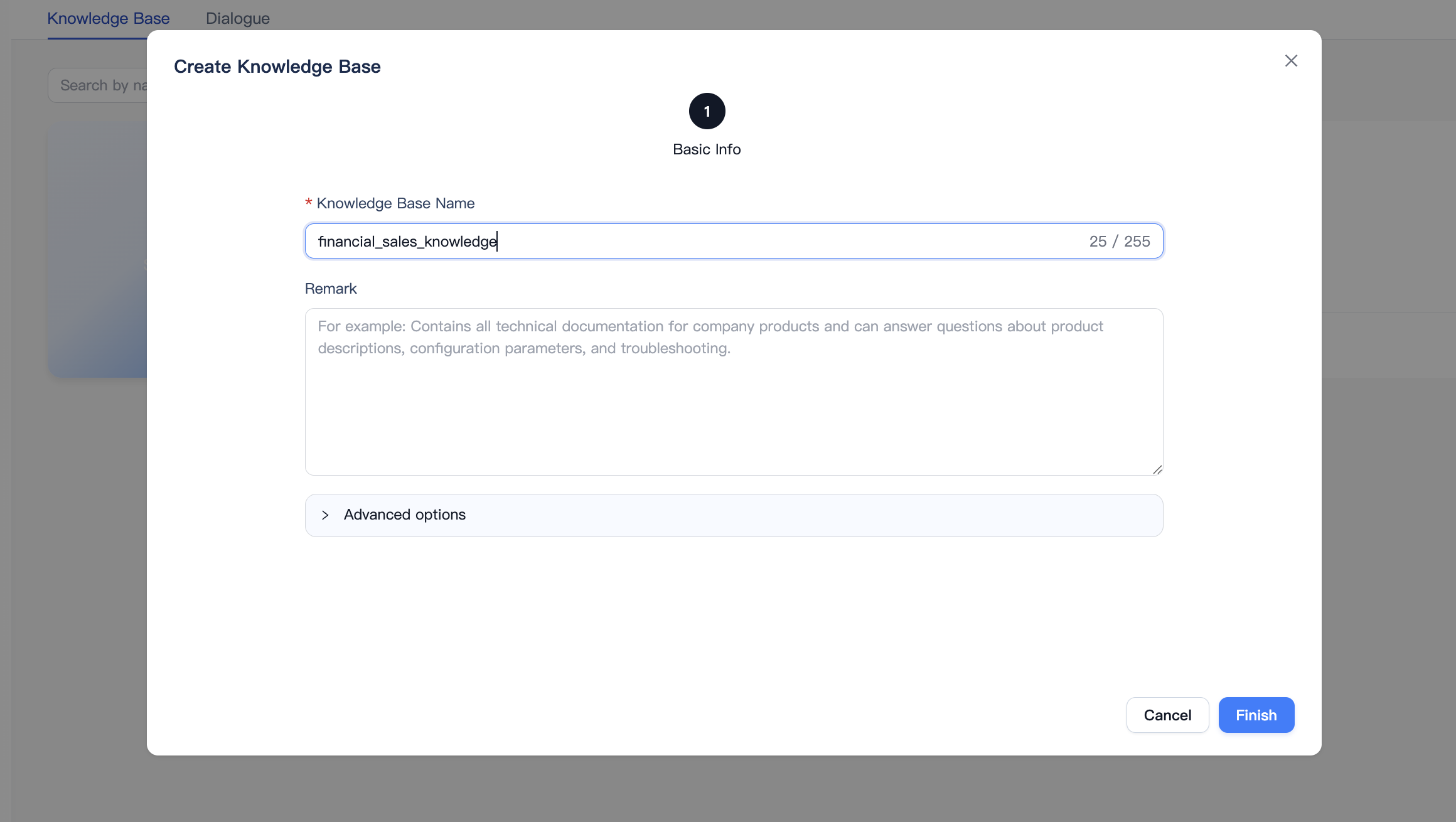
Under Resource Center, open Knowledge Base and click Create Knowledge Base.
Enter
financial_sales_knowledgeas the Knowledge Base Name. The Remark is optional.Click Finish to open the new knowledge base.
3. Add the imported table
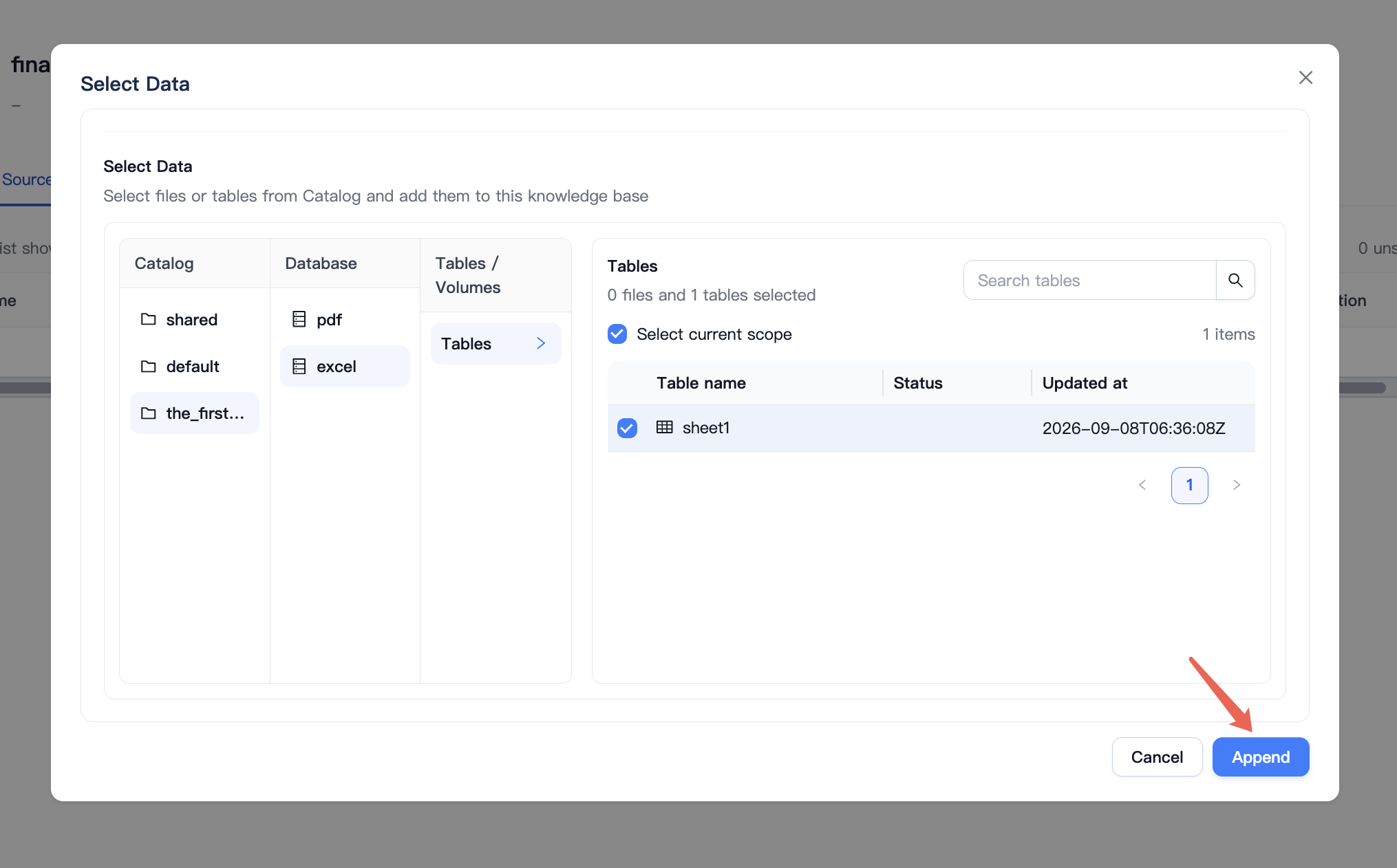
On the knowledge base’s Data Source tab, click Add Data.
Open your Catalog, select the
exceldatabase, and open Tables.Select
sheet1and click Append.
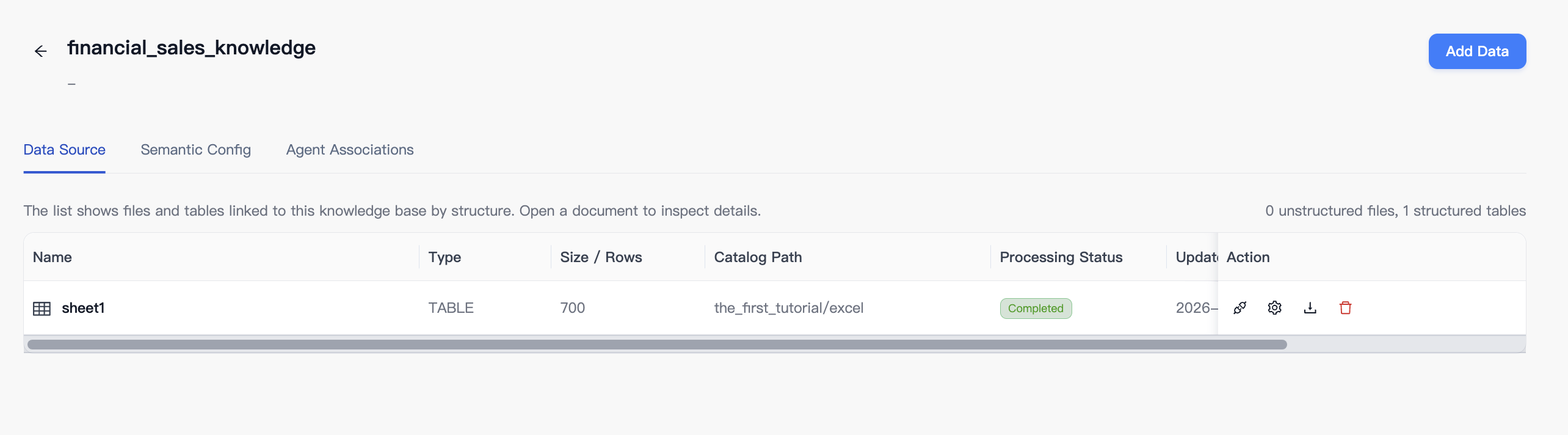
Confirm that the data source lists
sheet1with 700 rows and a Completed processing status.
4. Ask questions about the data
Open Dialogue in Knowledge Base. Use Select Knowledge to select financial_sales_knowledge if it is not already selected.
Send this question:
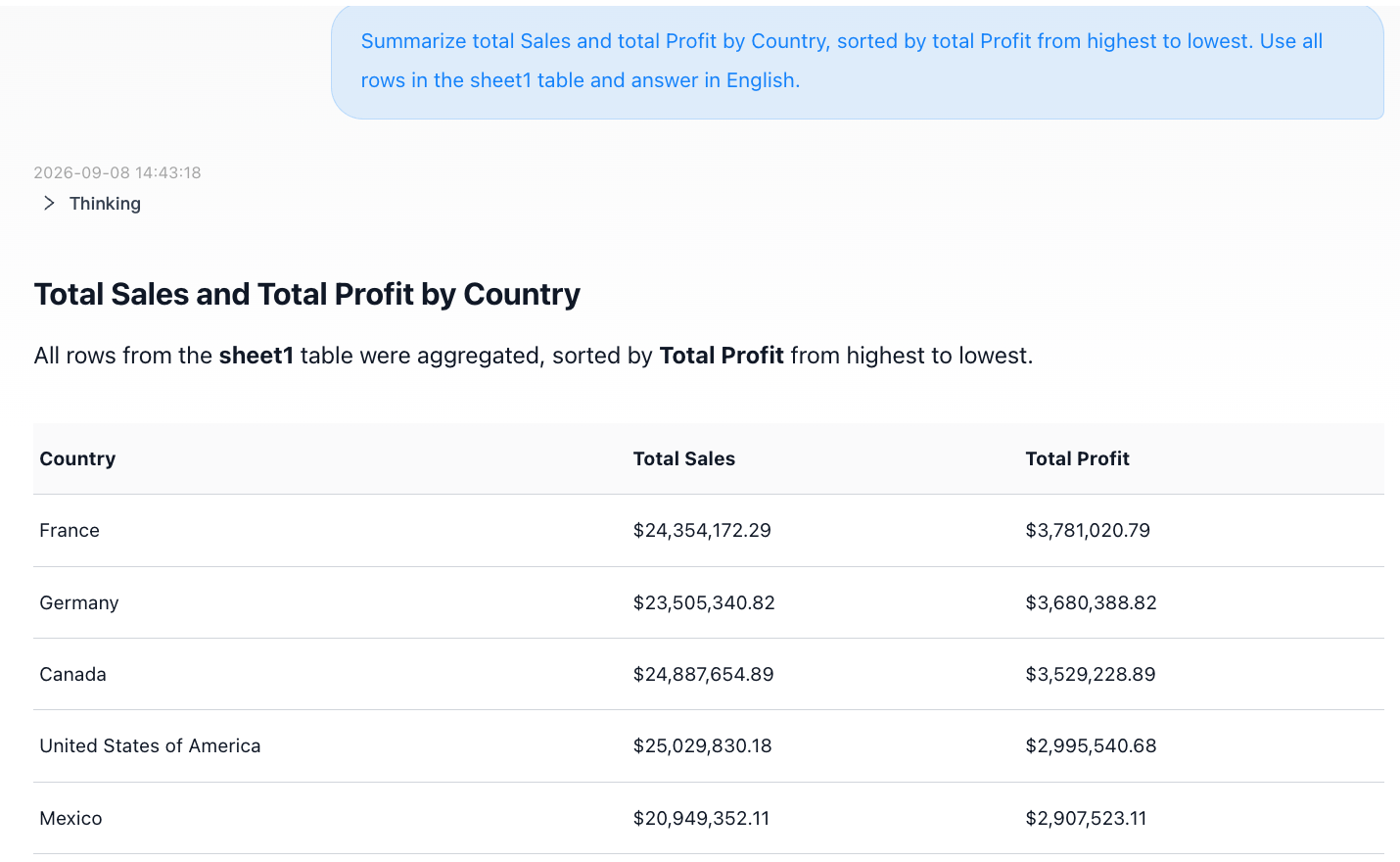
Summarize total Sales and total Profit by Country, sorted by total Profit from highest to lowest. Use all rows in the sheet1 table and answer in English.
MOI returns five countries ordered by total profit: France, Germany, Canada, United States of America, and Mexico. Check the table, the requested sort order, and the table reference returned with the answer.
Then ask:
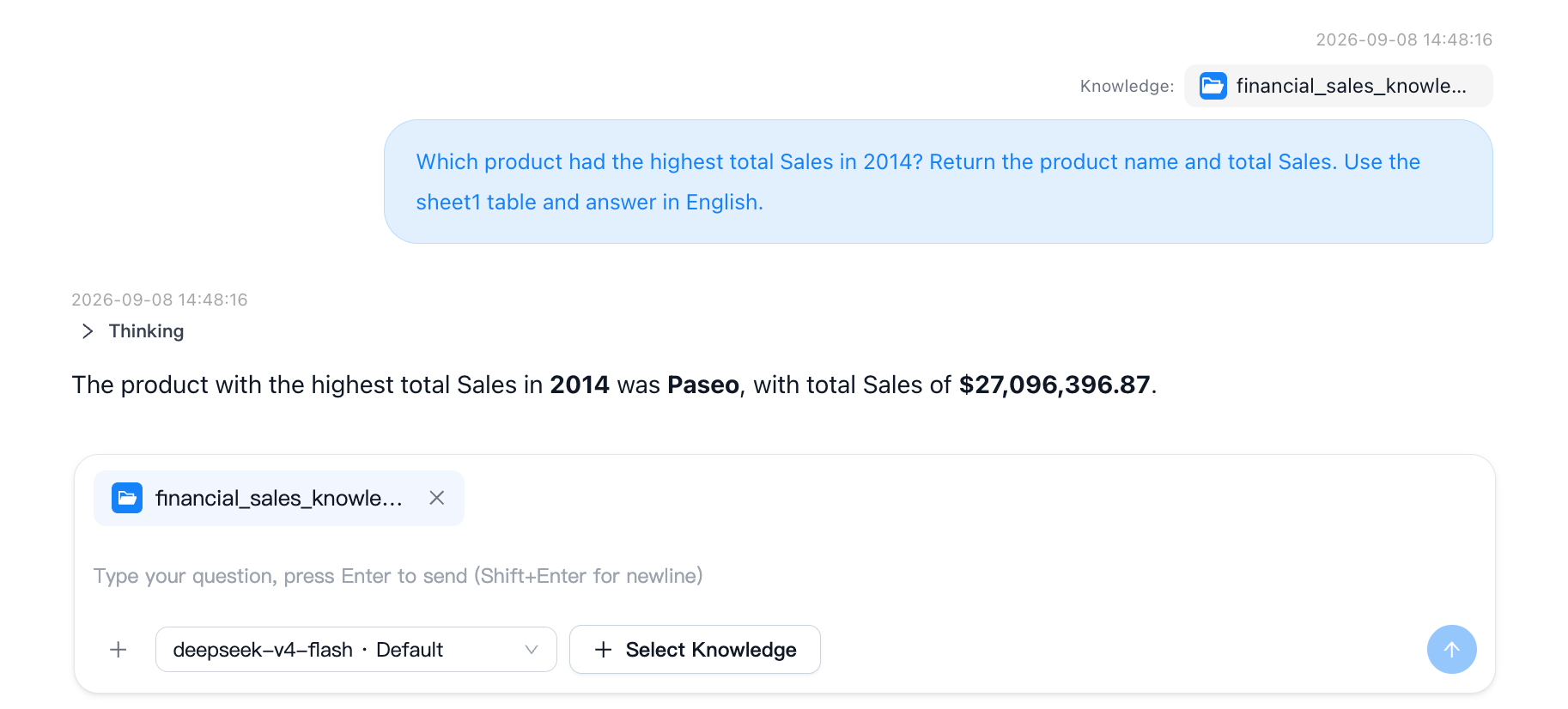
Which product had the highest total Sales in 2014? Return the product name and total Sales. Use the sheet1 table and answer in English.
In this run, MOI returned Paseo, with total Sales of $27,096,396.87.
5. Inspect the generated SQL
Expand Thinking and locate the SQL for the query. Open the SQL details to inspect the statement without needing to read or capture the entire execution trace.
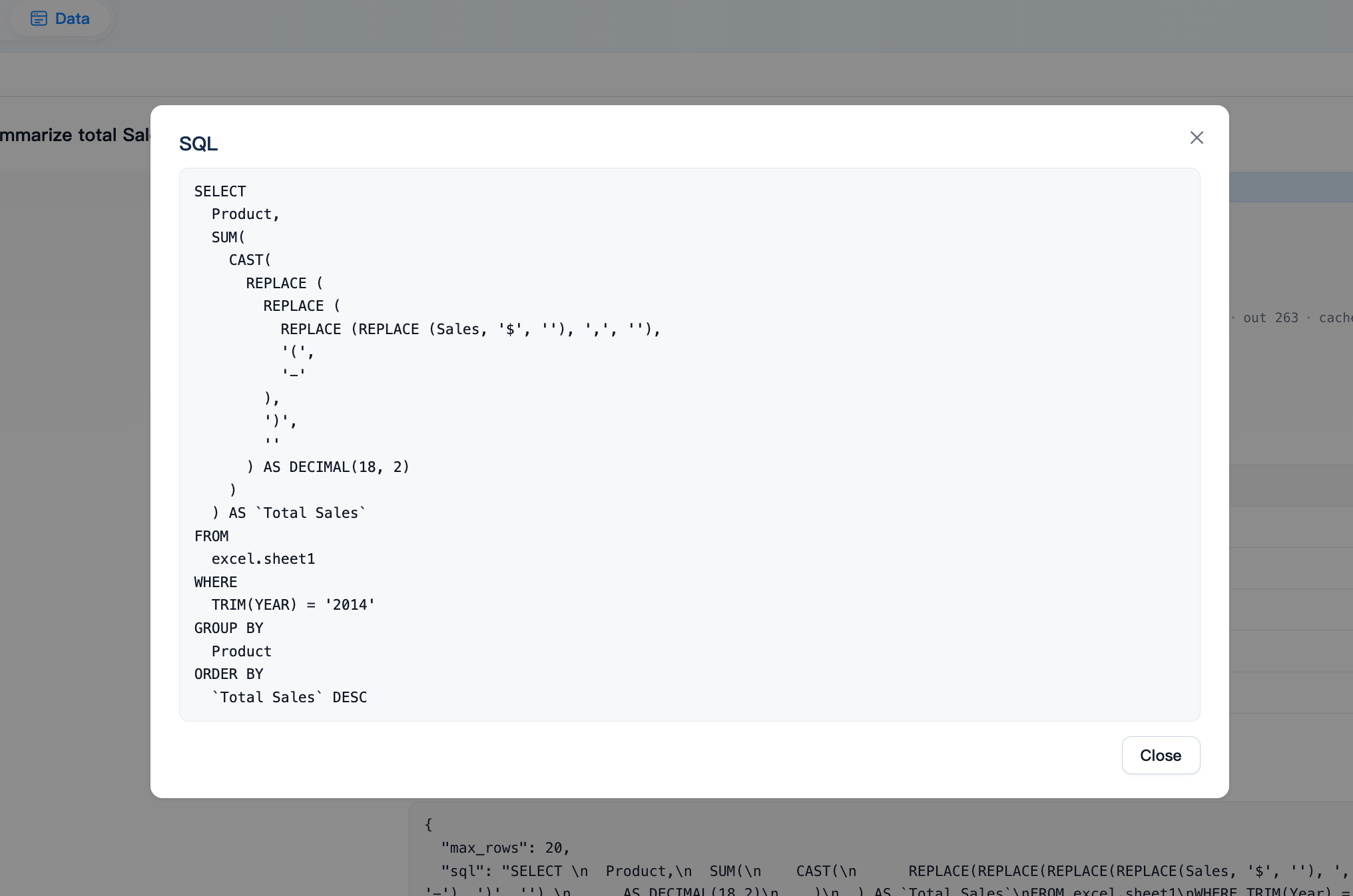
For the second question, check that the SQL:
reads
excel.sheet1;filters
Yearto2014;sums
SalesbyProduct; andsorts total Sales in descending order.
The SQL in this example removes currency formatting from text values and casts each Sales value to DECIMAL(18, 2) before summing. Generated SQL may differ if your imported column types differ.
Precision note: Rounding each row before summing can differ from summing the original Excel values and rounding only the final total. For Paseo in 2014, the original workbook totals $27,096,396.86 when rounded at the end, one cent below the result shown here. When checking financial totals, use the same conversion and rounding rules on both sides.
Complete
You have imported an Excel workbook as a Catalog table, added its 700 data rows to a knowledge base, asked two questions in English, and inspected the generated SQL. You can continue with questions by country, product, market segment, or month using the same knowledge base.