

Debug models
Use the Debug page to validate a model, input, and invocation pattern in the console. Select a task type and a model, fill in the input on the page, and run it. Afterward, you can inspect the output, request JSON, raw response, and the usage information shown on the page.
Select a debug type
Open Debug in the left navigation. The top of the page groups tabs by task type. You can currently select the following as needed:
Task |
Debug tab |
Supported input |
|---|---|---|
Text conversation |
Chat (text) |
Text messages. You can select Chat, Messages, or Responses. |
Multimodal conversation |
Chat (multimodal) |
A text prompt and an image URL or local image. You can select Chat, Messages, or Responses. |
Text embeddings |
Embeddings (text) |
One text item per line. |
Multimodal embeddings |
Embeddings (multimodal) |
An image URL or local image. |
Text reranking |
Rerank (text) |
A query and a list of candidate documents. |
Multimodal reranking |
Rerank (multimodal) |
A query, candidate text, and optional candidate images. |
Tabs for OCR, text-to-image, text-to-video, text-to-speech, or speech-to-text that appear unavailable on the page do not mean those capabilities can be invoked through the current Debug page. Use the selectable tabs and model list as the source of truth.
Debug text conversations
Select Chat (text), then select Chat, Messages, or Responses.
Select a model on the left. Adjust the temperature, Top P, maximum output tokens, streaming, and other settings provided by the page as needed.
Enter a question or message, then click Send, Run Messages, or Run Responses.
Review the model output. The Messages and Responses pages also show request JSON and the raw response.
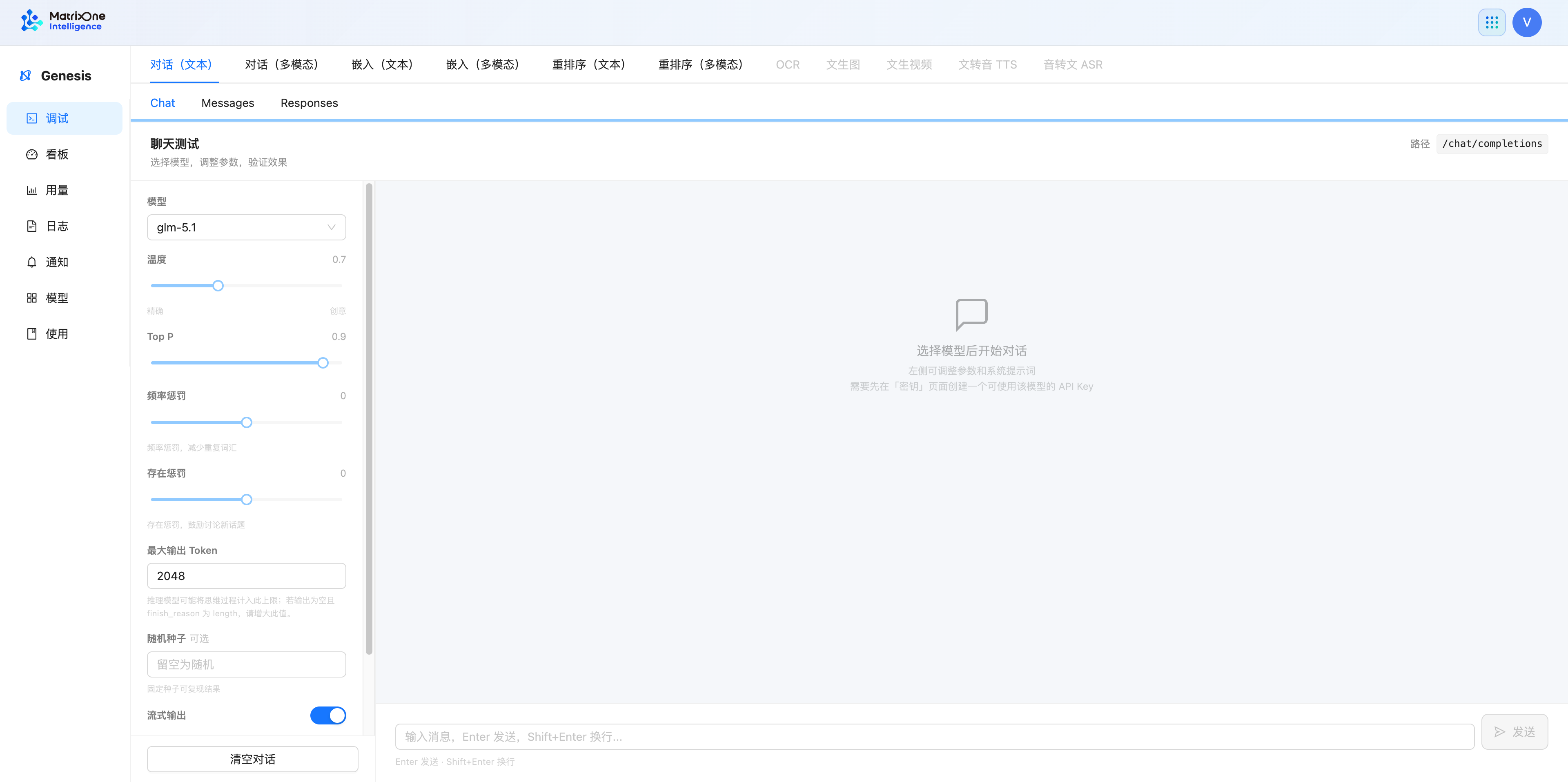
Chat is suitable for validating ongoing conversations and streaming output. Use Clear conversation to start a new conversation.
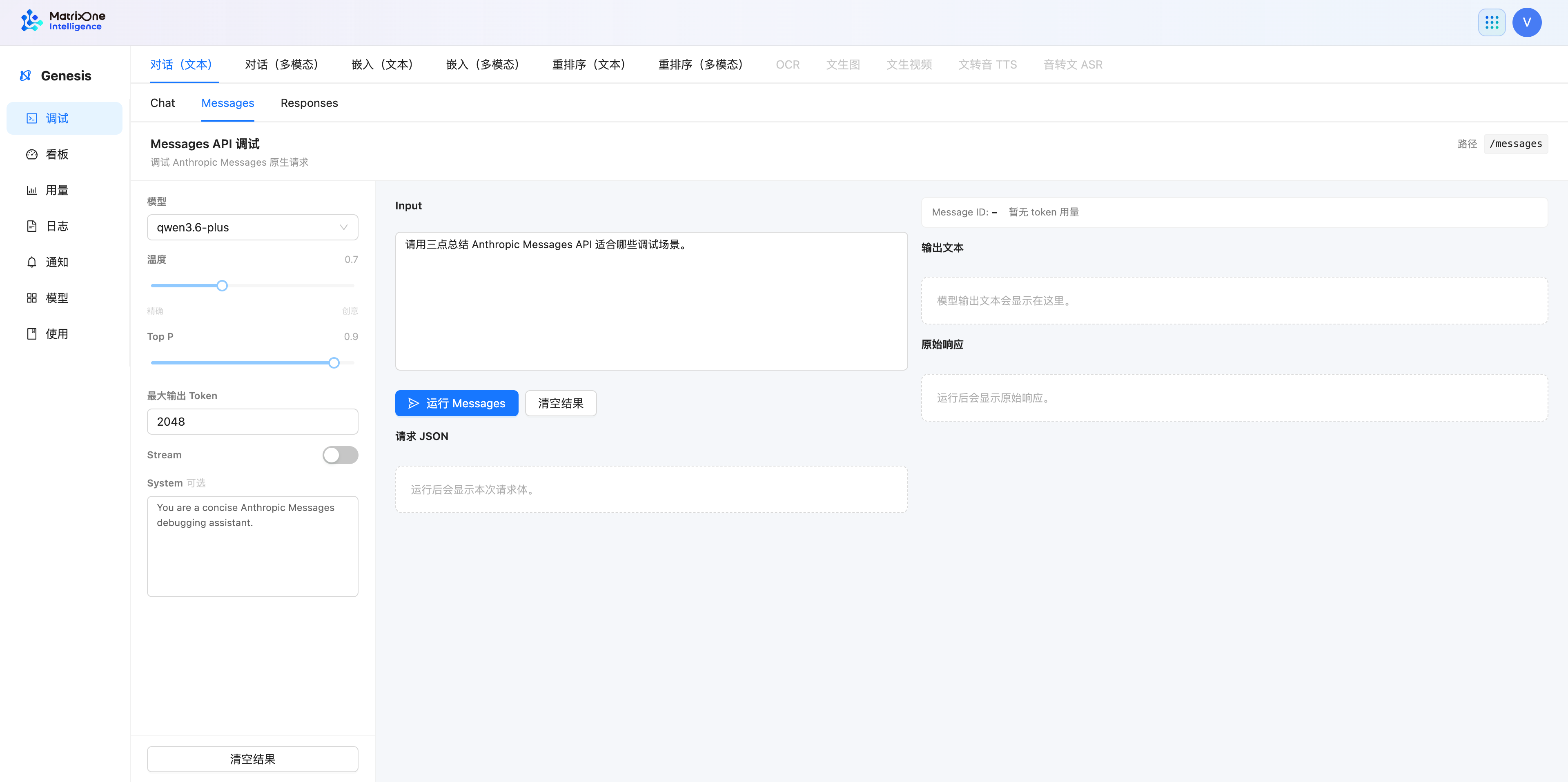
Messages is suitable for validating the Anthropic Messages invocation pattern. Whether the system prompt, streaming, and maximum output tokens are available depends on the current page.
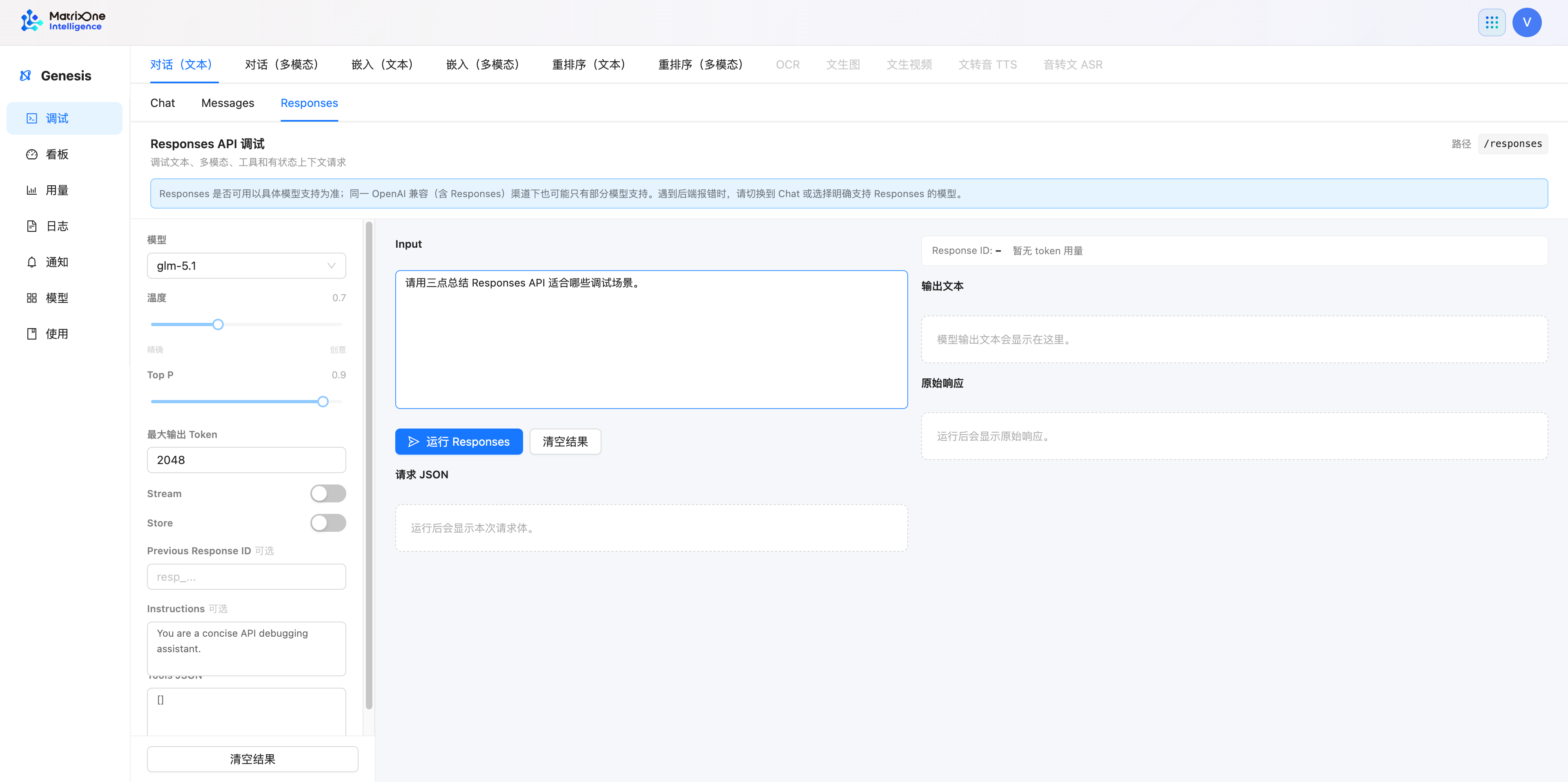
On the Responses page, you can fill in Instructions, Previous Response ID, or Tools JSON as needed. Use Store, continued context, or tool-related options only when the selected model and route support them. If an unsupported message appears, switch the model or invocation pattern and validate again.
Debug multimodal conversations
Select Chat (multimodal), then select Chat, Messages, or Responses.
Select a model that supports visual input.
Enter an image URL or click Choose image to upload a local image, then enter the question you want the model to answer.
Run the request, then review the output and raw response.
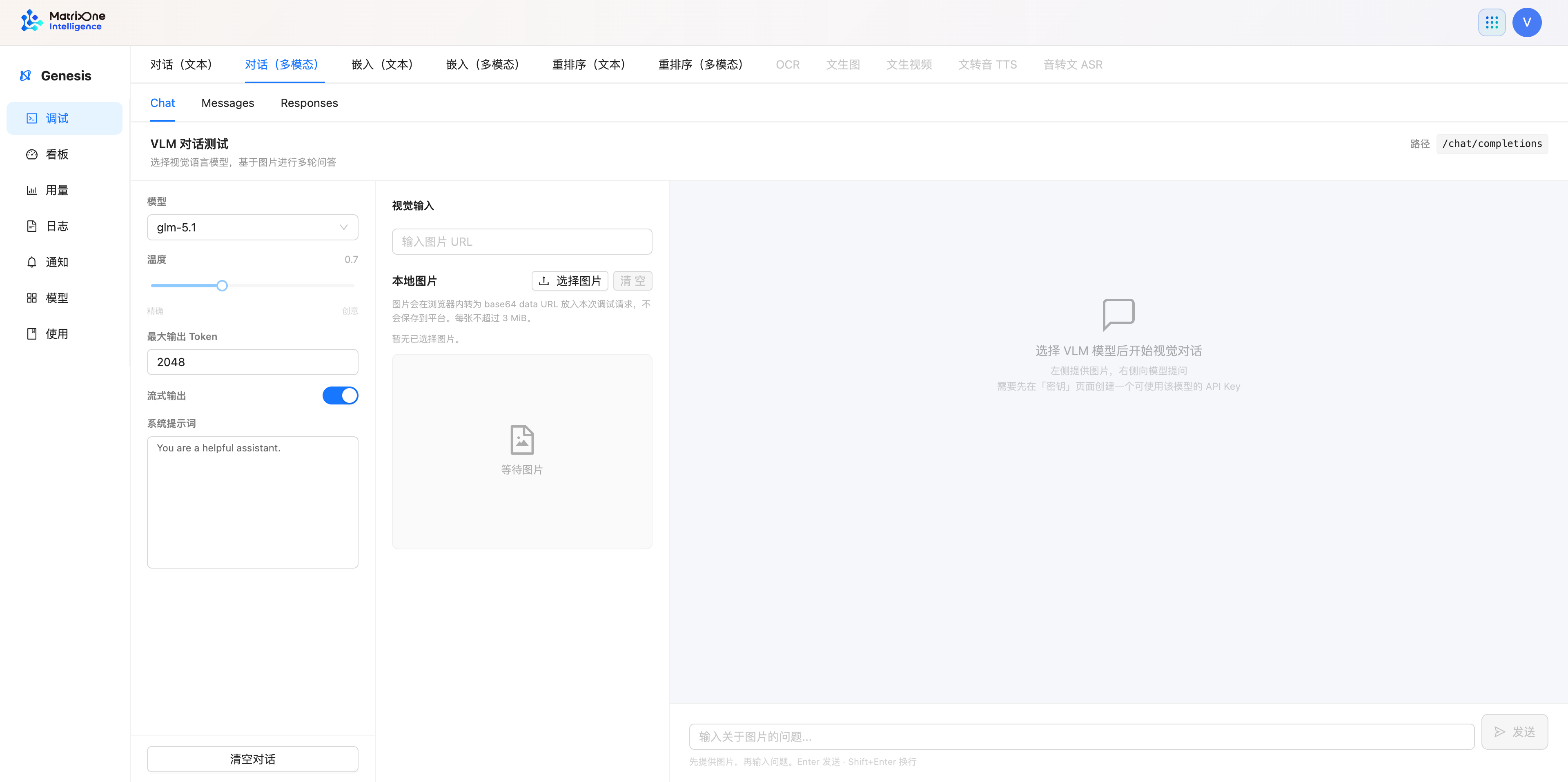
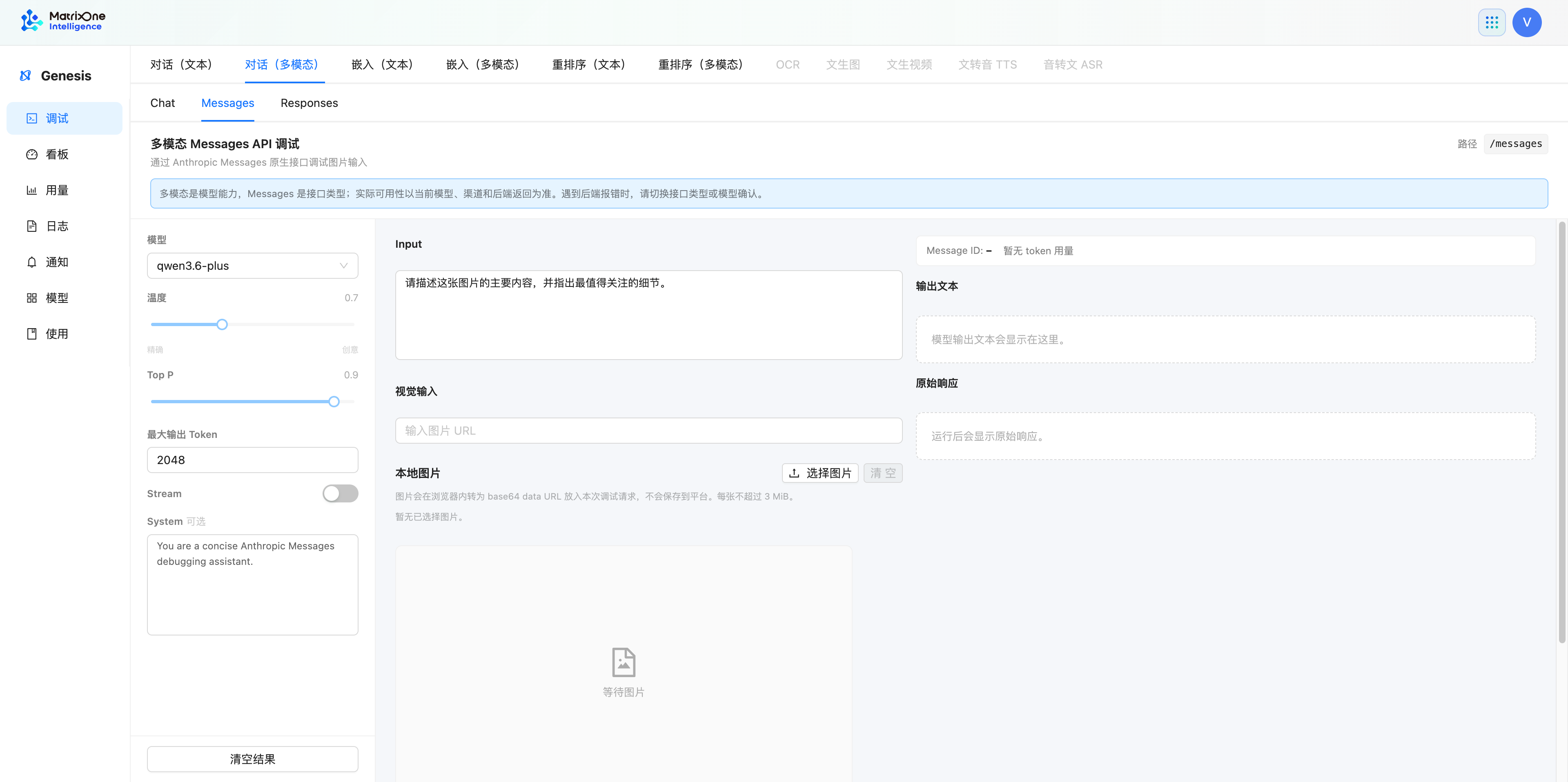
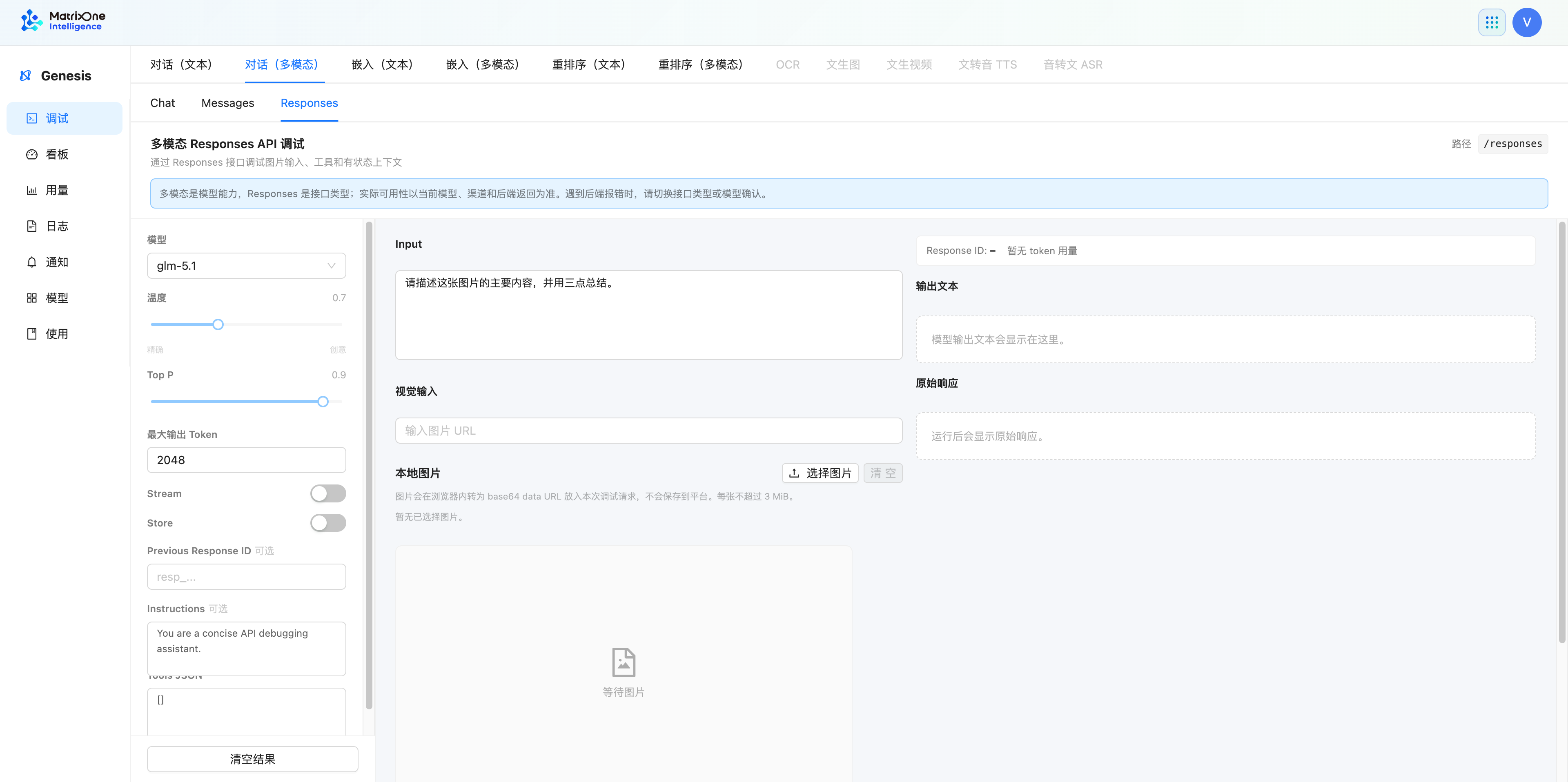
Local images are converted in the browser into the format required for this debug request. Do not upload images that contain sensitive information. Models support different image inputs and invocation patterns, so confirm that you selected a model that supports visual input before submitting.
Debug embeddings
Text embeddings
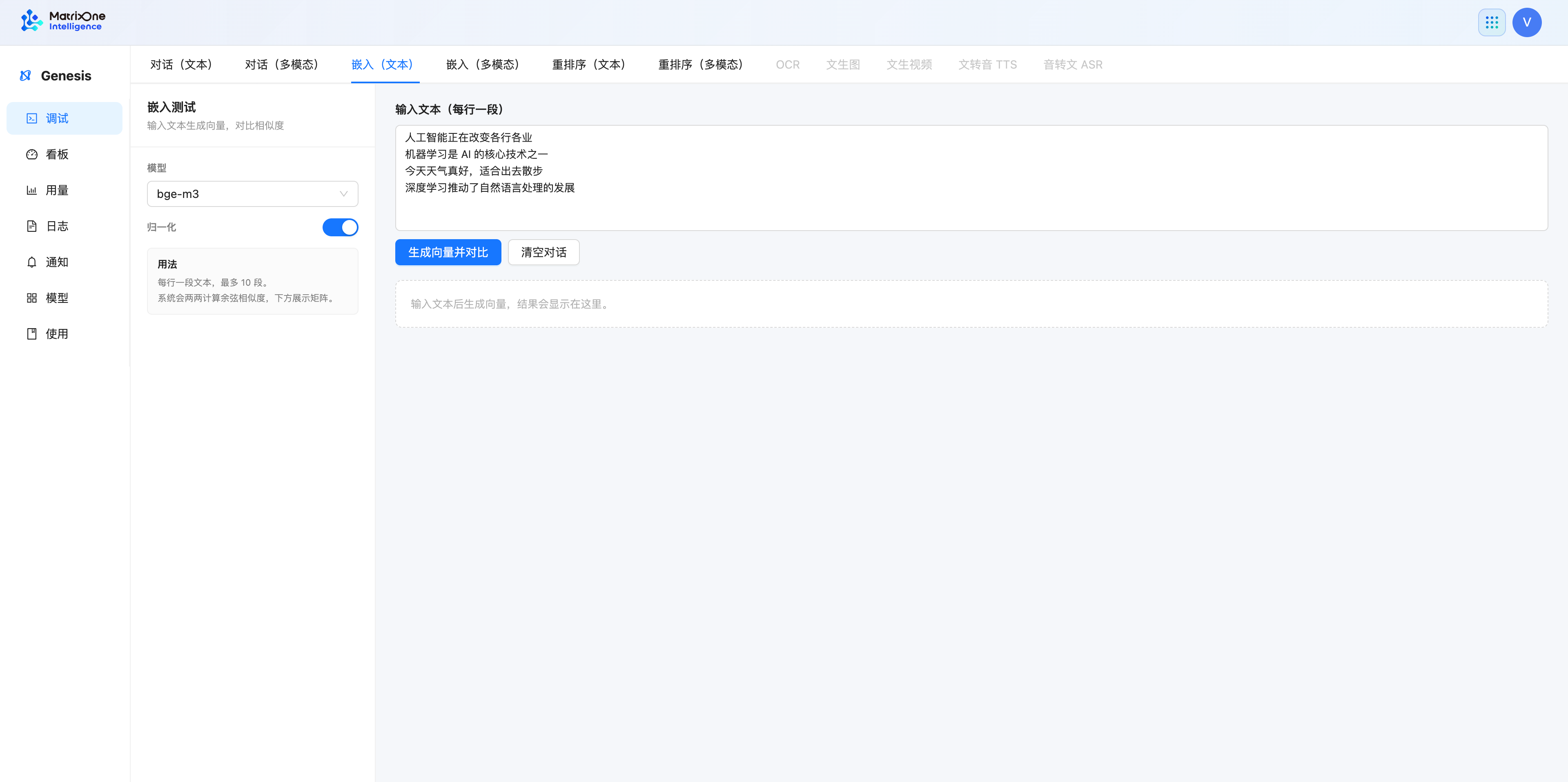
Select Embeddings (text).
Select a text embedding model and enable or disable Normalize as needed.
Enter one text item per line in the input box, then click Generate vectors and compare.
Review the generated result and the similarity comparison provided by the page.
Multimodal embeddings
Select Embeddings (multimodal).
Select a multimodal embedding model.
Enter an image URL or upload a local image.
Click Generate image vector, then review the result.
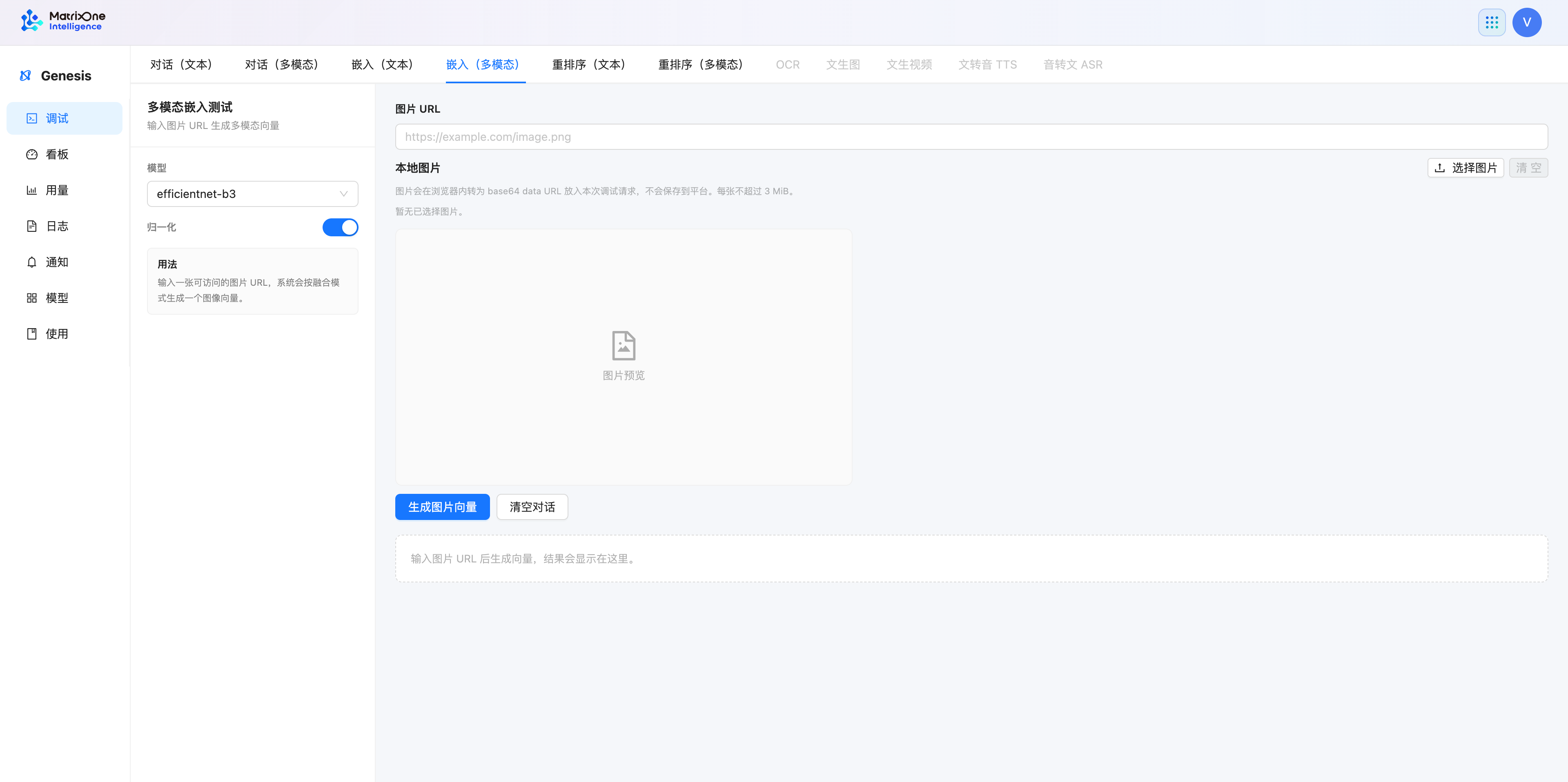
Use the Debug page to compare results visually. For application integration, see Embeddings for input structures, vector formats, and response fields.
Debug reranking
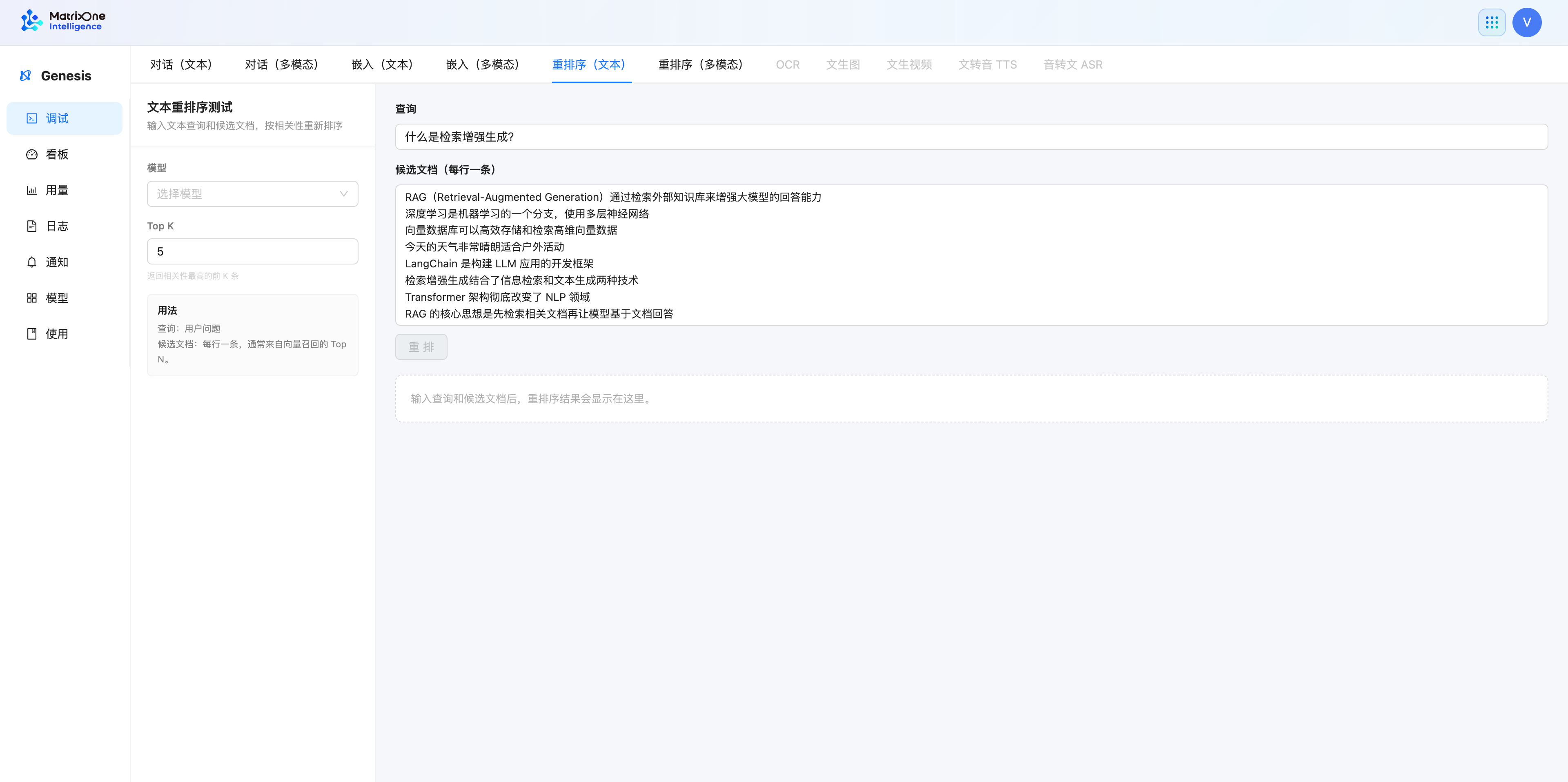
Text reranking
Select Rerank (text).
Select a rerank model and set Top K.
Enter the query text; enter one candidate item per line in the candidate documents.
Click Rerank to review the returned candidate order and relevance results.
Multimodal reranking
Select Rerank (multimodal).
Select a multimodal rerank model and set Top K.
Enter the query text and candidate text. To compare images, enter candidate image URLs or upload local images.
Click Rerank, then review the result.
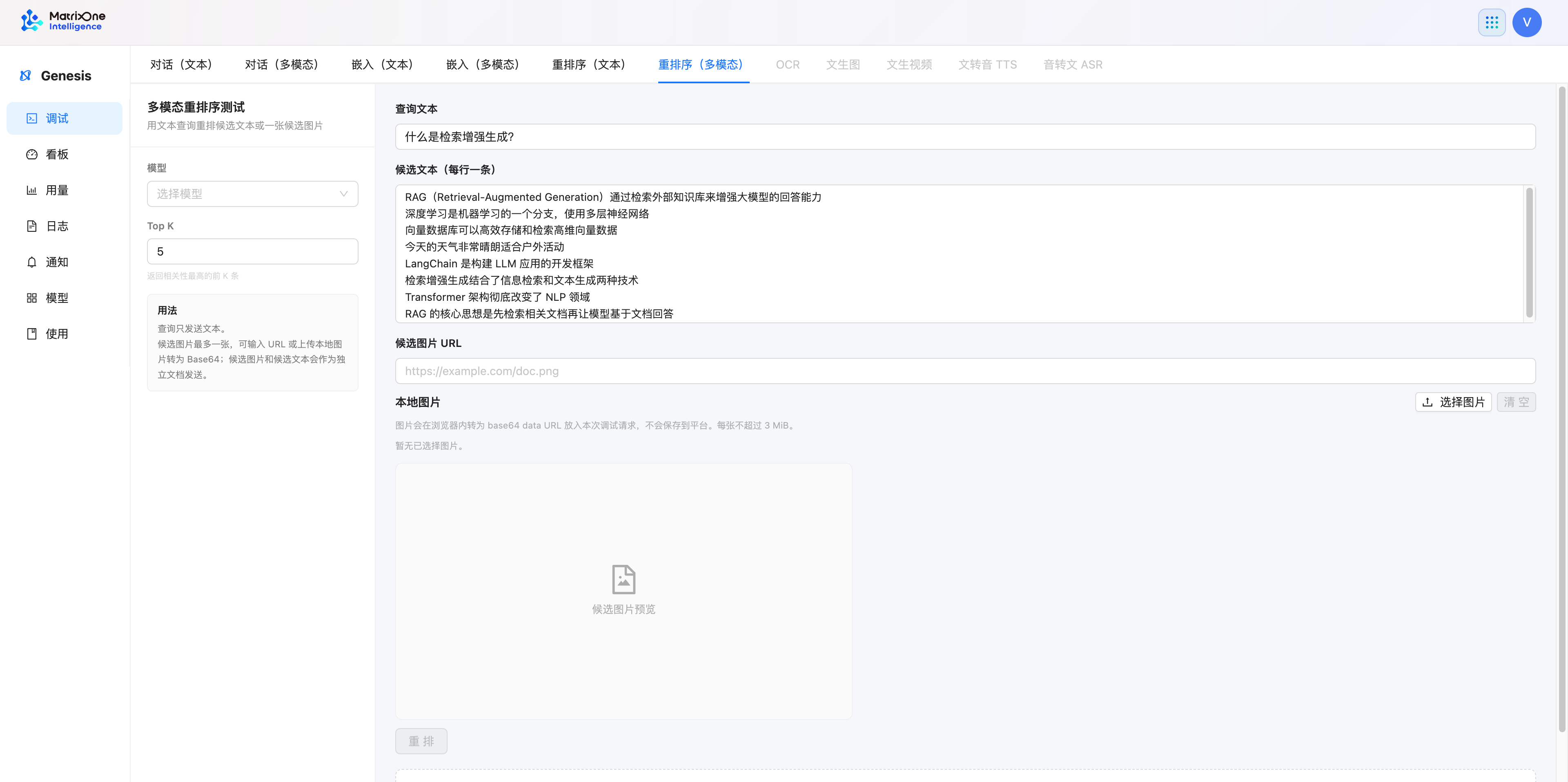
Reranking results identify the position of each result in the original candidate list. Enter one candidate document per line. Applications must map each returned position back to the original document. For response fields, see Rerank.
Troubleshoot requests that do not run
Symptom |
What to check |
|---|---|
You cannot select a model or the run button is unavailable. |
Confirm that you selected a model for the required task type in the model marketplace, and that the current service account has permission to use the model. |
A multimodal request cannot be submitted. |
Confirm that you selected a model that supports visual input, and check that the image URL or local image is available. |
Messages or Responses reports that it is unsupported. |
Switch to Chat, or select a model whose details explicitly show support for the corresponding invocation pattern. |
Reranking results are unexpected. |
Check the query, candidate documents, and Top K. Enter one candidate document per line. |
You need to confirm the actual API behavior. |
Open the corresponding developer API page and check the request parameters, response fields, and error handling. |
After debugging confirms that a model meets your needs, copy its model ID. When calling the API from an application, put that ID in the request’s model field. See the corresponding API documentation for the exact request format.