

Model marketplace
Use the model marketplace to browse the model services currently available in Genesis and compare model types, supported capabilities, context windows, maximum output, pricing, and status. After completing this page, you can copy a model ID and validate it in Debug. Before integrating it into an application, confirm that the current credential has permission to call the model.
Find a model
Open Models in the left navigation.
Use the search box to find candidate models by model name, family, or description.
Use the type, family, context, and status filters provided by the page to narrow the results.
Open a model card to view its details.
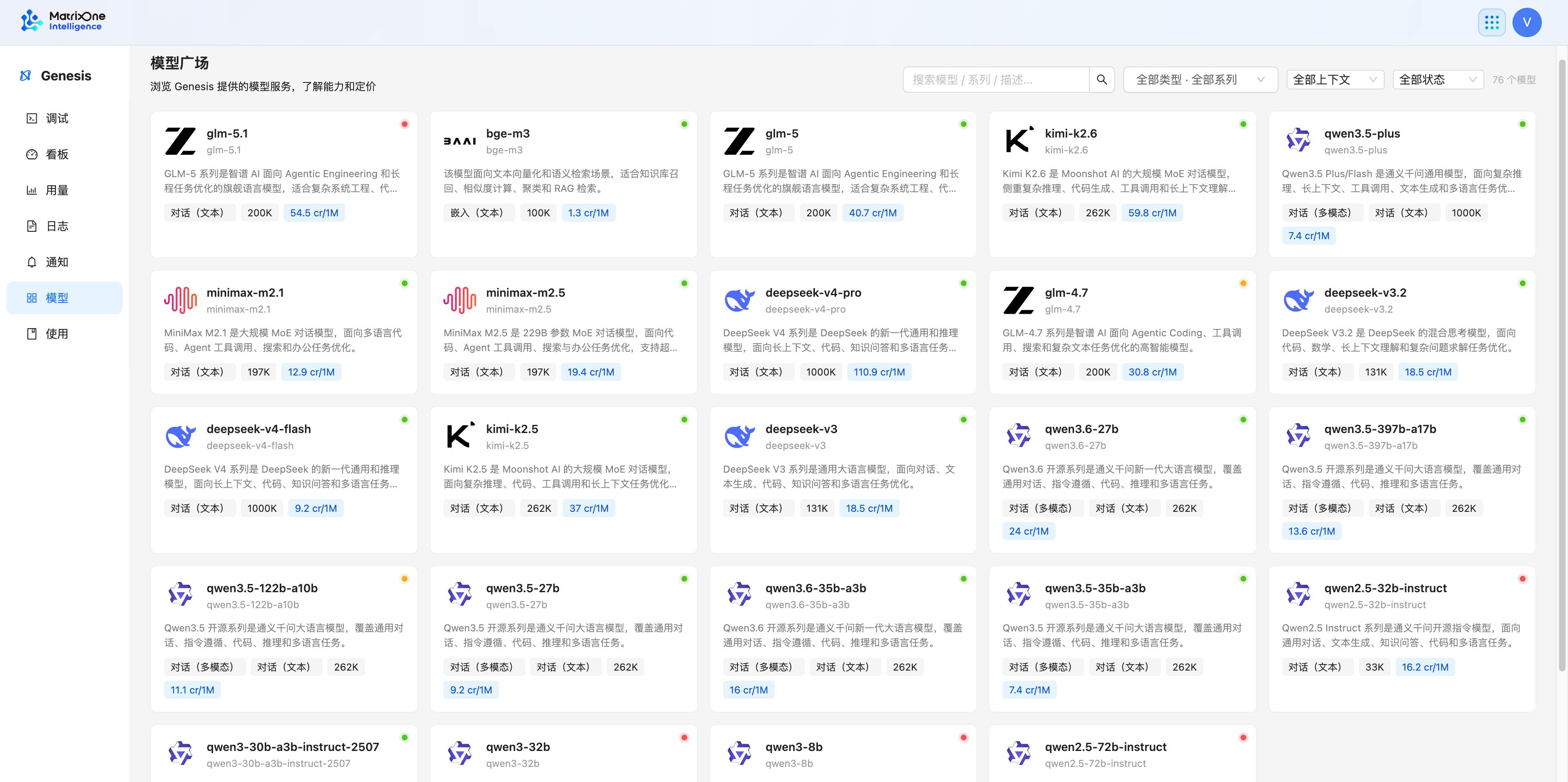
The model list, status, context, capabilities, and prices can change with the current environment configuration. Use the information on the page for comparison and selection; do not treat it as a fixed application configuration.
View model details
The fields in model details help determine whether a model fits the task.
Information |
Purpose |
Next step |
|---|---|---|
Model type |
Determine whether the model is suitable for conversations, embeddings, reranking, or another task. |
Use Genesis API task entry points to confirm the invocation pattern. |
Context window and maximum output |
Determine whether the input and output size meets your needs. |
Validate with a minimum request close to the real size. |
Supported capabilities |
Determine whether visual input, Responses, streaming, or another invocation pattern is supported. |
Use only capabilities explicitly shown in the details. |
Model ID |
The value of the |
Copy it and validate that the current credential can call it. |
Pricing and status |
Compare current cost and availability. |
Check again before production and prepare a fallback model for production calls. |
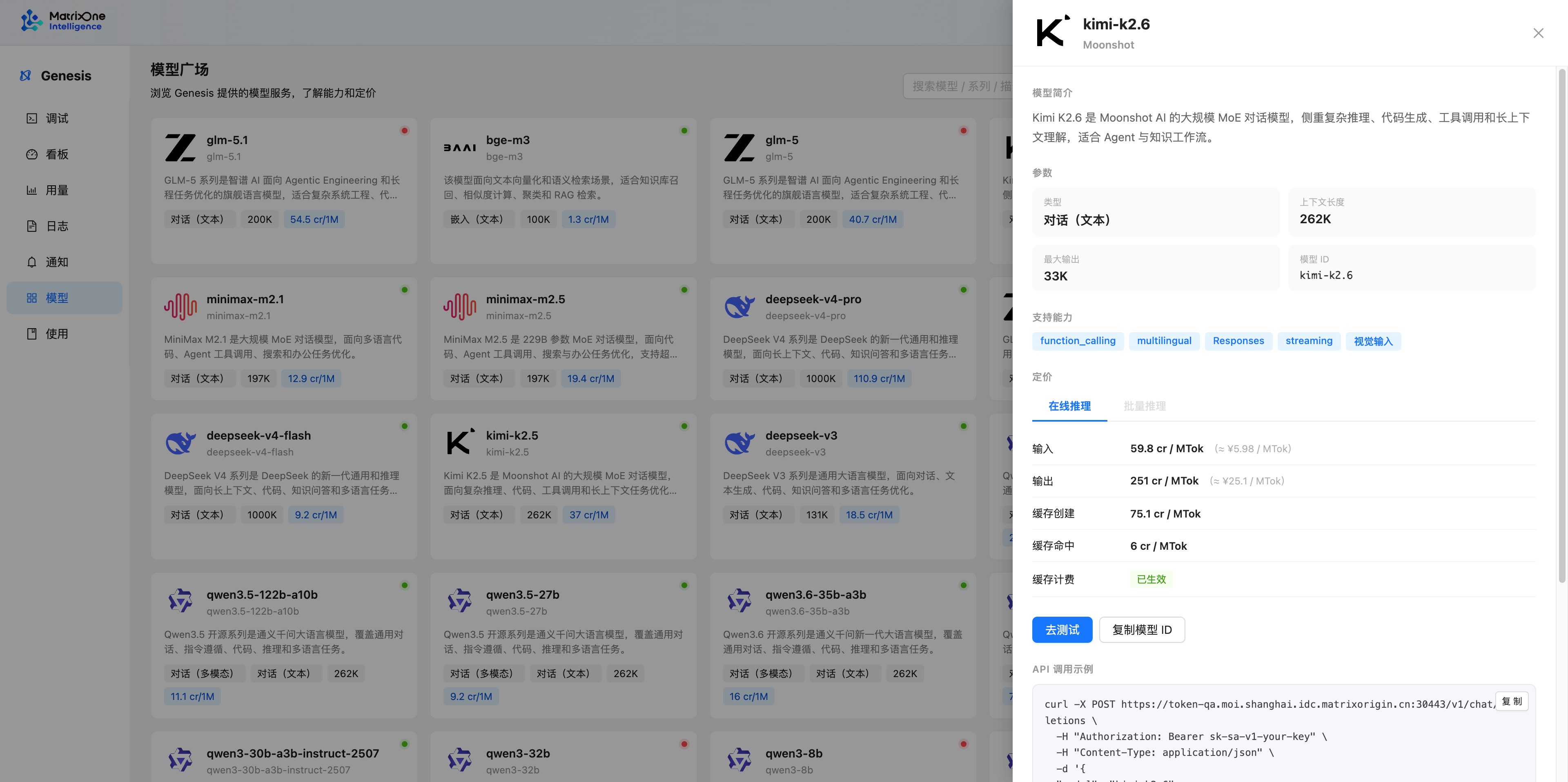
Do not assume a capability is available if it is not shown in the model details. The presence of OCR, image, video, TTS, or ASR types in the model catalog does not mean a corresponding standalone public inference API is available.
Confirm that a model is callable
The model marketplace and a query for available models answer different questions:
Action |
Purpose |
When to use it |
|---|---|---|
Browse the model marketplace |
Compare model types, capabilities, context, pricing, and status. |
During model selection and manual comparison. |
Check service-account permissions |
Confirm that the service account has been granted access to the target model. |
Before integrating with a service account. |
Query currently available models |
Confirm which models the current credential can actually call. |
During application integration, automatic model selection, or troubleshooting an unavailable model. |
If you use a service account, check Manage Genesis access credentials to confirm that it has Genesis product permission and access to the target model. Personal access tokens use the current user’s permission scope.
When an application must confirm callability through the API, see List models. The model IDs in the result are candidates that can be used in an application’s request model field. If a model is not in the result, do not substitute a similarly named model based on its name alone.
Copy and validate a model ID
In the details, click Copy model ID.
If the details show Test, open it to enter Debug and validate the result with the smallest input that matches the target scenario.
Before application integration, call List models to confirm that the ID is in the results accessible to the current credential.
Put the model ID in the
modelfield of the applicable API request.
The request formats differ for conversation, embedding, and rerank models. After copying a model ID, open the developer API page for the corresponding model type; do not use the same request body for different model types. Even if a model ID appears in the available-model result, first validate its input form and optional parameters with the smallest input for the target scenario.