Django Basic Example
This document will guide you how to useDjango to build a simple application and implement the CRUD (create, read, update, delete) function.
Django is an open source web application framework written in Python.
Prepare before starting
A brief introduction to related software:
- Django is a high-level Python web framework for rapid development of maintainable and scalable web applications. With Django, Python program developers can easily complete most of the content needed for a formal website with little code and further develop full-featured web services.
Software Installation
Before you start, make sure you have downloaded and installed the following software:
- Confirm that you have completed the installation Python 3.8(or plus) version. Use the following code to check the Python version to confirm that the installation is successful:
python3 -V
-
Confirm that you have completed the installation of the MySQL client.
-
Confirm that you have completed the installation Django. Use the following code to check the Django version to confirm that the installation is successful:
python3 -m django --version
- Download and install the
pymysqltool. Use the following code to download and install thepymysqltool:
pip3 install pymysql

#If you are in China mainland and have a low downloading speed, you can speed up the download by following commands.
pip3 install pymysql -i https://pypi.tuna.tsinghua.edu.cn/simple
Environment Configuration
-
Connect to MatrixOne through the MySQL client. Create a new database called test.
mysql> create database test; -
Create the project
django_crud_matrixone.django-admin startproject django_crud_matrixoneAfter the creation is completed, we can check the directory structure of the project:
cd django_crud_matrixone/ django_crud_matrixone/ ├── __init__.py └── asgi.py └── settings.py └── urls.py └── wsgi.py manage.py -
Next, we enter the django_crud_matrixone directory and enter the following command to start the server:
python3 manage.py runserver 0.0.0.0:80000.0.0.0 allows other computers to connect to the development server, 8000 is the port number. If not specified, the port number defaults to 8000.
Enter the IP of your server in the browser (here we enter the IP address of the machine: 127.0.0.1:8000) and the port number. If it is started normally, the output result is as follows:

-
We found the DATABASES configuration item in the settings.py file of the project and modified its information to:
DATABASES = { 'default': { 'ENGINE': 'django.db.backends.mysql', # Database Engine 'NAME': 'test', # Database name 'HOST': 'freetier-01.cn-hangzhou.cluster.matrixonecloud.cn', # Database address 'PORT': 6001, # Port 'USER': '72b5d43e_b533_4960_a44e_35bf027cxxxx:admin:accountadmin', # Database username 'PASSWORD': 'your_password', # Database Password } } -
Next, tell Django to use the pymysql module to connect to the mysql database, and introduce modules and configure them in the init.py directory of the same level as settings.py:
import pymysql pymysql.install_as_MySQLdb() -
Create an app. Django stipulates that if you want to use a model, you must create an app. We use the following command to create a TestModel app:
django-admin startapp TestModelThe directory structure is as follows:
django_crud_matrixone/ ├── __init__.py └── asgi.py ... TestModel └── migrations └── __init__.py └── admin.py └── apps.py └── models.py └── tests.py └── views.py -
Next, find the INSTALLED_APPS item in settings.py, as follows:
INSTALLED_APPS = [
"django.contrib.admin",
"django.contrib.auth",
"django.contrib.contenttypes",
"django.contrib.sessions",
"django.contrib.messages",
"django.contrib.staticfiles",
"TestModel", #Add this item
]
Create a new table
- Modify the TestModel/models.py file and define a book table information code as follows:
from django.db import models
class Book(models.Model):
id = models.AutoField(primary_key=True) # id will be automatically created and can be written manually
title = models.CharField(max_length=32) # Book name
price = models.DecimalField(max_digits=5, decimal_places=2) # Book price
publish = models.CharField(max_length=32) # Publisher name
pub_date = models.DateField() # Publication time
The Django model uses the included ORM. The above class names represent the database table name (testmodel_book), and inherit models.Model. The fields in the class represent fields in the data table. Data types: AutoField (equivalent to int), CharField (equivalent to varchar), DecimalField (equivalent to decimal), DateField (equivalent to date), and the max_length parameter limits the length.
ORM correspondence table:
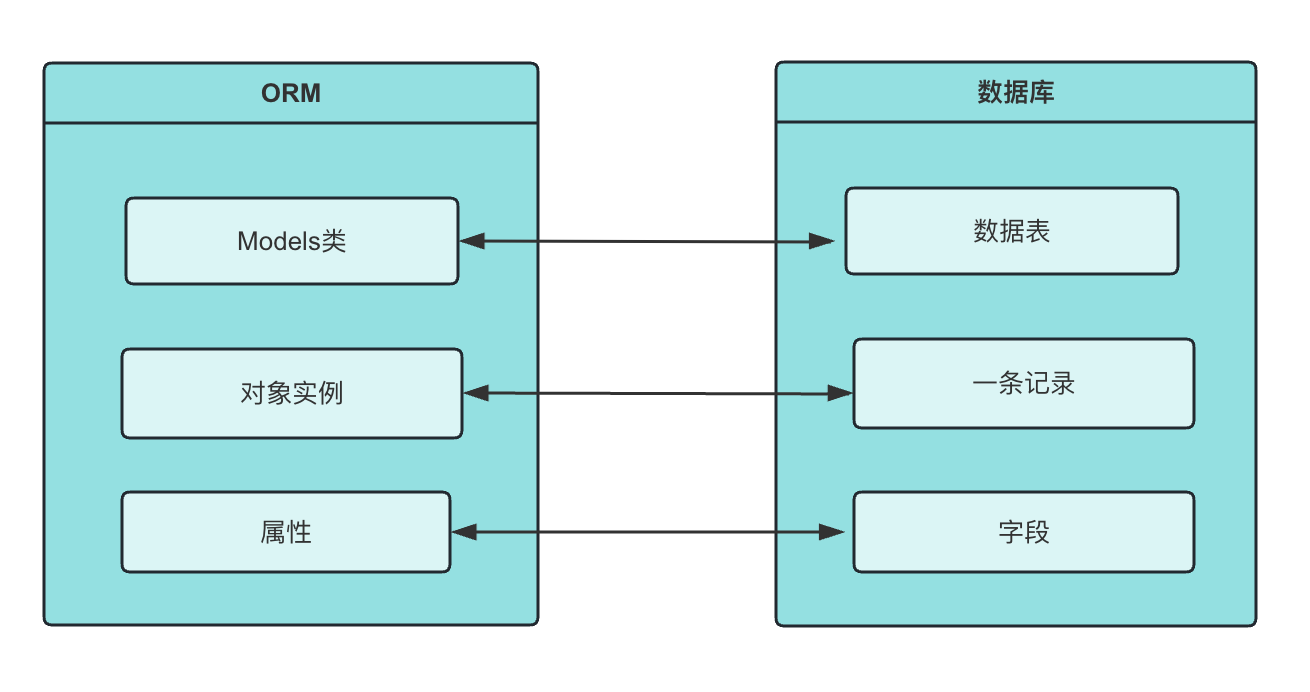
For more model field types, please refer to: https://docs.djangoproject.com/en/5.0/ref/models/fields/.
- Run on the command line
python3 manage.py makemigrations TestModel # Generate configuration files and put them in the migrations directory under the app
python3 manage.py migrate TestModel # Automatically generate corresponding SQL statements based on configuration files
Enter the test database and you can see that the testmodel_book table has been generated. The django_migrations table generates records of the executed operations.
mysql> show tables;
+-------------------------+
| Tables_in_test |
+-------------------------+
| django_migrations |
| testmodel_book |
+-------------------------+
2 rows in set (0.01 sec)
Insert data
- Adding data requires creating an object first, and then using the method created provided by objects provided by ORM. Create a new views.py file in the django_crud_matrixone directory under the previously created django_crud_matrixone directory and enter the code:
from django.shortcuts import render,HttpResponse
from TestModel import models
def add_book(request):
    books = models.Book.objects.create(title="White Night Walk",price=39.50,publish="Nanhai Publishing Company",pub_date="2010-10-10")
    return HttpResponse("<p>Data added successfully!</p>")
- Next, bind the URL and view function. Open the urls.py file, delete the original code, and copy and paste the following code into the urls.py file:
from django.contrib import admin
from django.urls import path
from . import views

urlpatterns = [path('', views.add_book),
    ]
- Next we enter the django_crud_matrixone directory and enter the following command to start the server:
python3 manage.py runserver 0.0.0.0:8000
Enter the IP of your server in the browser (here we enter the IP address of the machine: 127.0.0.1:8000) and the port number. If it is started normally, the output result is as follows:
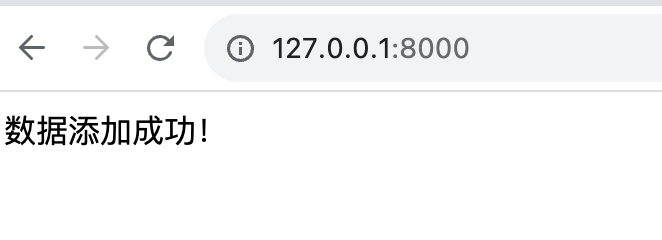
- Connect to the database to query data, you can see that the data is successfully inserted:
mysql> select * from testmodel_book;
+------+-------------------------------------------------------------------------------------------------------------------------------------------------------------------------------------------------------------------------------------------------------
| id | title | price | publish | pub_date |
+------+-------------------------------------------------------------------------------------------------------------------------------------------------------------------------------------------------------------------------------------------------------
| 1 | Bai Yexing | 39.50 | Nanhai Publishing Company | 2010-10-10 |
+------+-------------------------------------------------------------------------------------------------------------------------------------------------------------------------------------------------------------------------------------------------------
1 row in set (0.00 sec)
Query data
- Modify the views.py file in the django_crud_matrixone directory and add code:
def src_book(request):
    books = models.Book.objects.all()# Use the all() method to query all content
    for i in books:
       print(i.id,i.title,i.price,i.publish,i.pub_date)
    return HttpResponse("<p>Search successfully!</p>")
For more query-related methods, please refer to: https://docs.djangoproject.com/en/5.0/ref/models/querysets/
-
Modify the urls.py file:
urlpatterns = [ path('', views.src_book), ] -
Next we enter the django_crud_matrixone directory and enter the following command to start the server:
python3 manage.py runserver 0.0.0.0:8000
Enter the IP of your server in the browser (here we enter the IP address of the machine: 127.0.0.1:8000) and the port number. If it is started normally, the output result is as follows:
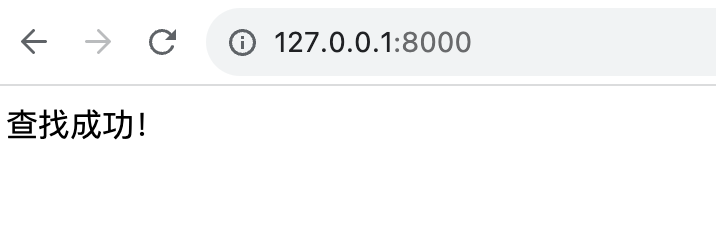
The command line result is:
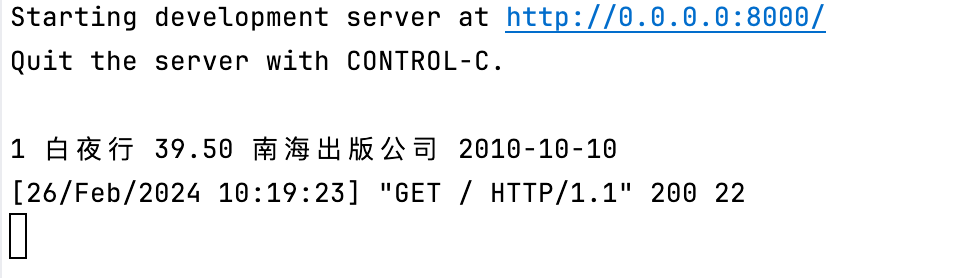
Update data
- Update data using the QuerySet type data
.update(), the following example updates the price value of the record with an id value of 1 to 50. Modify the views.py file in the django_crud_matrixone directory and add code:
def upd_book(request):
    books = models.Book.objects.filter(pk=1).update(price=50)
    return HttpResponse("<p>Updated successfully!</p>")
pk=1 means primary key=1, which is equivalent to id=1.
- Modify the urls.py file:
urlpatterns = [
path('', views.upd_book),
]
- Next we enter the django_crud_matrixone directory and enter the following command to start the server:
python3 manage.py runserver 0.0.0.0:8000
Enter the IP of your server in the browser (here we enter the IP address of the machine: 127.0.0.1:8000) and the port number. If it is started normally, the output result is as follows:
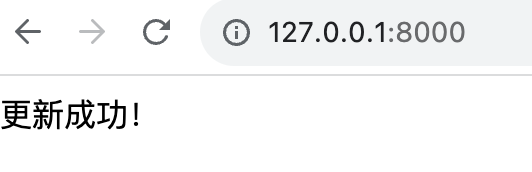
- Check the testmodel_book table and you can see that the data is updated successfully:
mysql> select * from testmodel_book;
+------+-------------------------------------------------------------------------------------------------------------------------------------------------------------------------------------------------------------------------------------------------------
| id | title | price | publish | pub_date |
+------+-------------------------------------------------------------------------------------------------------------------------------------------------------------------------------------------------------------------------------------------------------
| 1 | Bai Yexing | 50.00 | Nanhai Publishing Company | 2010-10-10 |
+------+-------------------------------------------------------------------------------------------------------------------------------------------------------------------------------------------------------------------------------------------------------
1 row in set (0.00 sec)
Delete data
- Use the QuerySet type number
.delete()to delete data. The following example is to delete a record with a price of 50. Modify the views.py file in the django_crud_matrixone directory and add code:
def del_book(request):
    books=models.Book.objects.filter(price=50).delete()
    return HttpResponse("<p>Delete successfully!</p>")
- Modify the urls.py file:
urlpatterns = [
path('', views.del_book),
]
- Next we enter the django_crud_matrixone directory and enter the following command to start the server:
python3 manage.py runserver 0.0.0.0:8000
Enter the IP of your server in the browser (here we enter the IP address of the machine: 127.0.0.1:8000) and the port number. If it is started normally, the output result is as follows:
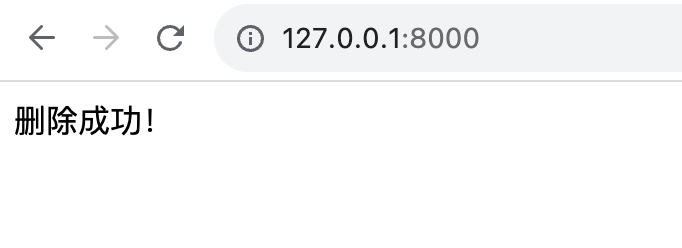
- Check the testmodel_book table and you can see that the data has been successfully deleted.
mysql> select * from testmodel_book;
Empty set (0.00 sec)