Data Sharing
MatrixOne Intelligence provides users with data sharing capabilities across instances within the cluster, greatly enhancing data liquidity and availability. Users can publish and subscribe operations in the database management interface to realize real-time data synchronization and communication between different instances. MatrixOne Intelligence's publish subscription mechanism provides users with a powerful, flexible and reliable data sharing solution.
Application Scenario
The publish subscription function has many typical application scenarios:
-Data Synchronization: When one database needs to be synchronized with another database, the publish subscription feature can be used to send data changes to the subscriber database. For example, when a website needs to transfer data from one geographical location to another, the publish subscription feature can be used to ensure data synchronization between two databases.
-Real-time data processing: The publish subscription function can be used to implement real-time data processing. For example, when a website needs to process data from different users, the publish subscription function can be used to transfer data to a processor for processing in order to enable real-time data analysis and decision-making.
-Data Sharing: When you need to share database information with your partners or internal departments, you can securely share data through a publishing subscription while controlling data access.
-Reports and Analysis: In scenarios where a large amount of data query and analysis are required, complex report generation and data analysis are carried out on the subscription side to avoid affecting the performance of the main instance.
Publish subscription operation
Publish Subscription Database
1.Publish: Create a database named mall and the customer table in it on Instance_1. Now we need to publish this database, we must first log in to the database management platform. ClickDatabase >Publish >Add Publish, fill in the publish information page, create a publish named pub_mall, and select mall as the database to be published. The publishing target is set to Instance_2 within the organization:
```sql
-- Example_1
create database mall;
CREATE TABLE mall.customer (
customer_id INT,
customer_name VARCHAR(255)
);
```

<div align="center">
<img src=https://community-shared-data-1308875761.cos.ap-beijing.myqcloud.com/artwork/mocdocs/data-sharing/pub-01.png width=80% heigth=80%/>
</div>

-**Publish name**: Release name, unique value, length not greater than 64 characters.
-**Publish database**: Publish the corresponding database name, and publish subscription database and system database are not supported.
-**Publish permissions**: The publish library is read-only.
-**Release Target**: Release Target is limited to instances within the same cluster. You need to specify at least one publish target and you can add as many targets as you like. Through the drop-down menu, you can select an instance within the organization, or manually enter the instance ID of another organization. Note that setting an instance to publish to itself is not allowed.
-**Remarks**: Notes for this release

Once the release is created successfully, you will be able to view the details of the release and can edit or delete it.

<div align="center">
<img src=https://community-shared-data-1308875761.cos.ap-beijing.myqcloud.com/artwork/mocdocs/data-sharing/pub-04.png width=100% hegth=100%/>
</div>
2.Subscribe: Instance_2 Log in to the database management platform, clickDatabase >Subscribe >+, enter the subscription name sub_mall (subscribed from Instance_1 pub_mall)
<div align="center">
<img src=https://community-shared-data-1308875761.cos.ap-beijing.myqcloud.com/artwork/mocdocs/data-sharing/pub-02.png width=90% hegth=90%/>
</div>

Once the subscription is successful, you will be able to view the details of the publication and can edit or delete it.

<div align="center">
<img src=https://community-shared-data-1308875761.cos.ap-beijing.myqcloud.com/artwork/mocdocs/data-sharing/pub-10.png width=90% heigth=90%/>
</div>

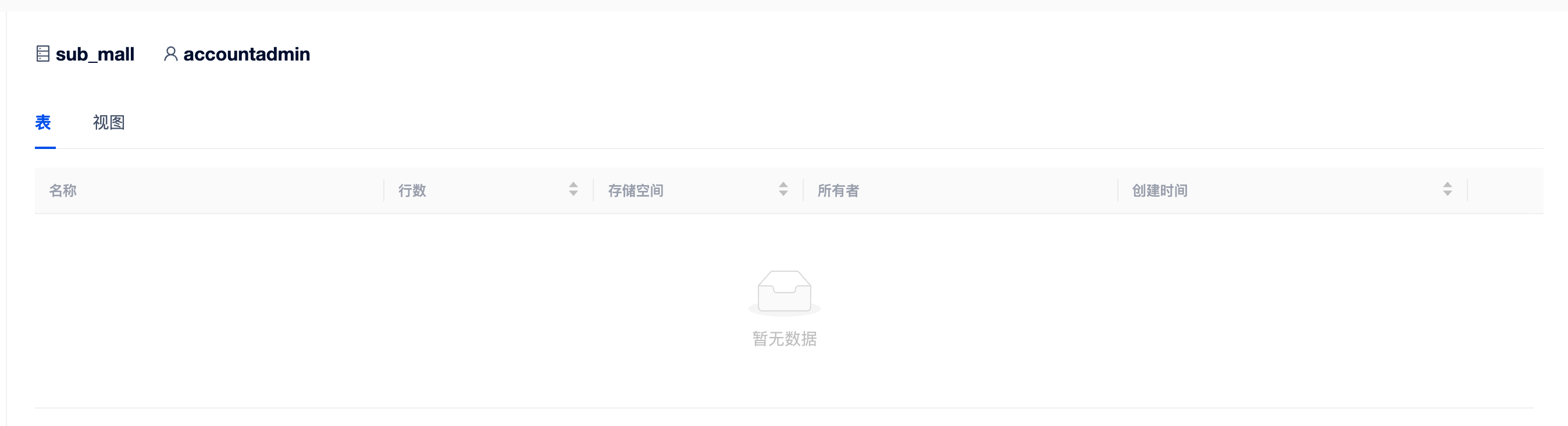
By looking at the subscription library, you can find that all data in the `Instance_1` database mall can now be read:

<div align="center">
<img src=https://community-shared-data-1308875761.cos.ap-beijing.myqcloud.com/artwork/mocdocs/data-sharing/pub-09.png width=90% heigth=90%/>
</div>
Modify the release content
1.Modify the publication: Instance_1 Create database mall2 and table mall2.customer2, modify the publication content:
```sql
-- Example_1
create database mall2;
CREATE TABLE mall2.customer2 (
customer_id INT,
customer_name VARCHAR(255)
);
```

<div align="center">
<img src=https://community-shared-data-1308875761.cos.ap-beijing.myqcloud.com/artwork/mocdocs/data-sharing/pub-05.png width=60% heigth=60%/>
</div>
2.View subscription: Instance_2 View subscription, you can see the content modified after publishing the database:
<div align="center">
<img src=https://community-shared-data-1308875761.cos.ap-beijing.myqcloud.com/artwork/mocdocs/data-sharing/pub-06.png width=100% heigth=100%/>
</div>
Delete the publishing object
The publisher can delete the published publish object, and the subscriber will not be able to connect to the relevant subscription object, but it can delete the subscription.
Automatically subscribe to publish with the same name
The publisher deletes the publish and then creates a publish with the same name. Previous subscribers can connect to the latest subscription object without additional actions.

Note
If you need to use SQL statements for public subscriptions, please refer to the chapters CREATE PUBLICATION and CREATE...FROM...PUBLICATION....
limit
- Only the ACCOUNTADMIN or MOADMIN role can create publish and subscriptions.
- Subscriber accesses the subscription data permissions by the ACCOUNTADMIN or MOADMIN role operation.
- Currently only database-level publish subscriptions are supported
- Only one database can be published at a time.
- Only the subscription library read permission is currently open.
- All publications need to be deleted before deleting a tenant.
- The publishing side cannot delete the published database.
- If the publisher deletes the publisher, but the corresponding object in the subscription library still exists, the subscription side cannot access the subscription object, but the corresponding subscription can be deleted.
- The publishing name and subscription name must be composed of numbers 0-9, English letters with uppercase and uppercase, uppercase, lowercase, lowercase, lowercase, lowercase, lowercase, and lowercase, and must not exceed 64 characters in length.