Snapshot backup recovery
A snapshot is a complete mirror of the database at a specific point in time, containing all data, configuration and metadata, which can quickly capture the current state of the database. Unlike full backups, snapshot backups are faster because they simply record changes in data or states at a specific point in time without copying all data. In the event of a failure or incorrect operation, the user can quickly restore the database to the backup state by restoring the snapshot. MatrixOne Intelligence provides efficient snapshot backup and recovery capabilities to ensure data reliability and recoverability.
Note
Currently, the snapshot backup and recovery function is only open to paid instances and is in the beta stage, mainly used for experience and testing purposes. During use, avoid recovery operations on important data to prevent data loss or other potential risks.
Snapshot backup
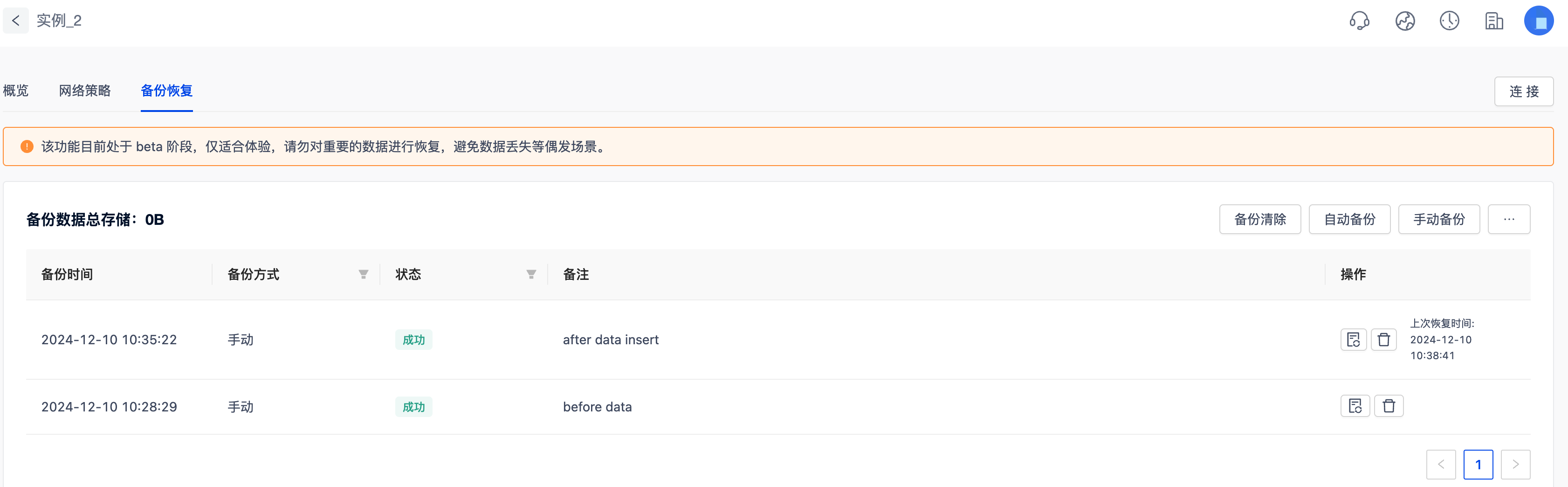
MatrixOne Intelligence provides second-level snapshot backup functionality, which is efficient and requires no computing resources (CU) and takes up only a very small storage space. For example, when your data volume is 100GB but the actual change volume is only 1GB, only some of the newly added or modified data will be backed up, saving redundant storage space. Users can log in to the instance management platform and select the instances to operate. After entering, they can access theBackup and Restore function bar to perform related operations.
Note
The statistics of the total storage of backup data have a delay of 3-4h.
Currently, MatrixOne Intelligence supports two types of snapshot backup methods:
- Automatic backup: enabled by default, the backup time is set to 01:00 UTC+8 per day. The backup cycle cannot be modified at the moment, but the backup time can be adjusted or the automatic backup function can be turned off.
- Manual backup: After clicking, a backup operation will be performed immediately on the instance.
Connect to the instance and create test data:
create table t1(n1 int);
insert into t1 values(1),(2),(3);

mysql> select * from t1;
+------+
| n1 |
+------+
| 1 |
| 2 |
| 3 |
+------+
3 rows in set (0.03 sec)
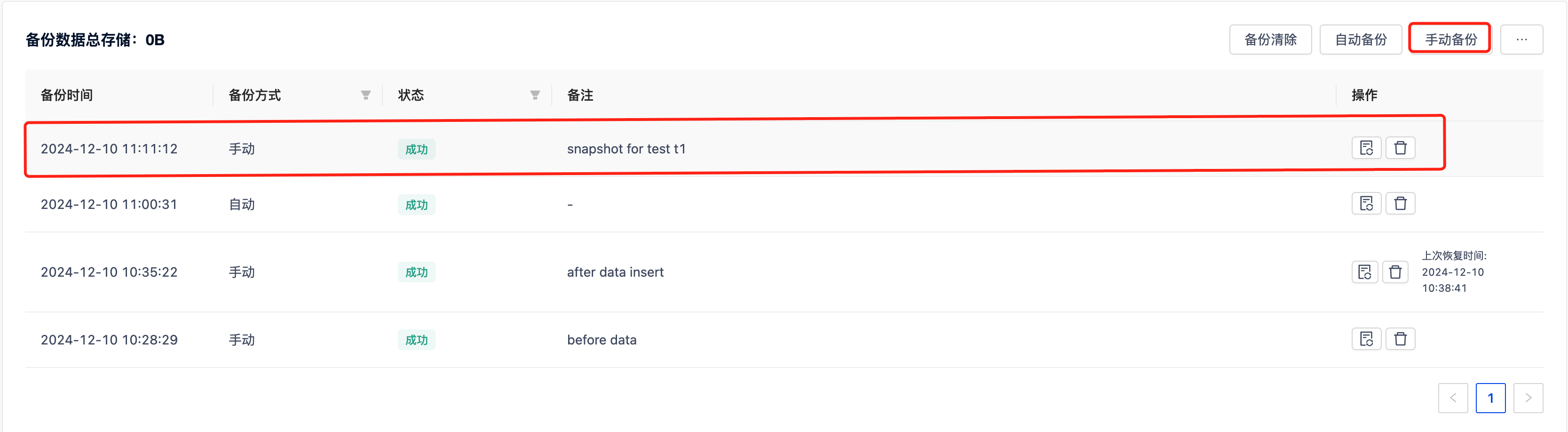
ClickManual Backup to start the instance backup operation. After confirming, you can view the details of this backup in the backup list below.
Snapshot recovery
MatrixOne Intelligence provides efficient snapshot recovery.
Connect the instance and clear the previously created t1 data.
truncate table t1;

mysql> select * from t1;
Empty set (0.03 sec)
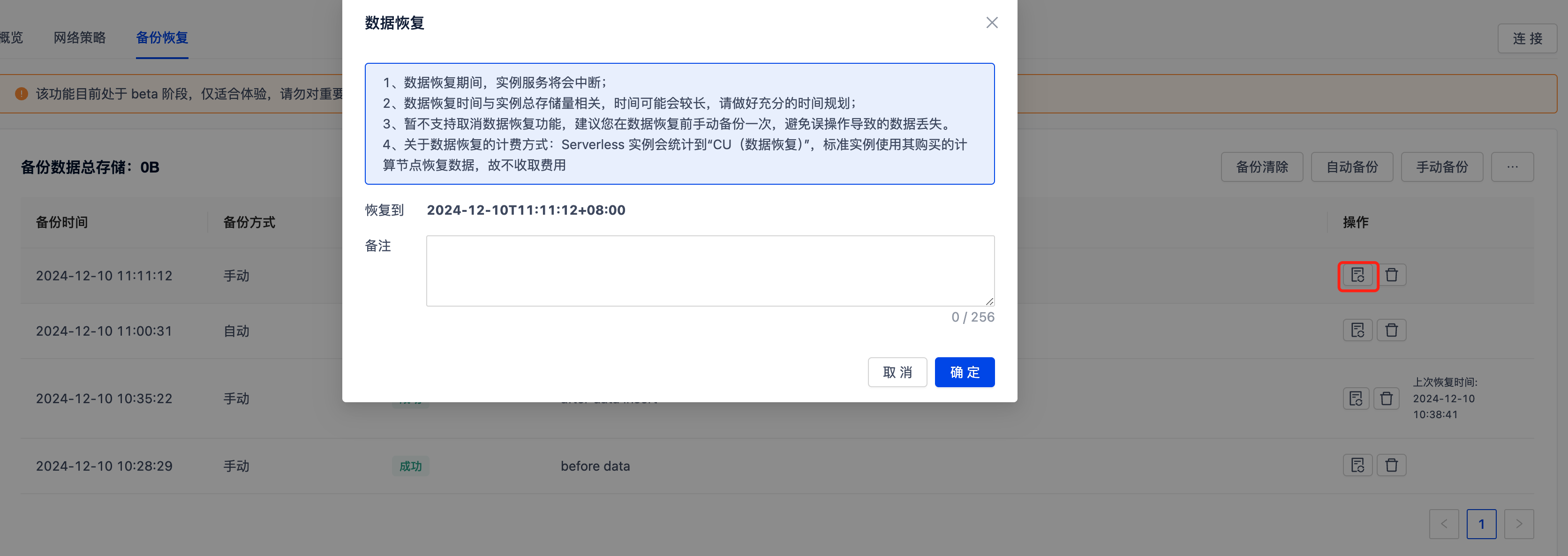
Click the recovery button to the right of the snapshot you just created in the snapshot list to restore the data to clear t1.
Please note:
- During data recovery, instance service will be interrupted;
- The data recovery time is related to the total storage volume of the instance, and the time may be longer. Please make sufficient time planning;
- Cancel data recovery function is not supported yet. It is recommended that you manually back up once before data recovery to avoid data loss caused by incorrect operations;
- Regarding the charging method of data recovery: Serverless instances will count "CU (Data Recovery)". The standard instance uses the computing nodes it purchased to restore data, so there is no charge.
Connect to the instance and view the data recovery status to confirm that the data has been successfully restored. You can go to the event list to view relevant recovery records.
mysql> select * from t1;
+------+
| n1 |
+------+
| 1 |
| 2 |
| 3 |
+------+
3 rows in set (0.19 sec)
Snapshot Clear
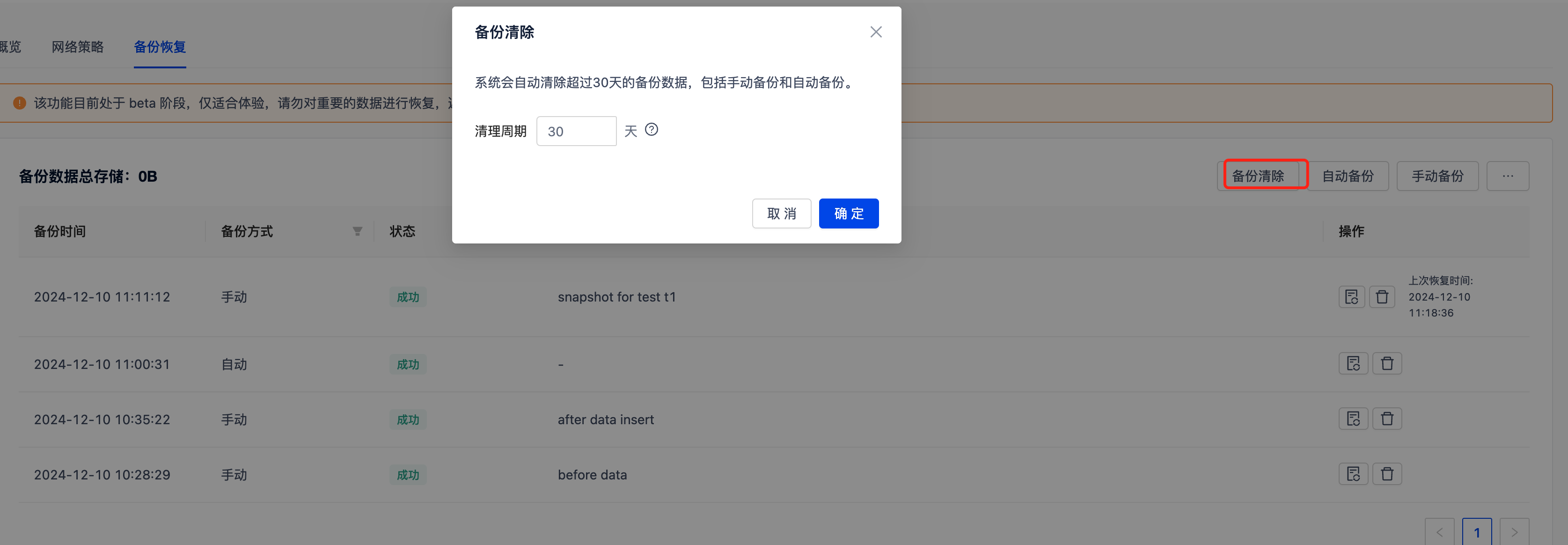
If certain snapshots are no longer needed, in addition to clicking the Delete button on the right side of the snapshot list, you can also set a custom clearing cycle by clicking theBackup Clear button above. The clear cycle is set to any integer between 7 and 365 days.