Data Center
The Data Center is a critical component for data storage and management, specifically designed for multimodal data scenarios, enabling efficient storage of data volumes in data-driven businesses.
Data Organization Structure
The MOI platform adopts a three-tier structure for data management: Catalog → Database → Volume, providing flexible and controlled data isolation and organization.
-
Catalog
The highest-level unit for data governance, typically representing a data isolation zone or lifecycle stage (e.g., Production Catalog, Development Catalog, Non-Customer Data Catalog, Sensitive Data Catalog). Data within each catalog is isolated, suitable for permission tiering and compliance management. -
Database
A data classification unit under a catalog, used to organize structured or unstructured data resources. A catalog may contain multiple databases, facilitating refined management by business dimensions, data types, or processing stages. -
Volume
A storage unit under a database, primarily managing non-tabular files (e.g., PDFs, images, audio). A volume is a logical container for file systems.
Upon workspace initialization, the system automatically creates the following two catalogs:
-
System Catalog
Stores system data generated during platform operation, visible and accessible only to administrators. -
Default Catalog
A preconfigured catalog for quick onboarding, which cannot be modified or deleted. It includes two default databases: -
Raw Data: Cannot be modified or deleted. Stores user-uploaded original files or data, with built-in sample data volumes for workflow template examples.
- Processed Data: Cannot be modified or deleted. Stores data outputs after cleaning, parsing, extraction, etc.
Result Display
Click a filename to view its final processing details page.
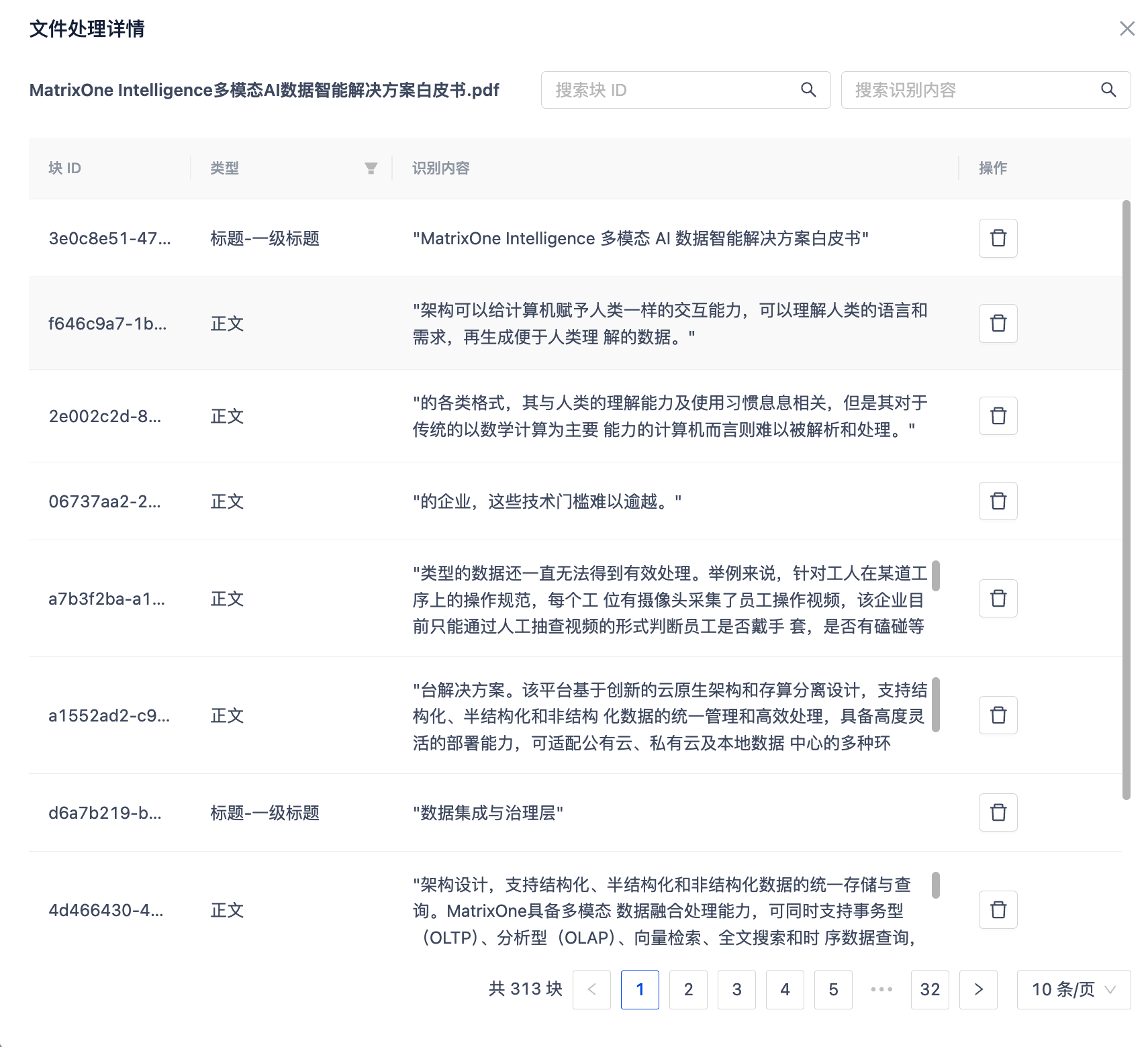
Click the preview button on the right side of the file list to view its parsed content. Currently, only PDF files support source text mapping after parsing.

Result Download
After clicking download, different processing results will be downloaded based on the final node. The result is a ZIP folder.
| File Type | Final Processing Node | Download Components |
|---|---|---|
| Document | • Document Parsing Node • Data Cleaning Node • Segmentation Node (4.0) |
• JSON file (parsed result) • MD file (full parsed Markdown content) • Images folder (parsed image resources) • Tables folder (parsed table resources) |
| • Text Embedding Node | • JSON file (parsed result) • MD file (full parsed Markdown content) • Images folder (parsed image resources) • Tables folder (parsed table resources) • JSON file (embedding information) |
|
| • Information Extraction Node (formerly Structured Extraction Node) | With Parsing Node: • JSON file (extraction result) • MD file (full parsed Markdown content) • Images folder (parsed image resources) • Tables folder (parsed table resources) Without Parsing Node: • JSON file (extraction result) • Tables folder (extracted table resources) |
|
| • Data Augmentation Node | With Parsing Node: • JSONL file (generated QA pairs) • MD file (full parsed Markdown content) • Images folder (parsed image resources) • Tables folder (parsed table resources) Without Parsing Node: • JSONL file (generated QA pairs) |
|
| Image | • Image Parsing Node • Data Cleaning Node • Segmentation Node (4.0) |
• JSON file (parsed result) • Images folder |
| • Text Embedding Node | • JSON file (parsed result) • Images folder (parsed image resources) • JSON file (embedding information) |
|
| • Information Extraction Node | With Parsing Node: • JSON file (extraction result) • Images folder (parsed image resources) • Tables folder (extracted table resources) Without Parsing Node: • JSON file (extraction result) • Tables folder (extracted table resources) |
|
| • Data Augmentation Node | With Parsing Node: • JSONL file (generated QA pairs) • MD file (full parsed Markdown content) • Images folder (parsed image resources) • Tables folder (parsed table resources) Without Parsing Node: • JSONL file (generated QA pairs) |
|
| Audio/Video | • Audio Parsing Node / Video Parsing Node • Data Cleaning Node • Segmentation Node (4.0) |
• JSON file (parsed result) |
| • Text Embedding Node | • JSON file (parsed result) • JSON file (embedding information) |
|
| • Information Extraction Node | • JSON file (extraction result) • Tables folder (extracted table resources) |
|
| • Data Augmentation Node | • JSONL file (generated QA pairs) |