Monitor data
This document will introduce the data viewing functions provided by MatrixOne Intelligence in detail.
Overview
In the MatrixOne Intelligence database management platform, we provide database capabilities to view data statistics and sample data in instances in real time. This helps SQL administrators understand data status in real time, while providing useful information references for SQL users. This function provides detailed data information statistics from the levels of instances, databases, and data tables.
Example data overview
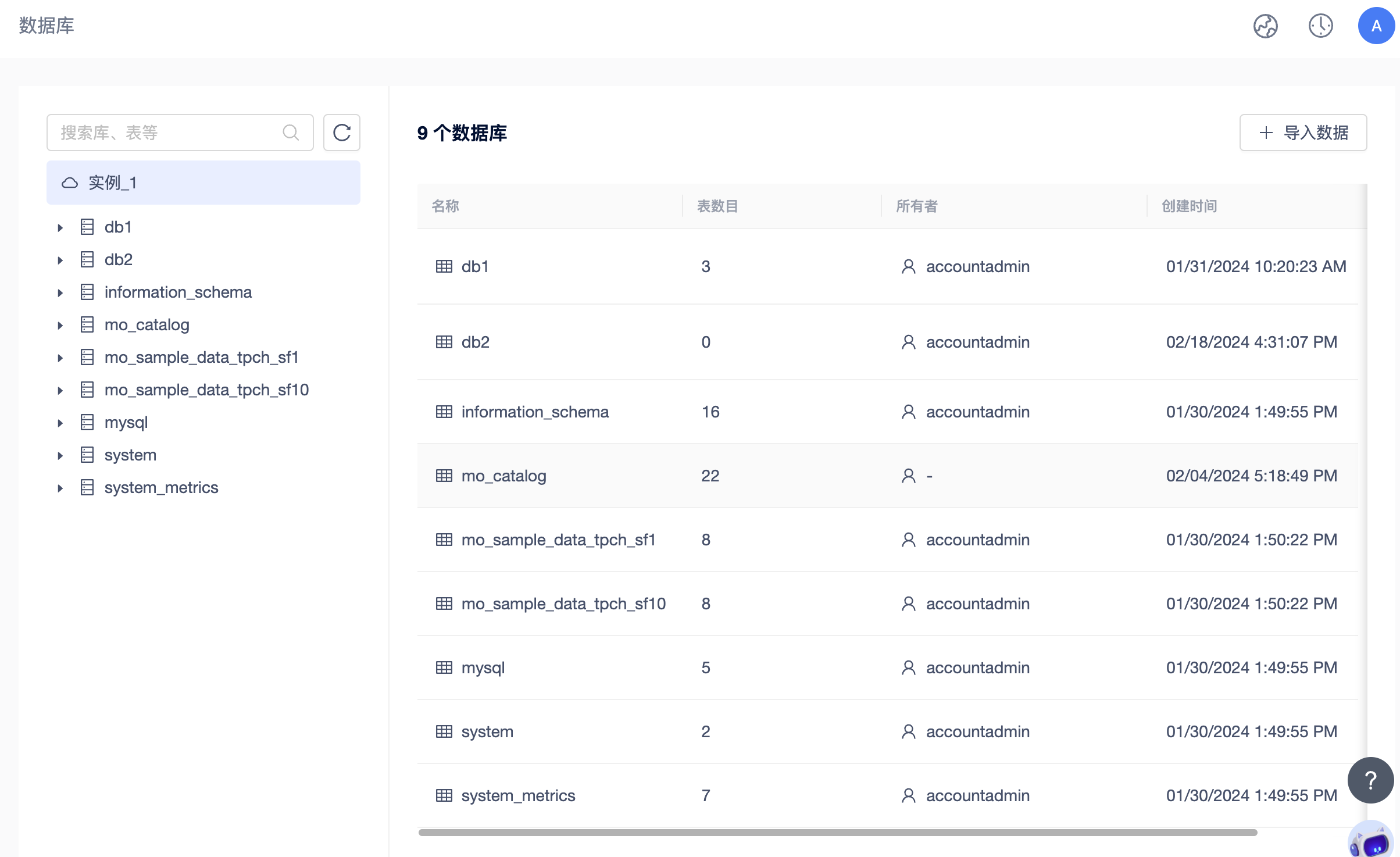
You can easily view all database basic information in the instance, including the number of databases, the time each database was created, and the number of data tables included. This allows you to quickly understand the overall size of your data and be able to perform database deletion operations.
Database Information
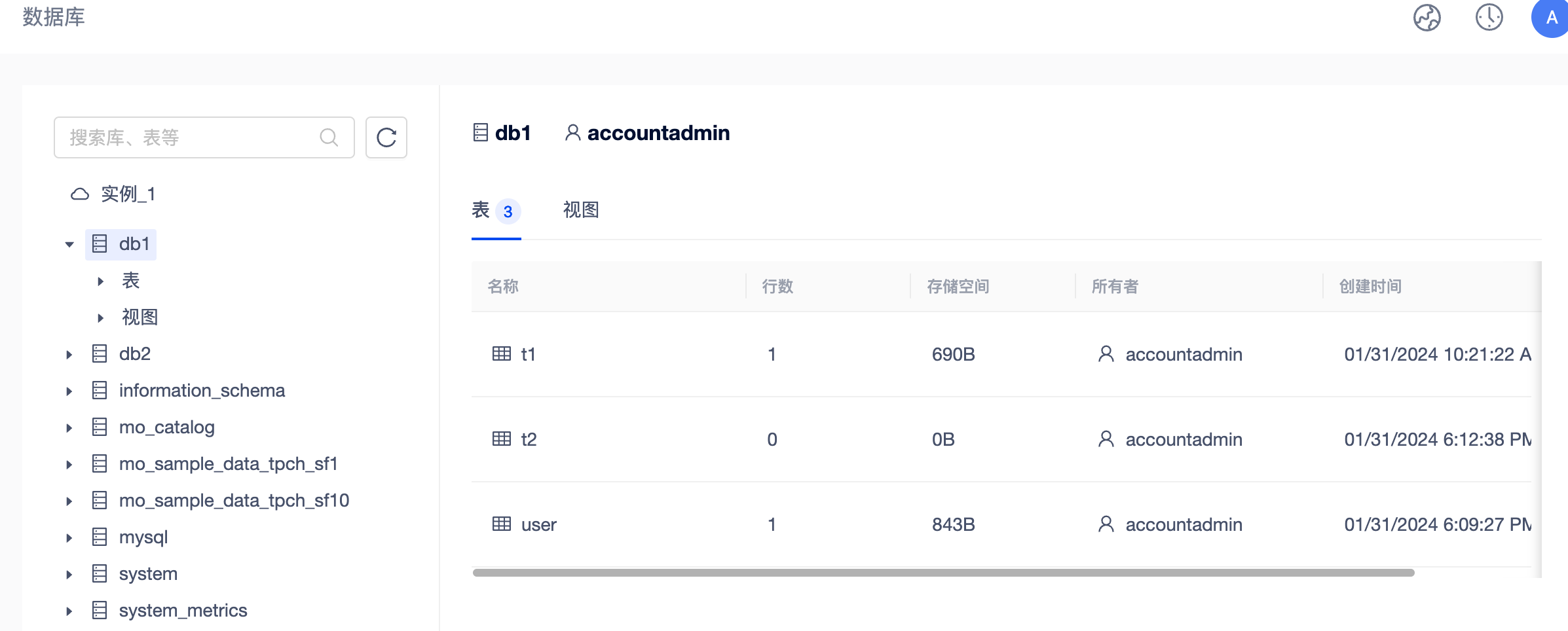
In the database object tree area on the left side of the interface, click on the database name of the database you are interested in. The area on the right side will display the basic information of the database, including the number of tables contained in the database, the number of rows of each table, the storage size, the creation time, etc. Through this information, you can learn more about the capacity distribution of the database and optionally delete specific tables.
Data table information
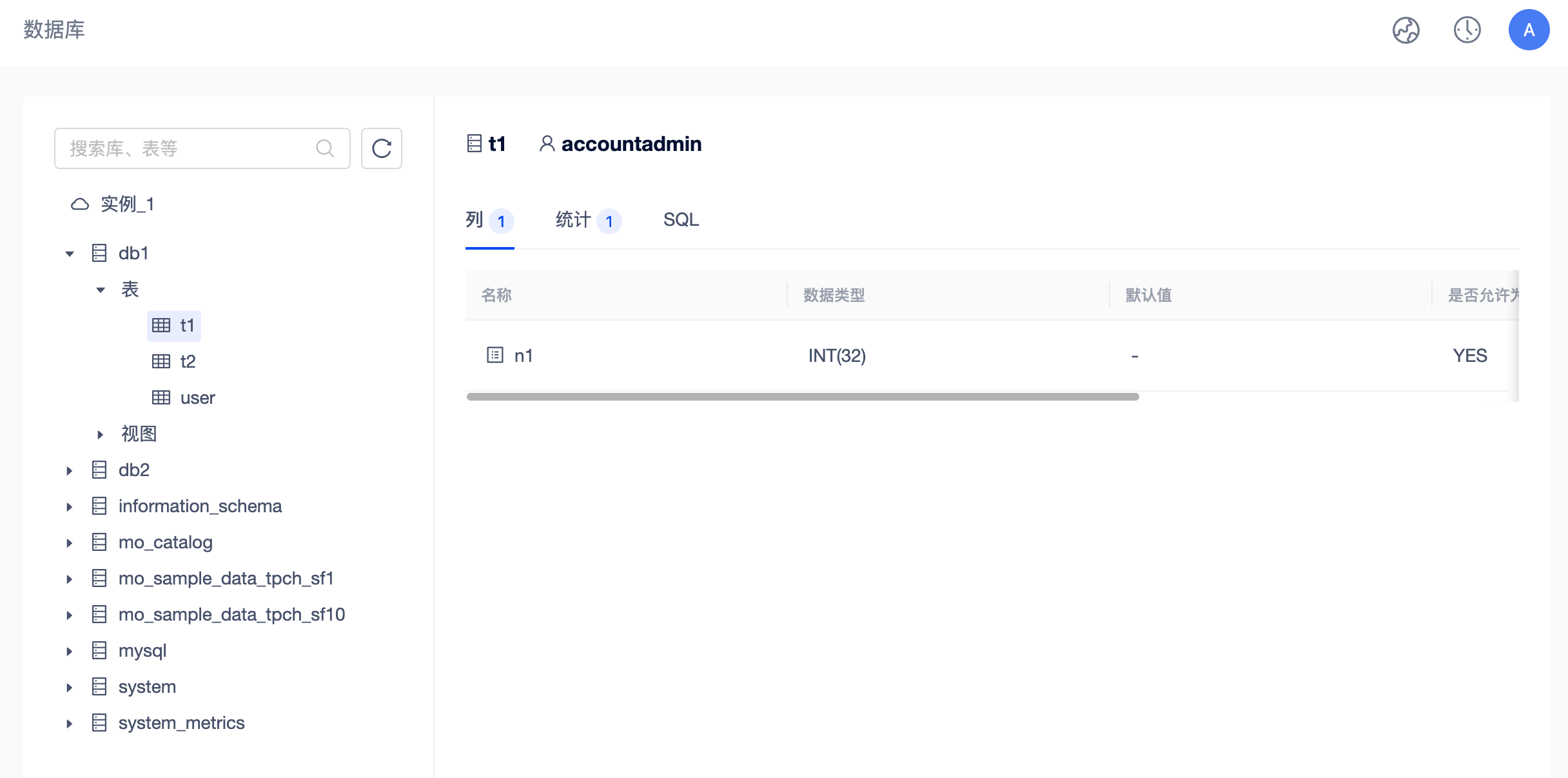
By viewing the information of the upper database, you can click on the table name of interest in the object tree to further view the details of the table. This includes information such as table creation statements, number of columns, column data type, default value, key type, maximum value and minimum value.