Write MySQL data to MatrixOne Intelligence using NineData
This chapter will use the transfer of data from Alibaba Cloud MySQL RDS to MatrixOne Intelligence as an example to introduce how to use Ninedata to write MySQL data to MatrixOne Intelligence.
Prepare before starting
-
Complete MatrixOne Intelligence instance creation.
-
Complete Register for NineData Online Platform.
Operation steps
Create test data
This chapter uses TPC-H standard test data. For specific test data generation and injection, please refer to [Complete TPCH Test] (https://docs.matrixorigin.cn/v25.2.1.0/MatrixOne/Test/performance-testing/TPCH-test-with-matrixone/)
-
Create a MySQL database named
tpchand generate eight tables: lineitem, partsupp, part, supplier, nation, region, orders, customers according to the TPCH benchmark requirements.mysql> \.Path/dss.ddl -
Add primary key and foreign key
mysql> \.Path/dss.ri -
Use
dbgento generate 100MB of data./dbgen -s 0.1 -
Import all the generated eight tbl tables into the tested MySQL test database
USE tpch;
SET FOREIGN_KEY_CHECKS=0;
LOAD DATA LOCAL INFILE '/root/TPC-H V3.0.1/dbgen/customer.tbl' INTO TABLE CUSTOMER
FIELDS TERMINATED BY '|' LINES TERMINATED BY '|\n';
LOAD DATA LOCAL INFILE '/root/TPC-H V3.0.1/dbgen/lineitem.tbl' INTO TABLE LINEITEM
FIELDS TERMINATED BY '|' LINES TERMINATED BY '|\n';
LOAD DATA LOCAL INFILE '/root/TPC-H V3.0.1/dbgen/nation.tbl' INTO TABLE NATION
FIELDS TERMINATED BY '|' LINES TERMINATED BY '|\n';
LOAD DATA LOCAL INFILE '/root/TPC-H V3.0.1/dbgen/orders.tbl' INTO TABLE ORDERS
FIELDS TERMINATED BY '|' LINES TERMINATED BY '|\n';
LOAD DATA LOCAL INFILE '/root/TPC-H V3.0.1/dbgen/partsupp.tbl' INTO TABLE PARTSUPP
FIELDS TERMINATED BY '|' LINES TERMINATED BY '|\n';
LOAD DATA LOCAL INFILE '/root/TPC-H V3.0.1/dbgen/part.tbl' INTO TABLE PART
FIELDS TERMINATED BY '|' LINES TERMINATED BY '|\n';
LOAD DATA LOCAL INFILE '/root/TPC-H V3.0.1/dbgen/region.tbl' INTO TABLE REGION
FIELDS TERMINATED BY '|' LINES TERMINATED BY '|\n';
LOAD DATA LOCAL INFILE '/root/TPC-H V3.0.1/dbgen/supplier.tbl' INTO TABLE SUPPLIER
FIELDS TERMINATED BY '|' LINES TERMINATED BY '|\n';
SET FOREIGN_KEY_CHECKS=1;
Set up NineData data source
-
Select the data source in the NineData Workbench interface
-
Click Create Data Source and select MySQL in the
Relational Databasecolumn ofHome-built Database -
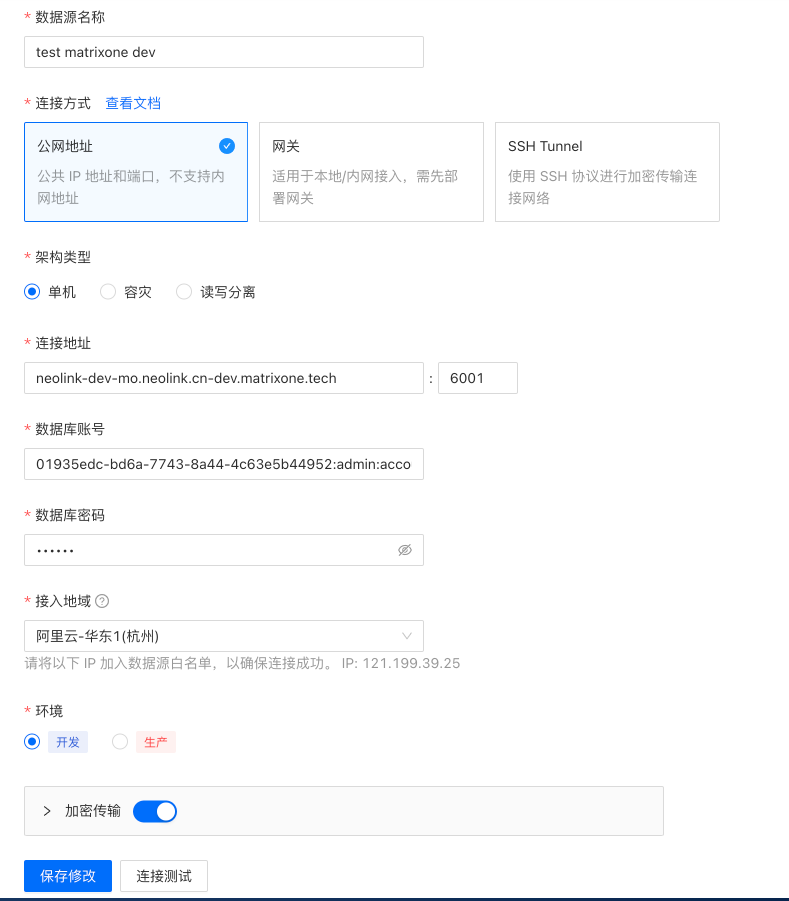
Set up the data source information of Alibaba Cloud MySQL RDS and the data source information of MatrixOne Intelligence in turn, as shown in the figure:
-
Create a new data migration task
Click the
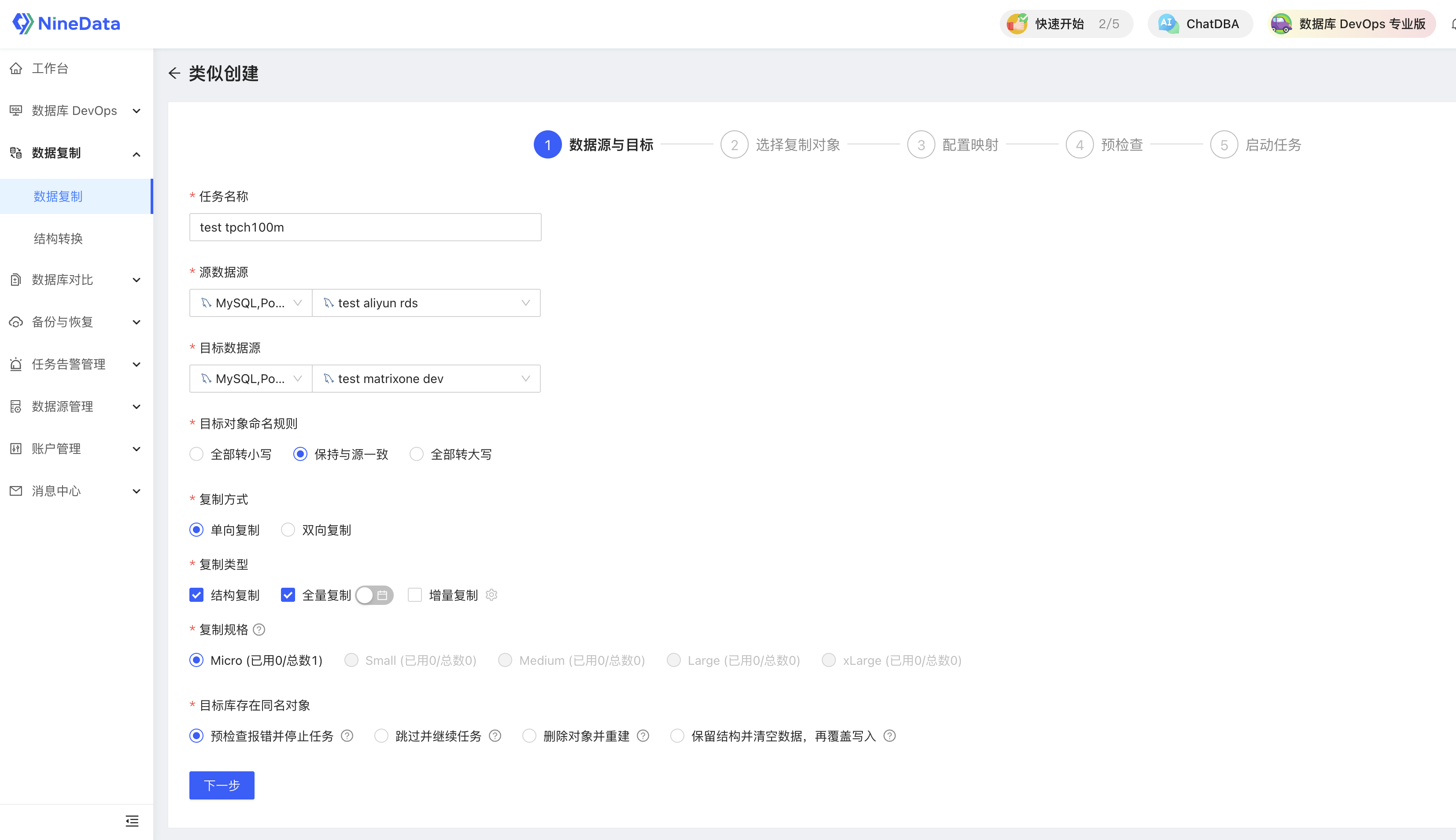
Data Copycategory on the left sidebar, selectData Copyto enter the data copy page, and clickCreate Copy.Fill in the task name, source data source (in this case, Alibaba Cloud RDS data source), target data source (in this case, MOC data source), select the replication method, replication type, replication specification, and how the target library has the same name object, and click Next.
Settings as shown in the figure:
-
Set the object to be copied
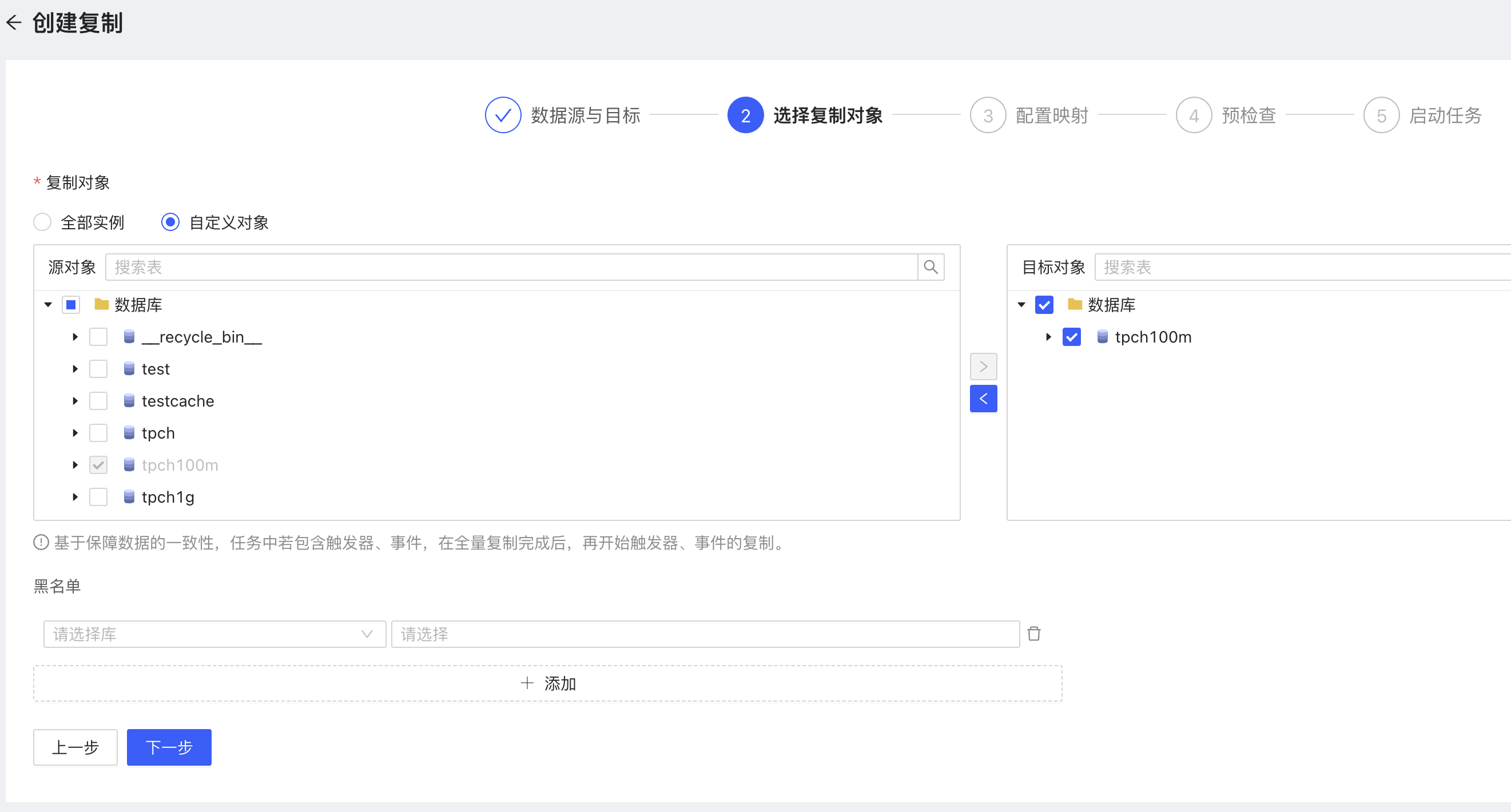
Select the table that needs data migration in the source object, click the transfer arrow in the middle, and click Next, as shown in the figure
-
Check configuration map
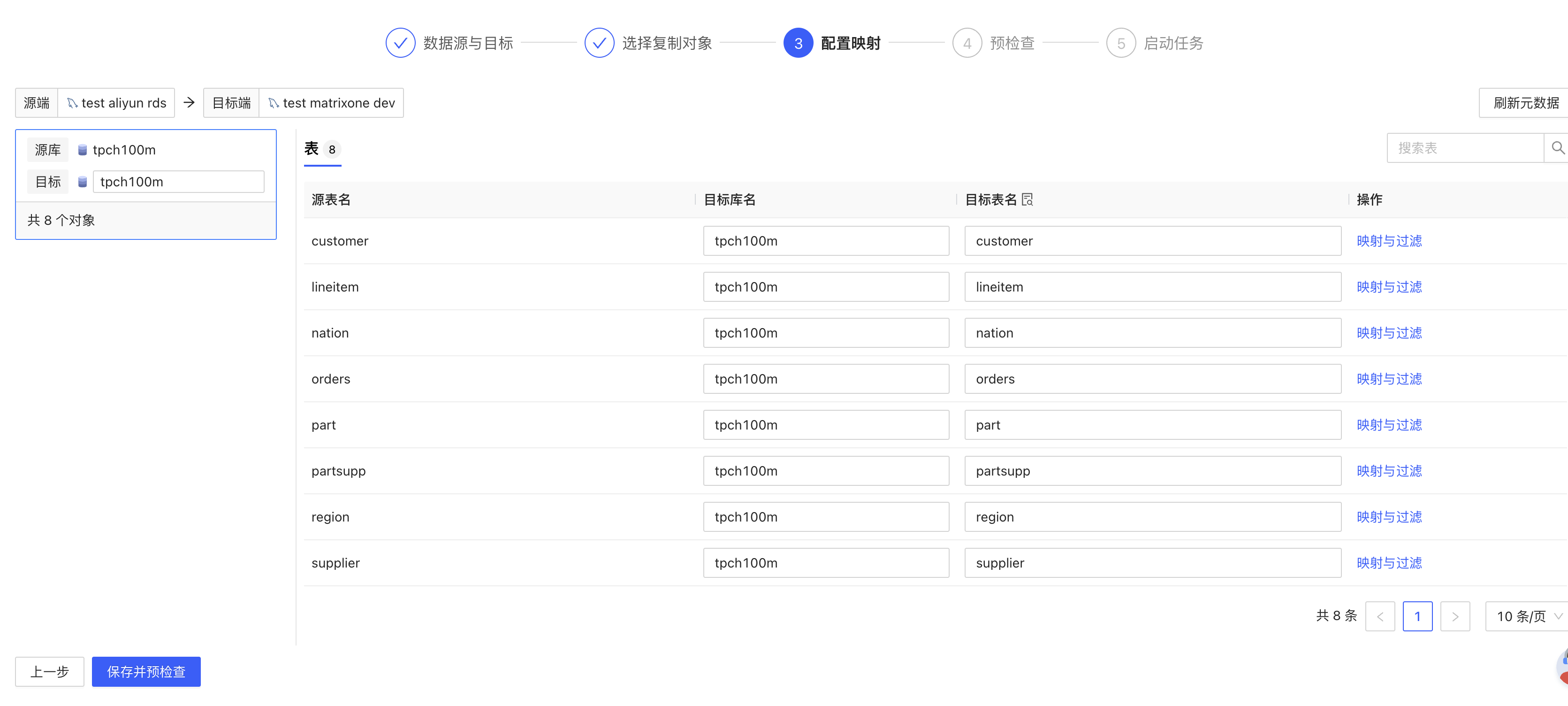
Determine the corresponding one-to-one table names of the mapped source database and the target database. Click Save and pre-check
-
Click to start the task after the pre-check is successful
-
100MB of data will take about 4 minutes to migrate. After the migration is completed, you can select the data comparison option to compare whether the data is consistent before and after the migration.