Data Export
MatrixOne Intelligence supports exporting processed results after parsing and segmentation to Dify, MatrixOne, standard S3, and Alibaba Cloud OSS. This enhances the platform's data integration capabilities, meeting users' needs for accessing various storage systems and enabling more efficient data flow and management for enterprises.
Export to Knowledge Base
Dify
Note
This feature is only available for Dify Premium paid accounts or self-hosted deployments. Please ensure your account or deployment meets these requirements.
Before using the "Export to Dify" feature, you need to prepare the following information:
- API server address
- Cloud version:
https://api.dify.ai/v1 -
Self-hosted version: Your deployed API address (HTTPS recommended)
-
API key
Log in to Dify platform → Navigate to "Knowledge Base" module → Open "API Access" page → Copy your personal API Token (access key)
Usage steps:
- Confirm your Dify account is Premium or using self-hosted version
- Log in to Dify to obtain API address and key
- Enter the above information in the export configuration page
- Click "Test Connection" to ensure correct configuration and network connectivity
Notes:
- Keep your API key secure to prevent leakage
- The key has permissions to access and modify Dify knowledge bases - regular rotation is recommended
- If connection fails, check:
- Network accessibility to API address
- API key correctness and validity
- Self-hosted service status and HTTPS enablement
Export to Object Storage
OSS
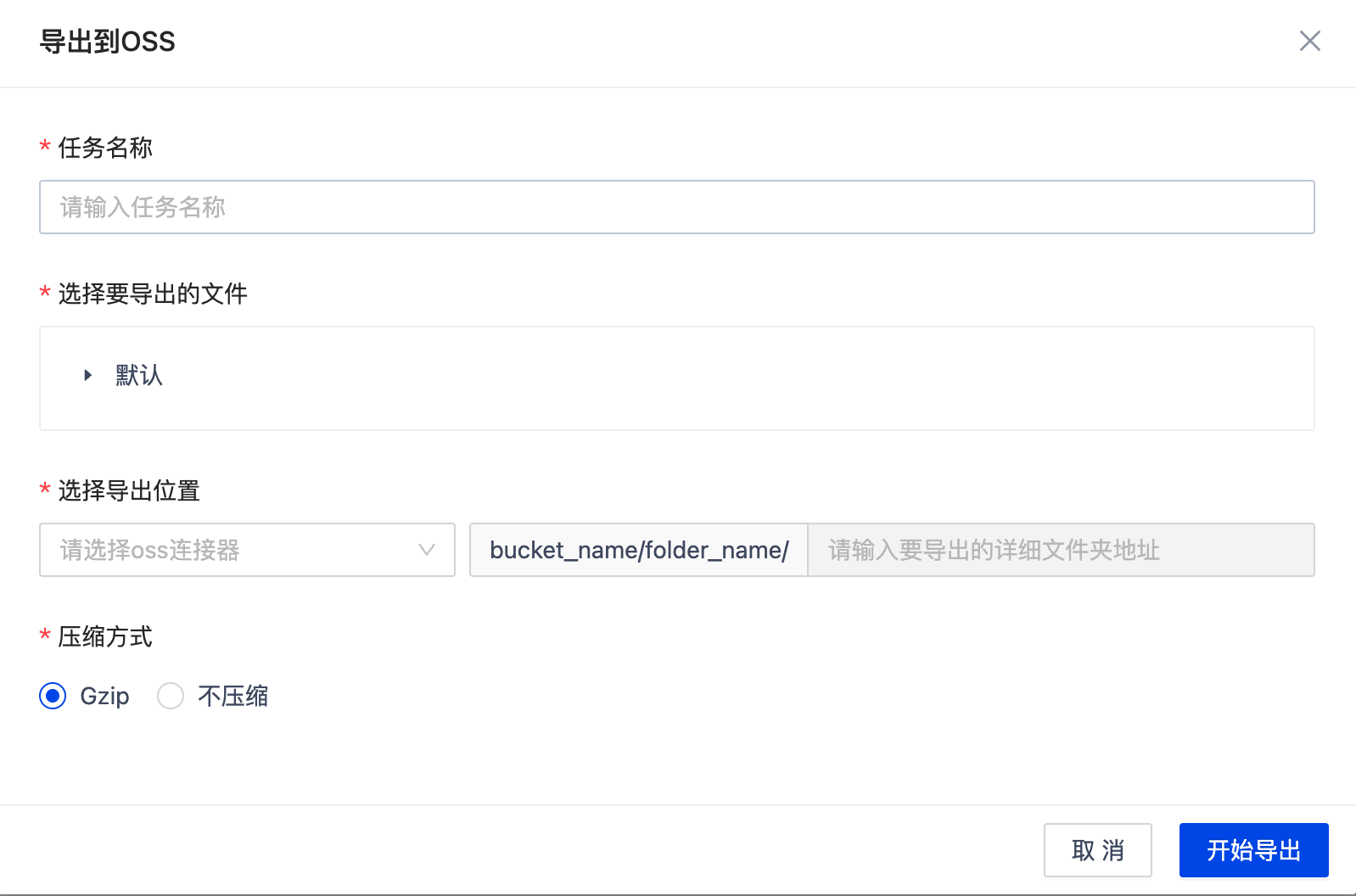
Supports exporting processed data to OSS. The following information must be specified:
- Select files to export: Choose processed data to export
- Select export location: Select created OSS connector and specify target folder path in OSS
- Compression method: Optional Gzip compression
After export, data will be written to the specified OSS path in original or compressed format for subsequent access or integration.
Standard S3
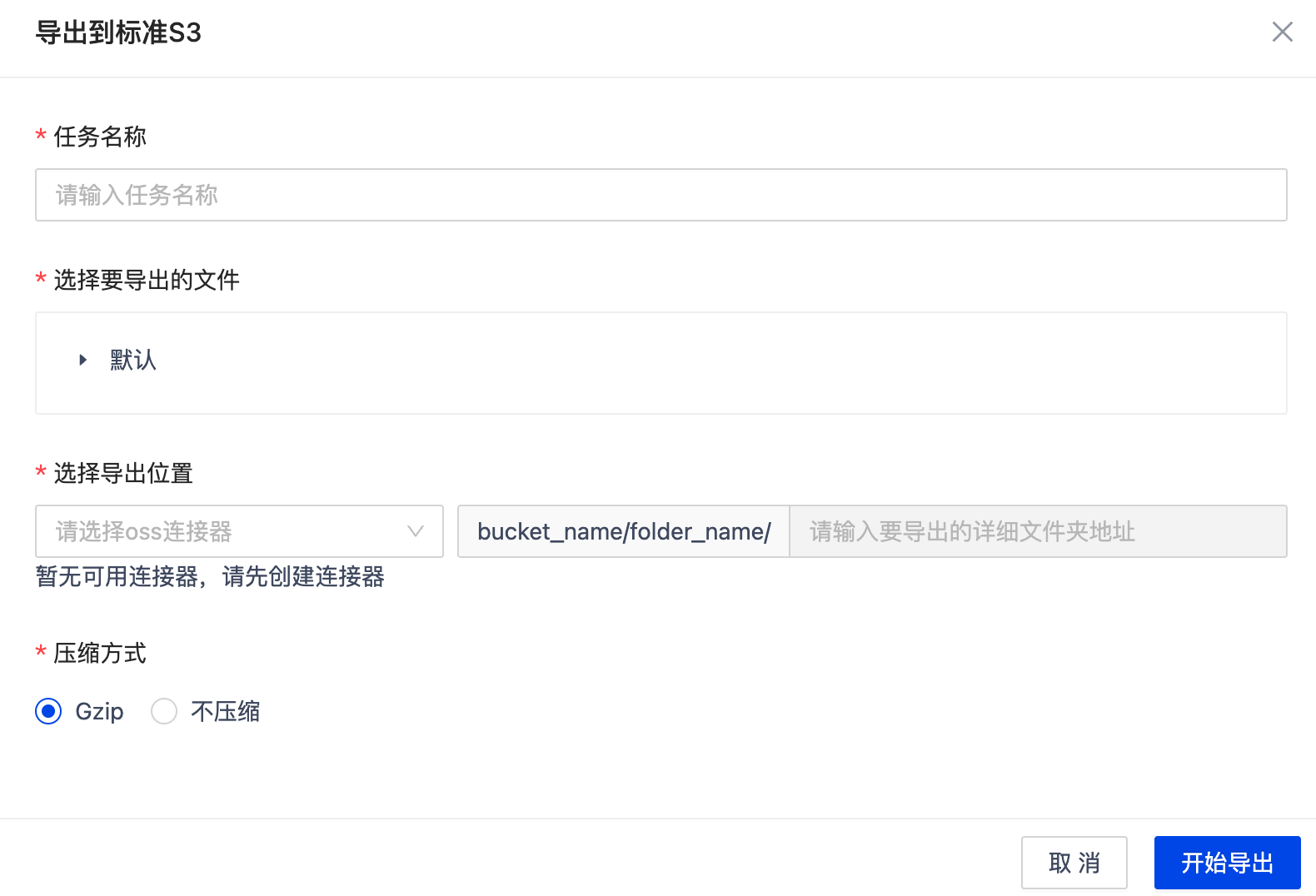
Supports exporting processed data to standard S3 object storage. Configure the following before export:
- Select files to export: Choose processed data to export
- Select export location: Select created standard S3 connector and specify target path (folder address in S3)
- Compression method: Optional Gzip compression
After export, data will be written to the specified S3 path in original or compressed format for subsequent access, sharing, or integration.
Export to Database
MatrixOne
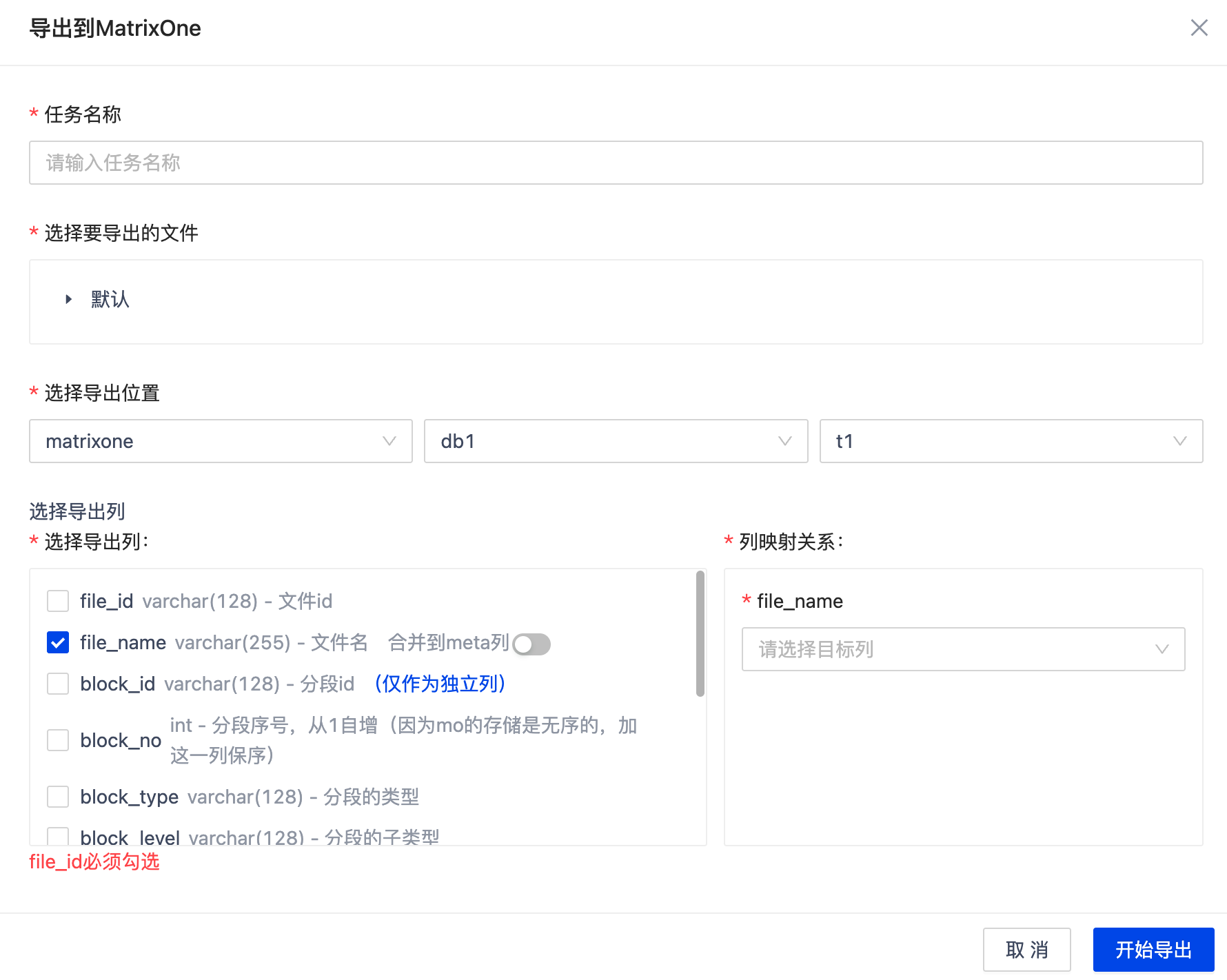
Only supports exporting parsed/segmented or extracted JSON files.
Export Modes
-
Existing table
- Append data
- Manual column mapping (field types must be compatible)
- Option to merge fields into
metacolumn
-
New table
- Automatically create table with matching structure
- Select columns to export
Required Fields
file_id(VARCHAR)block_id(VARCHAR)
Exportable Fields Overview
| Column | Data Type | Description |
|---|---|---|
file_id |
VARCHAR(128) | File ID |
file_name |
VARCHAR(255) | File name |
block_id |
VARCHAR(128) | Segment ID |
block_no |
INT | Segment sequence number (1-based) |
block_type |
VARCHAR(128) | Segment type |
block_level |
VARCHAR(128) | Segment subtype |
page_no |
INT | Page number containing segment |
content |
TEXT | Segment text content |
embedding |
VECF64(1024) | Segment vector |
image_data |
BLOB | Image binary data |
created_at |
DATETIME | Initial creation time |
updated_at |
DATETIME | Last update time |
meta |
JSON | Metadata (file info, processing info) |
Duplicate File Handling Strategies
| Strategy | Description |
|---|---|
| Overwrite | Replace existing data with new data |
| Skip | Keep existing data, skip duplicates |
| Keep | Allow duplicate data (for non-PK fields) |