Get started with resume search quickly
Resume Intelligent Search combines advanced large-scale language models and hybrid search algorithms to understand and process graphic text and data table data to achieve efficient search. In this article, we will guide you to use your resume search quickly
Step 1: Create a MatrixOne Intelligence Account
1. Sign up for MatrixOne Intelligence
- Visit MatrixOne Intelligence Registration Page.
- Fill in your registration information and clickRegister.
Note:The email address you fill out when registering will be automatically registered as your MatrixOne Intelligence account.
2. Activate the MatrixOne Intelligence account
When you click Register, we will send an activation email to the email address you provide. Please follow the link in the email to complete the activation.
3. Log in to your MatrixOne Intelligence account
After activation is successful, it will jump to the login interface and enter the account password to log in to the MatrixOne Intelligence management platform.
Step 2: Enter resume search
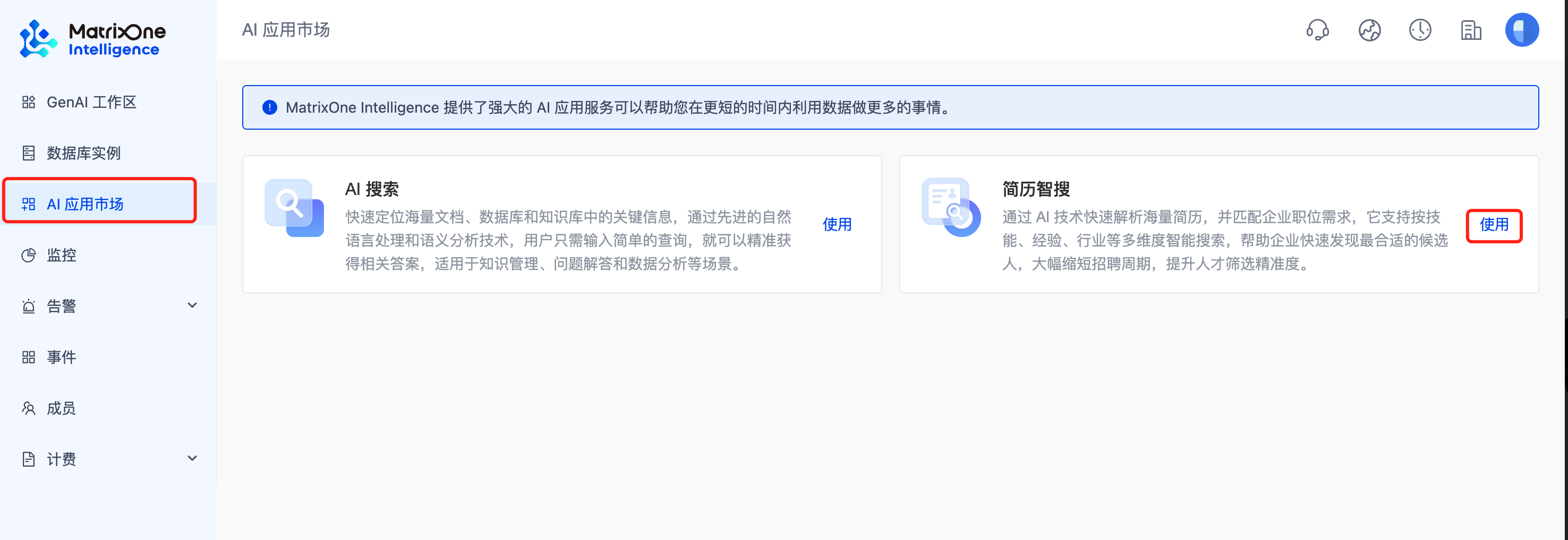
First, log in to the MatrixOne Intelligence management platform, click theAI Application Market in the menu bar on the left, and then click theUsebutton on theResume Intelligence card to enter the MatrixSearch search platform and start using it.
Step 3: Upload resume file to data source
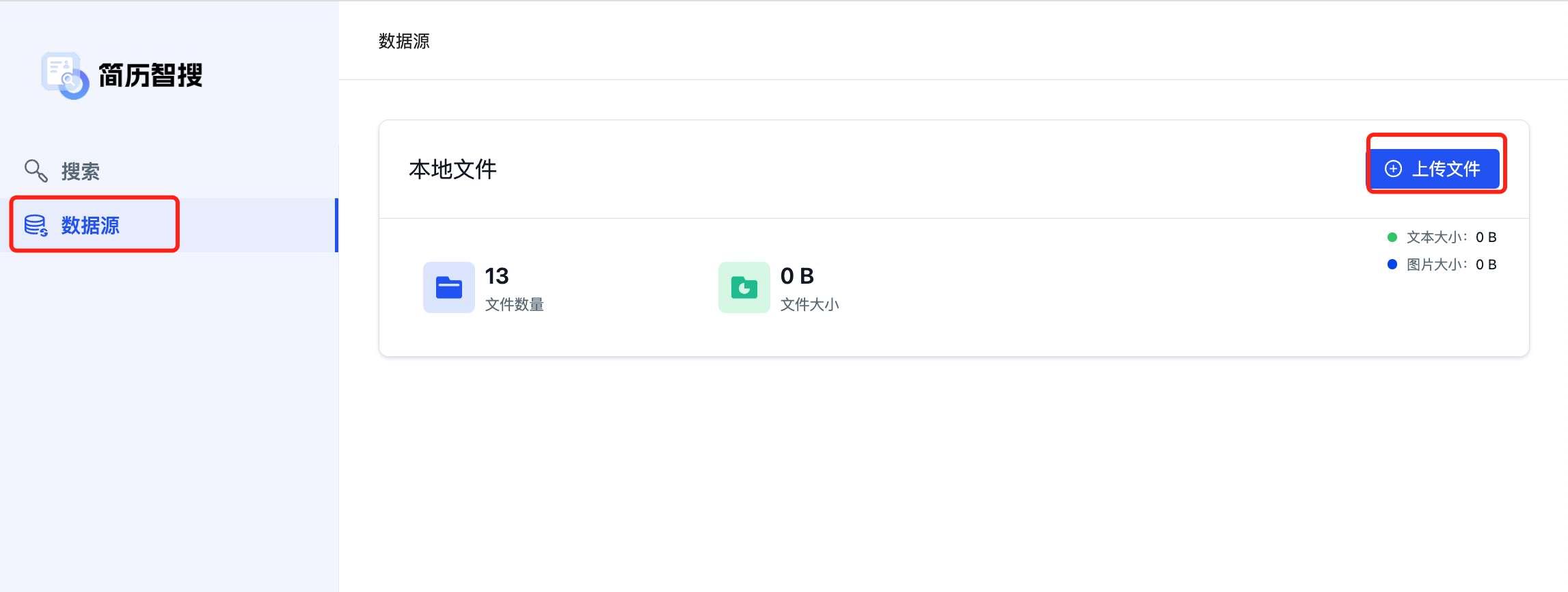
ClickData Source ->Upload File in turn, and click the required resume file to upload.
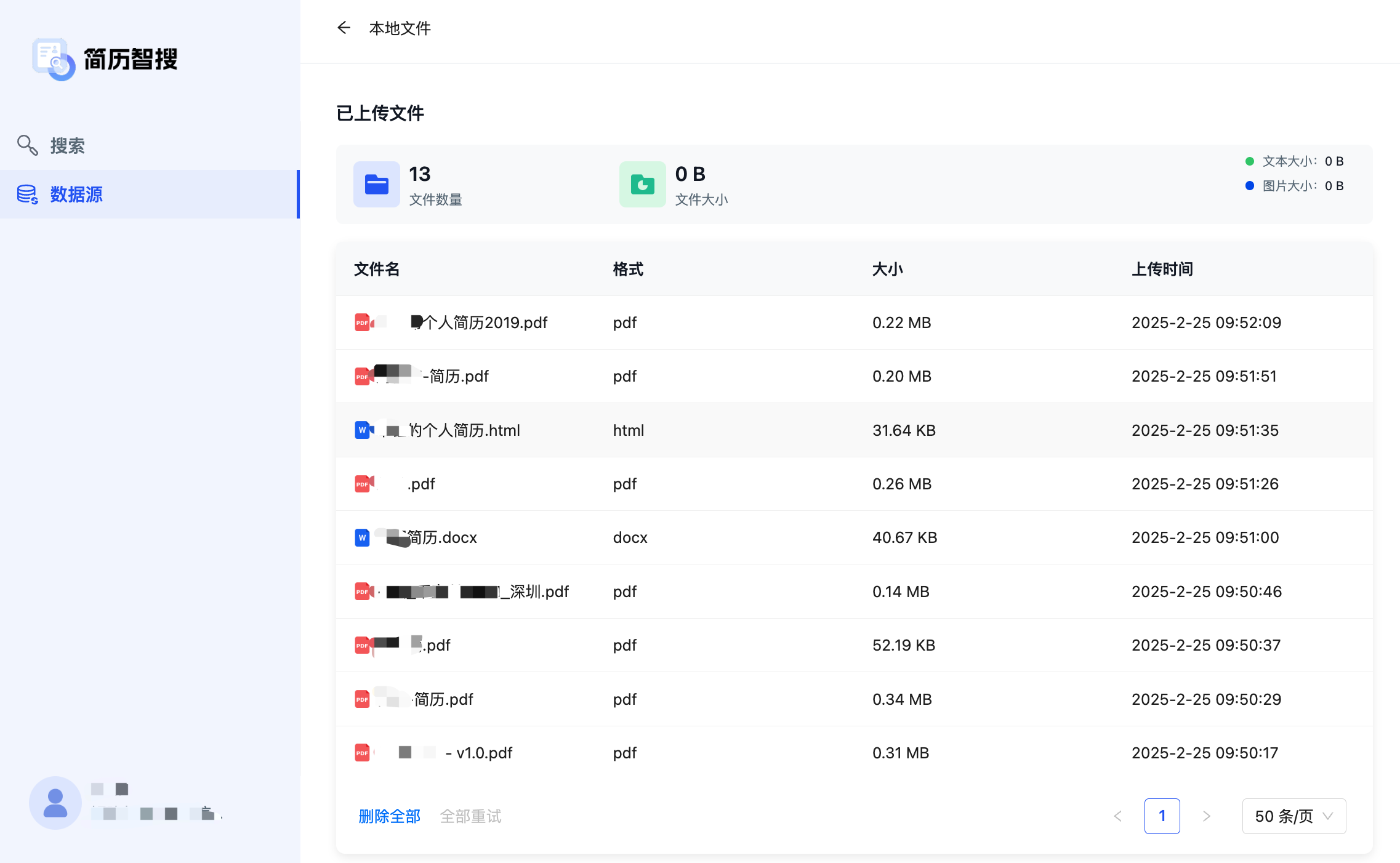
After the file upload is completed, it will take a certain amount of time to parse. Please wait patiently. The file can only be used for the search function after the parsing is completed. You can go to theUploaded Files page to view the file resolution progress. For files that have failed to parse, you can click theTry Retry button to re-parse.
Step 4: Search
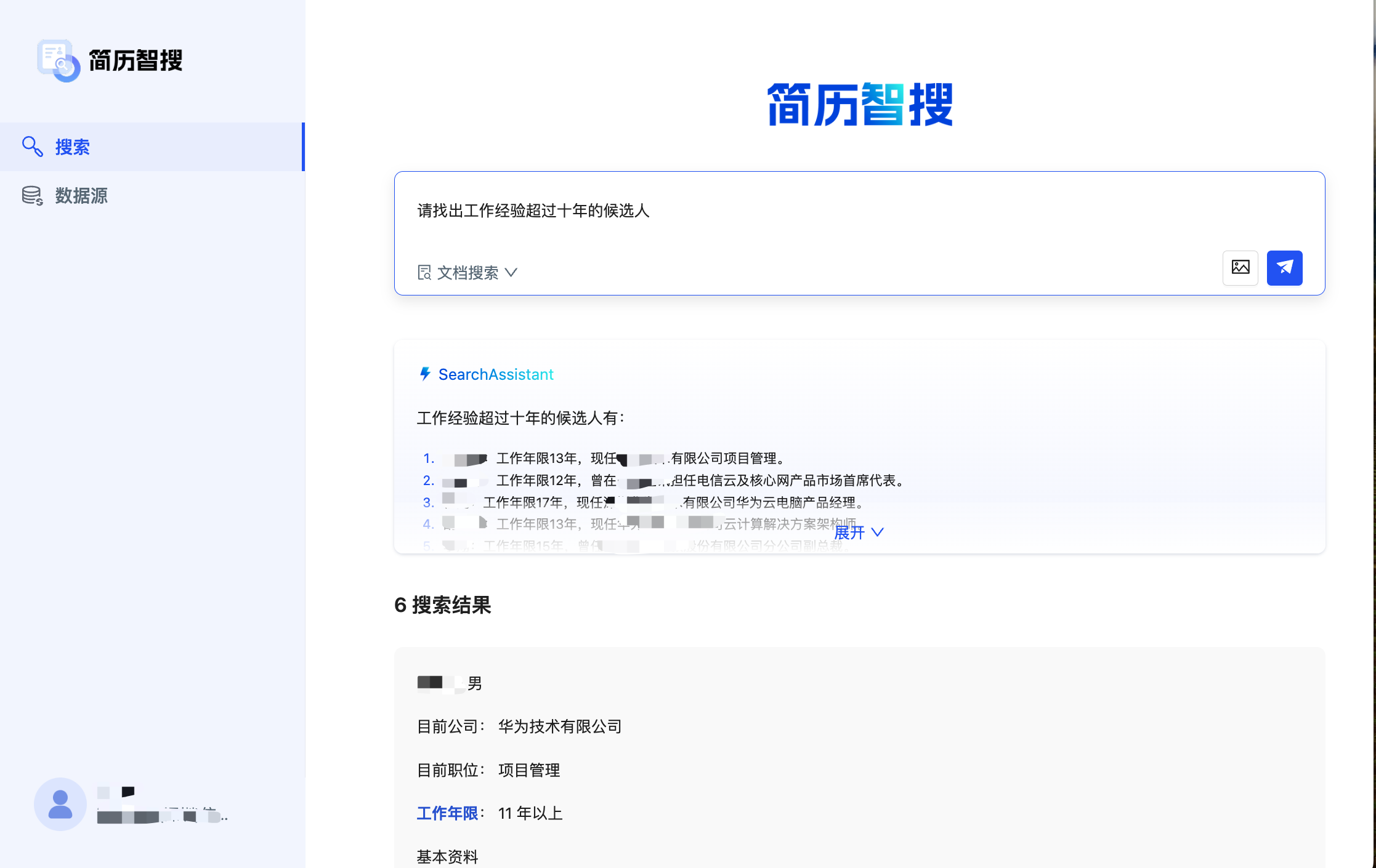
In the search interface, users can quickly find candidates who meet the requirements by entering a detailed text description.