Resume Information Extraction
This template is designed for Intelligent Document Processing (IDP) scenarios, helping to automate resume parsing and structured data extraction. It quickly identifies and extracts key information from resumes, enabling efficient conversion of resumes into databases. It is widely used in talent screening, profile analysis, and intelligent recruitment.
Template Details
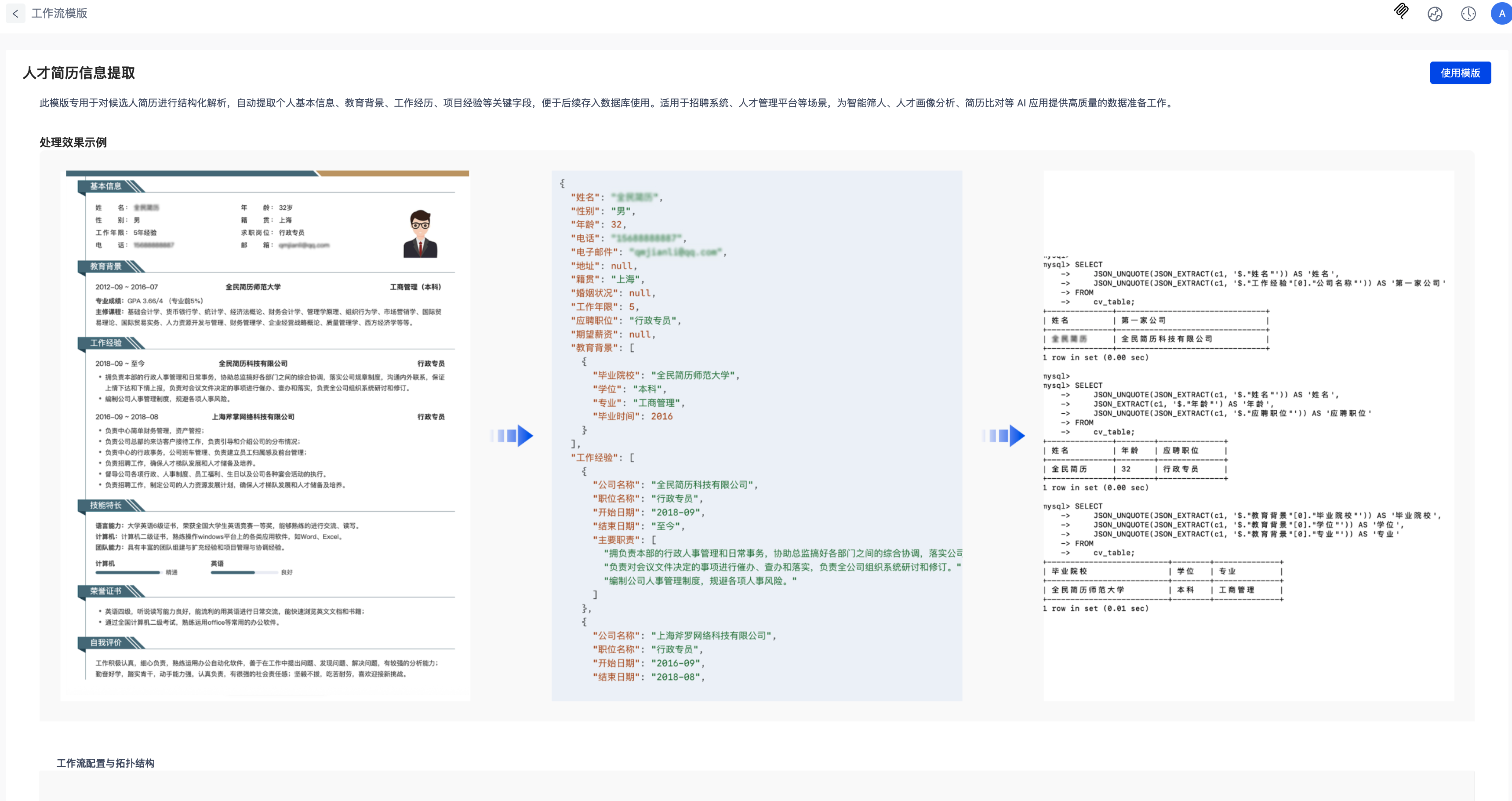
Click View Details in the template list to access the template details page. Here, you can see example processing results and the workflow topology.
Using the Template
- Select the Resume Information Extraction template from the template list. Click Use Template either in the list or on the details page to create a data processing task and generate the corresponding workflow.
- The system includes sample data for quick testing and onboarding.
- You must create the target location manually.
- Supports customization of parsing, extraction, and other workflow node configurations based on actual needs.
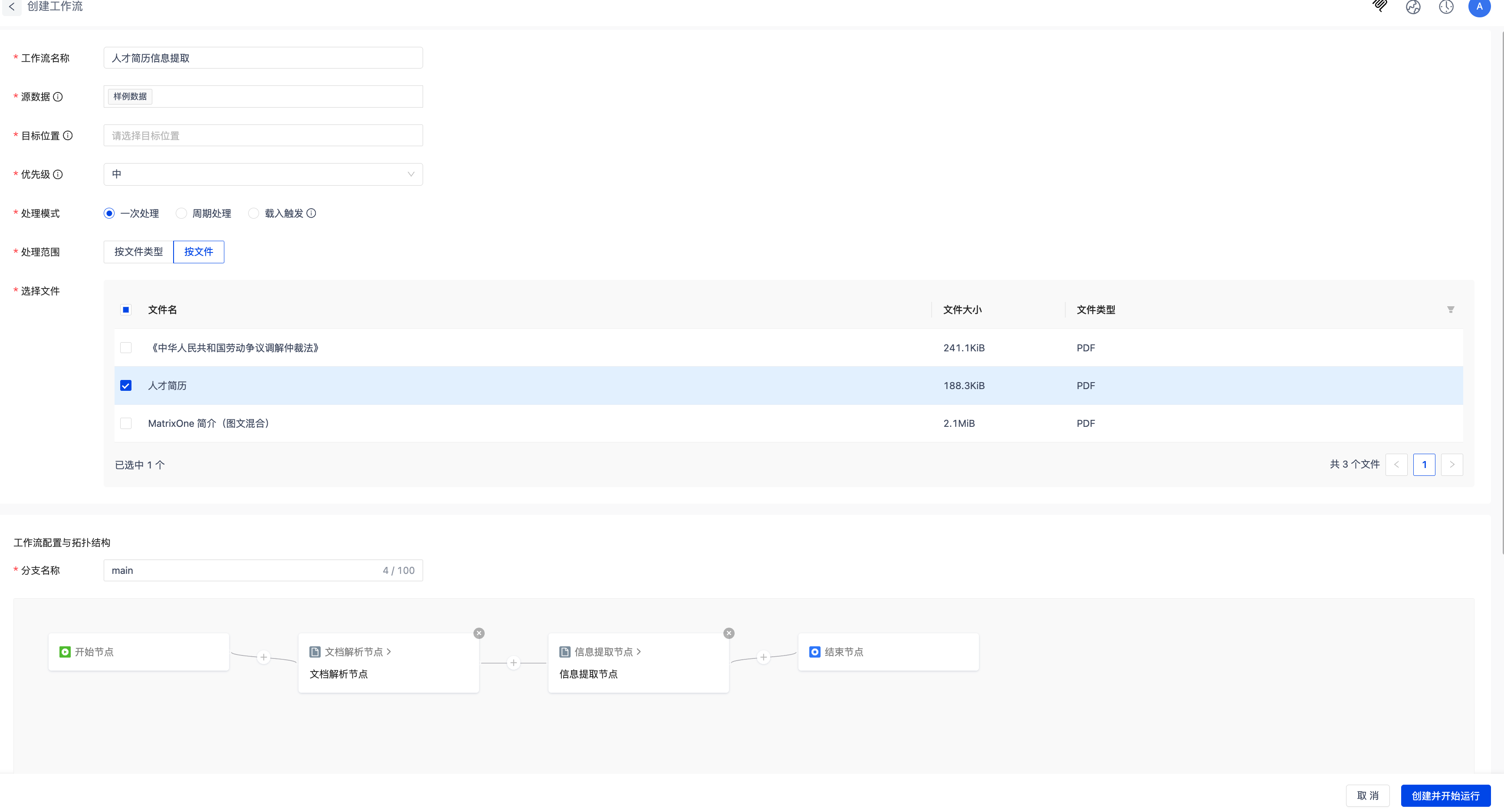
Click Create and Start Running, then wait for the workflow to complete.
Viewing Results
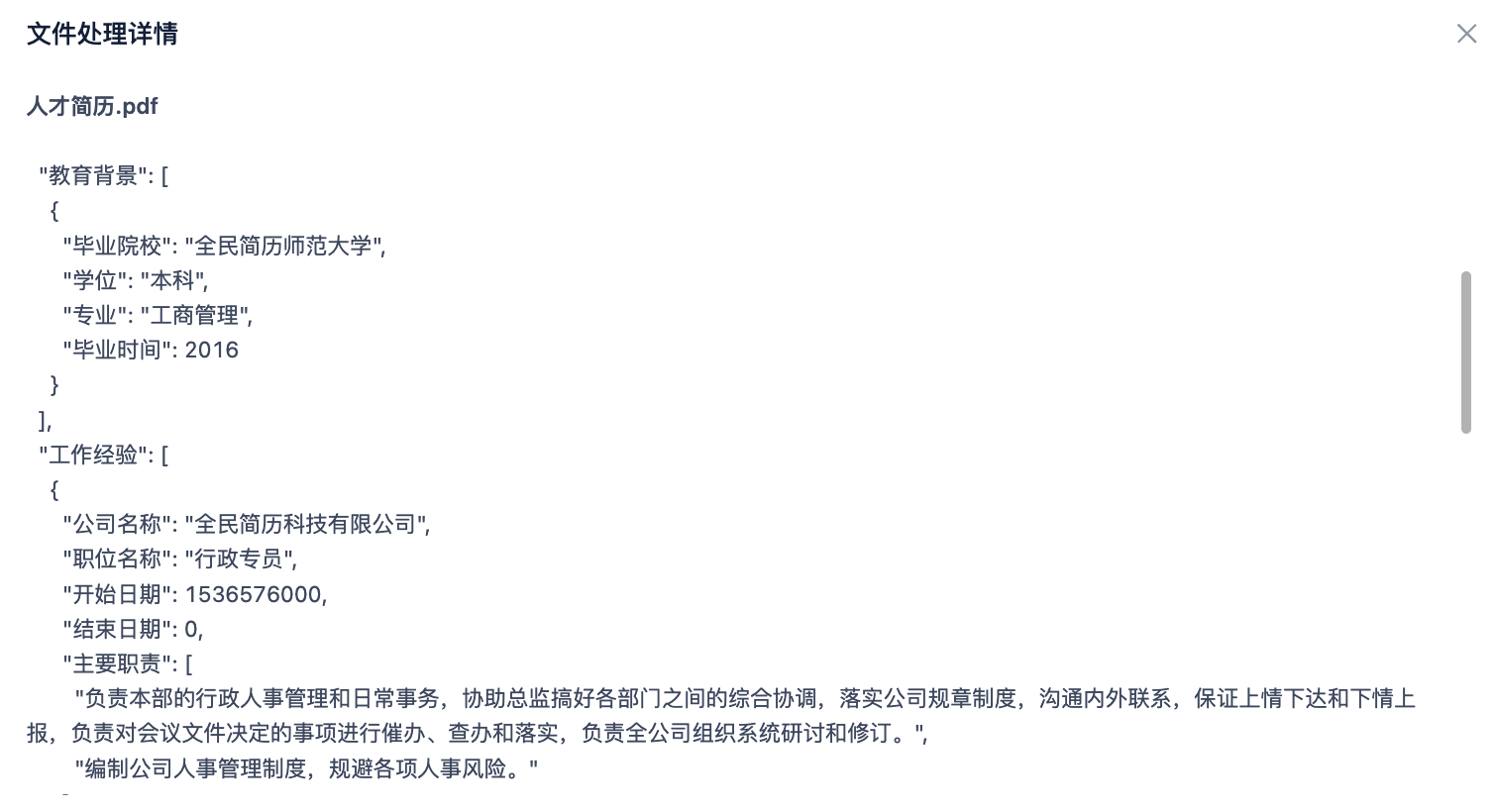
Navigate to Data Center, locate the target location selected in the workflow, and click the filename to view the processed results.
Data Export
After processing, you can export the extracted JSON document for further retrieval. Click the download button next to the file in the Data Center. After extraction, you will receive a JSON file such as Resume.pdf.json.
Data Query
After exporting, you can store the JSON file in a database and query talent data using SQL for multi-dimensional filtering and analysis. The following example uses MatrixOne. If you don’t have a MatrixOne instance, refer to Quickstart: Creating a Database Instance to set up your environment.
Connect to the instance and create a table:
mysql> CREATE TABLE my_json_data (
    ->     id INT AUTO_INCREMENT PRIMARY KEY,
    ->     content JSON
    -> );
Query OK, 0 rows affected (0.34 sec)
Next, create a my_data.py script to insert and query JSON data.
import json
import pymysql

# Read JSON file
with open("/Users/admin/Downloads/Resume.pdf-0198acba-2183-7291-9b9c-d32d5c3eb9f5/Resume.pdf.json", "r", encoding="utf-8") as f:
    json_data = json.load(f)

# Connect to MatrixOne
conn = pymysql.connect(
    host="xxx",
    port=6001,
    user="01946e41-6c67-7246-b36a-72619e9fxxxx:admin:accountadmin",
    password="xxx",
    database="db1",
    charset="utf8mb4"
)
cursor = conn.cursor()

# Insert JSON data
insert_sql = "INSERT INTO my_json_data (content) VALUES (%s)"
cursor.execute(insert_sql, (json.dumps(json_data, ensure_ascii=False),))
conn.commit()
print("✅ JSON data inserted into MatrixOne")

# Query data
query_sql = """
SELECT
    JSON_UNQUOTE(JSON_EXTRACT(content, '$."Name"')) AS 'Name',
    JSON_EXTRACT(content, '$."Age"') AS 'Age',
    JSON_UNQUOTE(JSON_EXTRACT(content, '$."Job Target"')) AS 'Desired Position'
FROM my_json_data;
"""

cursor.execute(query_sql)
rows = cursor.fetchall()

# Print results
print("\n🎯 Query Results:")
for name, age, job in rows:
    print(f"Name: {name}, Age: {age}, Desired Position: {job}")

# Close connection
cursor.close()
conn.close()
Run the script:
>python my_data.py

✅ JSON data inserted into MatrixOne

🎯 Query Results:
Name: John Doe, Age: 32, Desired Position: Administrative Specialist