Connect using JDBC
In Java, we can connect to MatrixOne using the JDBC connector (Java Database Connectivity) through Java code. JDBC is one of the standard APIs for database connections, and using it we can easily run SQL statements and get data from the database.
Prepare before starting
Before connecting to MatrixOne with JDBC, you need to complete the following download and installation tasks:
- Create instance has been completed.
- Download and install JDK 8+ version.
- Download and install MySQL Client.
- Download and install JAVA IDE. This document takes IntelliJ IDEA as an example. You can also download other IDE tools.
Steps
-
Connect to MatrixOne using the MySQL client. Create a new database named test and a new table t1 in MatrixOne:
create database test; use test; create table t1 ( code int primary key, title char(35) ); -
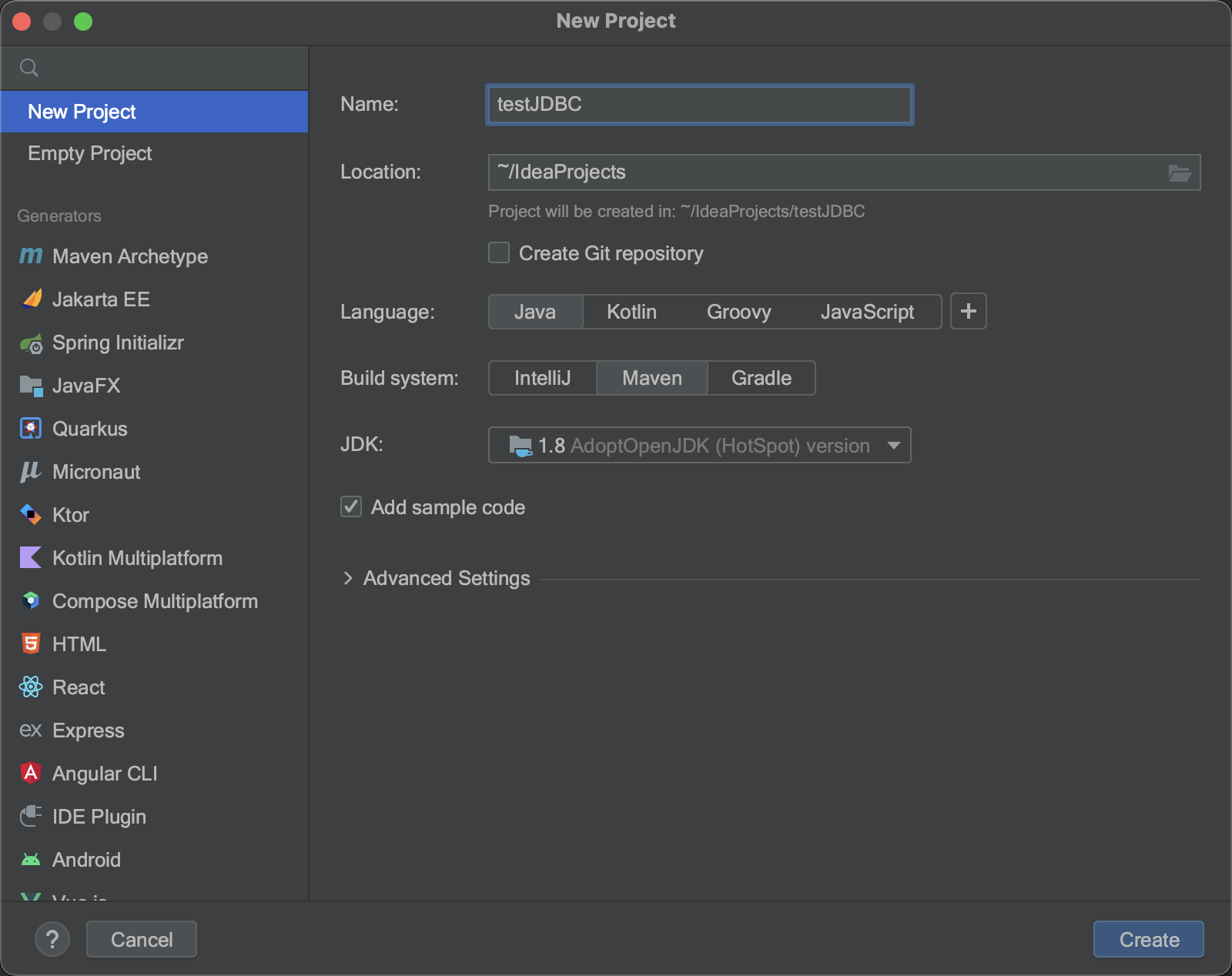
Create a new project with Java nametestJDBC in IDEA and selectMaven as the build system inBuild System, and clickCreate.
-
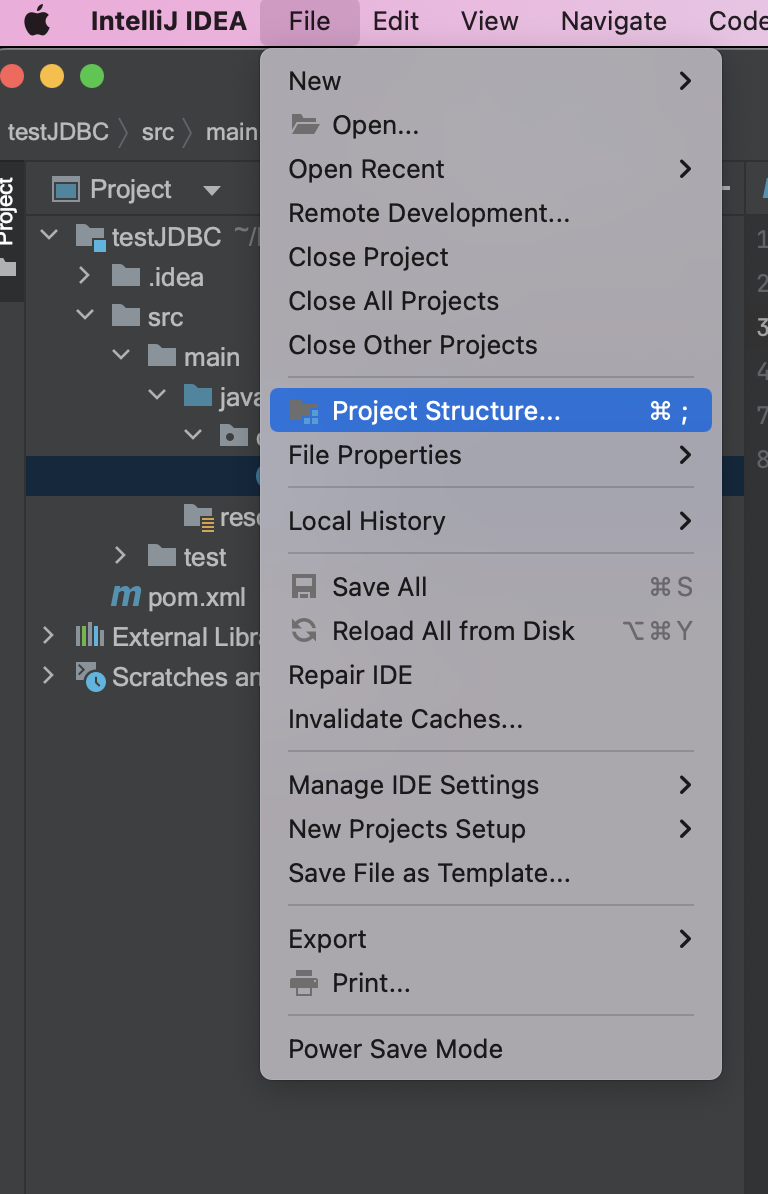
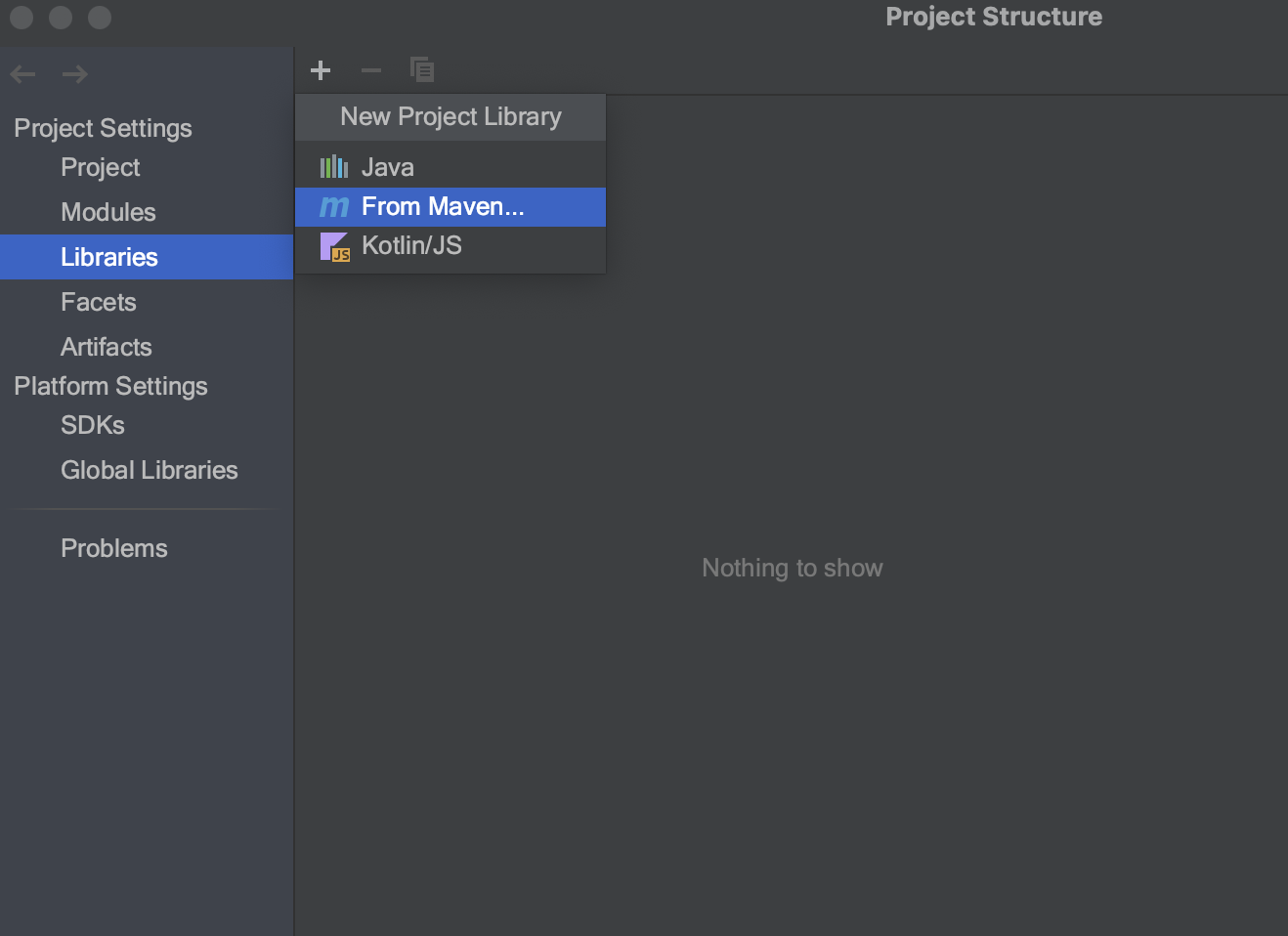
ClickFile > Project Structure, enterProject Setting, clickLibrary, and click the+ button to addFrom Maven.
-
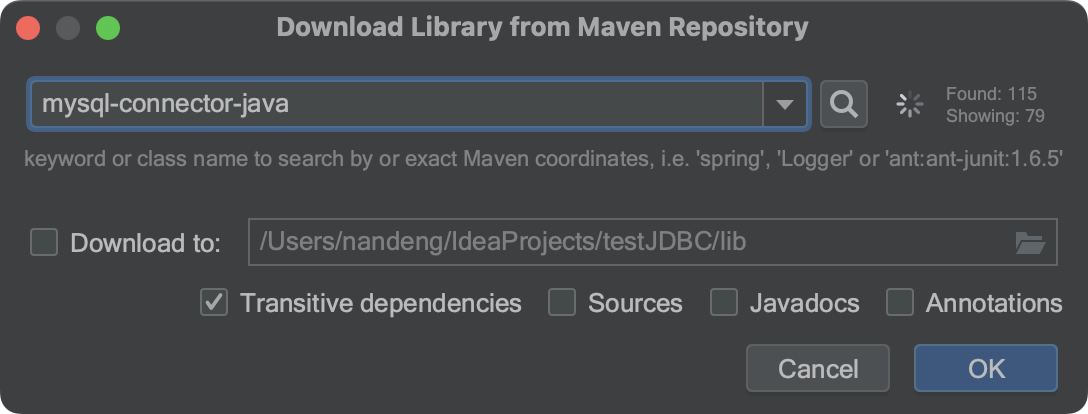
Entermysql-connector-java in the input box. Search for the entire library, selectmysql:mysql-connector-java:8.0.30, and apply it to this project.
-
Modify the default Java source code insrc/main/java/org/example/Main.java. As shown in the code example below, this code uses the connection address and credentials to create the connection. Once connected to MatrixOne, you can use Java language to operate on MatrixOne databases and tables.
For a complete example of how to develop a CRUD (create, read, update, delete) application in MatrixOne using JDBC, see Java CRUD Example.
package org.example;

import java.sql.Connection;
import java.sql.DriverManager;
import java.sql.SQLException;


public class Main {


    private static String jdbcURL = "jdbc:mysql://freetier-01.cn-hangzhou.cluster.matrixonecloud.cn:6001/test";
    private static String jdbcUsername = "585b49fc_852b_4bd1_b6d1_d64bc1d8xxxx:admin:accountadmin";
    private static String jdbcPassword = "your_password";

    public static void main(String[] args) {


        try {
            Connection connection = DriverManager.getConnection(jdbcURL, jdbcUsername, jdbcPassword);
            // Do something with the Connection

        } catch (SQLException ex) {
            // handle any errors
            System.out.println("SQLException: " + ex.getMessage());
            System.out.println("SQLState: " + ex.getSQLState());
            System.out.println("VendorError: " + ex.getErrorCode());
        }
    }
}
Reference Document
For a complete list of MatrixOne's support for JDBC features, see MatrixOne's JDBC Feature Support List.