MatrixOne Intelligence 2024 Release Report
December 12, 2024
MatrixOne Core Version Update
Upgraded from v24.2.0.1 to v25.2.0.3. For details, refer to the MatrixOne v25.2.0.3 Release Report.
Features
- Official Launch
In this release, MatrixOne Intelligence is officially available without backend approval. Users can visit the registration page to sign up and activate their MatrixOne Intelligence account. Everyone is welcome to register and try it out.
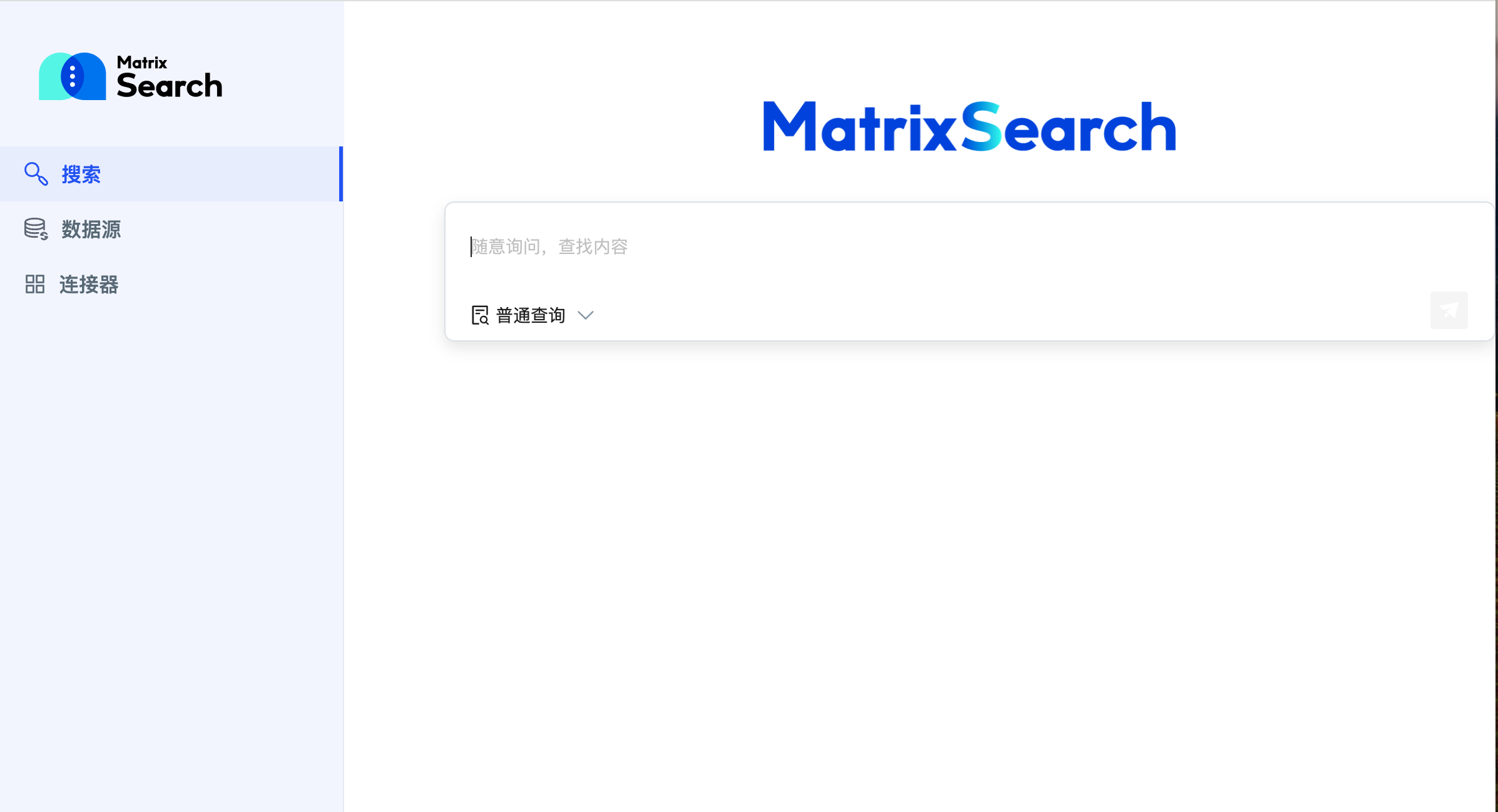
- MatrixSearch Launch (Beta)
MatrixSearch is a multimodal hybrid search solution integrated into the MatrixOne Intelligence platform, designed to address challenges posed by the surge in unstructured data and decentralized storage. By supporting features such as image understanding search and video understanding search, MatrixSearch enables diverse data source integration and processing. Combined with large language model (LLM) technology, it provides high-precision, high-efficiency information retrieval services. This platform helps enterprises unlock the full value of their data, enhancing decision-making efficiency and innovation capabilities, thereby delivering superior intelligent support in complex data environments.
-
Support for Instance Snapshot Backup and Recovery (Beta)
- Supports automatic backup, enabled by default, ensuring user data is backed up regularly according to predefined schedules for security and reliability. Users can also disable automatic backups or adjust the backup timing.
- Supports manual backup, allowing users to initiate backups as needed to preserve critical data promptly. Manual backups offer greater flexibility and control, especially before major data changes or system maintenance, reducing the risk of data loss.
- Supports data recovery, enabling users to quickly restore data to a backed-up state in case of loss, corruption, or system failure. Users can select the desired backup version for recovery, ensuring critical data is restored promptly and completely to minimize business disruption.
-
Support for Online Recharge
When a user’s free instance resources are exhausted, they can recharge via three convenient online payment methods: Alipay, WeChat Pay, or corporate bank transfer, ensuring uninterrupted service usage.
- Support for Cash Overdraft
MatrixOne Intelligence offers a cash overdraft feature, allowing users to spend beyond their account balance. The maximum overdraft limit is set by the system for the user’s organization account, and users can continue spending within this limit until the cap is reached. This feature is available only to select users. To enable it, contact your MatrixOne Intelligence account manager.
Improvements
- Enhanced query history filtering by adding a transaction ID filter option.
- Optimized CN calculation method for improved accuracy.
Bug Fixes
- Fixed an issue where CU consumption for serverless paid instances was always 0 in some cases.
- Fixed an issue where failed SQL executions were not recorded in some situations.
- Fixed inconsistencies between SQL editor query results and query history results.
- Fixed an issue where the cursor would not jump and input was abnormal when switching to Chinese input method and typing "select" in a workbook.
- Fixed slow SQL queries and updates in some scenarios.
- Fixed an issue where importing local JSON files failed.
- Fixed incorrect calculation results for the
cu_iovalue of SQL statements. - Fixed incorrect
usagedata in billing details. - Fixed an issue where subscribed databases and the SQL editor page became unavailable after the published database instance was terminated.
- Fixed an issue where serverless paid instance recovery remained in a "recovering" state.
- Fixed an issue where internal database connections in the database management platform were incorrectly labeled as external.
- Fixed an issue where the monthly bill overview returned errors in some situations.
- Fixed data import failures in some cases.
- Fixed subscription failures in some cases.
September 19, 2024
MatrixOne Kernel Version Update
Upgraded from v24.1.2.2 tov24.1.2.3. For details, please refer to the MatrixOne v24.1.2.3 Release Notes.
Improvements
- Optimized the logic for instance creation, termination, recovery, and deletion, improving system response speed and user experience.
- Optimized the data sharing feature: removed the delete button from subscription tables and implemented strict character validation for subscription names to prevent illegal characters.
- Optimized the SQL error aggregation scheme, merging identical error SQL statements to make error messages more concise and clear.
Bug Fixes
- Fixed an issue where pay-as-you-go standard instances terminated due to overdue payments (voucher disabled) would not automatically recover after vouchers were re-enabled.
- Fixed an issue where
SHOWstatements executed in the SQL editor returned no results in certain situations. - Fixed garbled query results in some cases.
- Fixed an issue where paid instances with CU limits did not correctly switch to "Limited" status when the instance limit was reached.
- Fixed incorrect "day" and "hour" level billing statistics in billing details.
- Fixed inconsistencies in filtered results when repeatedly clicking search under the same filter conditions in query history.
- Fixed an issue where withdrawal amounts were incorrectly displayed in some cases.
- Fixed an error when removing the filter time in billing details.
July 17, 2024
MatrixOne Kernel Version Update
Upgraded from v24.1.2.1 tov24.1.2.2. For details, please refer to the MatrixOne v24.1.2.2 Release Notes.
July 04, 2024
MatrixOne Kernel Version Update
Upgraded from v24.1.1.3 tov24.1.2.1. For details, please refer to the MatrixOne v24.1.2.1 Release Notes.
Features
[Feature 1] Enriched Standard Instance Features
- Supportssubscription cancellation for pay-as-you-go instances. If you no longer need a pay-as-you-go instance due to business reduction, you can cancel it to avoid unnecessary recurring costs and improve customer satisfaction.
- Supportsmanual renewal for standard instances. For pay-as-you-go instances, if automatic renewal is not enabled, the service will automatically stop when the instance expires. Users can choose the renewal duration based on their business needs and budget to avoid business interruptions caused by service outages. *Standard instance specification change functionality. When requirements don't match the existing instance configuration, you can optimize the configuration by increasing or decreasing the number of compute nodes or changing their specifications to better suit business loads and meet the demands of various business scenarios and workloads.
[Feature 2] Supports Data Sharing Functionality
MatrixOne Cloud provides adata sharing feature, allowing users to share data across instances via publish and subscribe functions within the database management interface. An instance can publish multiple databases to other instances, and similarly, an instance can subscribe to data published from multiple instances. The data sharing feature significantly enhances data fluidity and plays a critical role in promoting efficient collaboration between different organizations and teams.
[Feature 3] Supports Alerting Functionality
The alerting feature is a crucial component of database management and operations, vital for ensuring the stability, security, and performance of database services.
- Supportscomprehensive alert content. MatrixOne Cloud provides comprehensive alert support for account billing, instance billing, and instance status.
- Supportscustomizable alert rules. Besides default alert rules, users can set personalized alert conditions based on specific business needs and threshold standards, enabling more precise and effective risk monitoring and management.
- Supports establishing analert contact list, allowing the creation of a centralized list where users can easily add, edit, or delete multiple contacts. It supports three notification methods: email, phone, and SMS, thereby improving the efficiency and coverage of alert information delivery.
- Supportssaving alert records. These records serve as alert logs, used to track and record the history of alert rule triggers. This facilitates tracking past alert events, helping technical personnel quickly pinpoint the root cause of issues, and diagnosing alert reasons by analyzing alert logs. Users can query all alert records from the past month via the alert log interface.
[Feature 4] Supports Event Functionality
The cloud platform'sevent operation recording function is an important service that meticulously records all user operations on the platform, excluding billing, ensuring traceability of operations. This helps users monitor and review activities, thereby enhancing security and compliance. It allows users to trace operation history, identify potential risks and abnormal behaviors, and provide data support for decision-making. This improves the transparency of MO Intelligence and strengthens user trust.
[Feature 5] Supports Query Result to Chart Conversion
In the SQL editor, query results can display up to 1000 records. As an HTAP database combining analytical processing (AP) capabilities, MO Intelligence provides users with basic business intelligence (BI) plotting functionality. Analytical query results are easier to understand and analyze when displayed graphically, greatly enhancing the user experience.
Improvements
- Optimized the display of thedatabase list: added a column to show database size, and added sorting functionality for table data, database size, row/column count, storage space, and creation time, to enhance user experience and operational convenience.
- Optimized thereset password email content, adding an explanation of the validity period.
- Optimized the display policy forplatform monitoring charts when no data is available.
- Optimizedmonitoring chart display to only show points that are fully historical and won't change.
- Optimizedquery analysis display, showing multiple plans.
- Optimizedbilling functionality, adding a total cost feature.
- Optimizedquery execution plan tree nodes, adding filter condition tags to describe node pushdown to the storage engine.
- Optimizeddatabase search functionality, providing filtering for query targets.
- Optimizedplatform monitoring returns, providing a more accurate data foundation.
- Optimizedscaling strategies.
Bug Fixes
- Fixed an issue where CSV data could not be downloaded for query results in free instances in some cases.
- Fixed an issue where query times for
tpch sf10, q1varied significantly under the same machine configuration. - Fixed an issue where data queried from
tpch sf1andsf10 q1was different. - Fixed an issue where
tpch sf10, q21took excessively long to execute in free instances. - Fixed an occasional "Resource is not found" error when clicking into the details page from query results.
- Fixed an issue where SQL execution in the SQL editor would return no response for a long time and could not be paused.
- Fixed an issue where refreshing the SQL editor in multiple windows after a connection disconnect failed to reconnect.
- Fixed an issue where
EXPLAINstatement queries returned no results. - Fixed an inconsistency between the displayed row count and the actual row count when clicking on a database table.
- Fixed an issue with scaling strategies causing back-and-forth "ping-ponging" under short-period cyclic loads.
- Fixed an issue where subscribed tables had no row count information.
- Fixed
LOADfailures in some cases. - Fixed an issue where standard instance service connections failed in certain situations.
- Fixed incorrect price format, now subject to backend returns.
- Fixed an issue where the show/hide column feature in query history could not be clicked continuously.
- Fixed an issue where the standard instance CPU monitoring page would report an error if no data was collected for the selected time range.
- Fixed an issue where clearing query history filtering by status would still filter results by the selected status.
- Fixed an issue where editing network policies failed when an instance was in "terminating" or "recovering" status.
- Fixed incorrect CPU usage legend in standard instance details.
April 16, 2024
MatrixOne Kernel Version Update
Upgraded from v24.1.1.2 tov24.1.1.3. For details, please refer to the MatrixOne v24.1.1.3 Release Notes.
Bug Fixes
- Fixed an issue where there was no message prompt after filtering query history list timeouts.
- Fixed an issue where query history monitoring panels had no data in some cases.
- Fixed an issue where the "Status" column filter in query history could not be reset.
- Fixed incorrect CU monitoring scale for instances in "Limited" status.
- Fixed an issue where there were no query records after paging in query history in some situations.
- Fixed an error when clicking into the details page from query results in certain cases.
- Fixed an issue where
information_schema.tablesqueries failed on the platform. - Fixed an issue where the database management platform could not read database tables in some situations.
- Fixed an issue where SQL execution results were not displayed or incompletely displayed on the platform in some cases.
- Fixed an issue where two pop-ups appeared when creating a paid instance with insufficient balance.
- Fixed an issue where non-user operations' SQL was displayed when the "Non-user execution" toggle was off in query history.
- Fixed an issue where accessing
mo_catalog.mo_columnsandmo_catalog.mo_databasethrough the database management platform's database tab resulted in an error.
April 02, 2024
MatrixOne Kernel Version Update
Upgraded from v24.1.1.1 tov24.1.1.2. For details, please refer to the MatrixOne v1.1.2 Release Notes.
Features
*Supports Standard Instances with Fixed Compute Resources
  * Provides**fixed compute resources**, ensuring businesses can achieve continuous and stable performance.
  * Supports a variety of**compute node specifications**, allowing users to choose appropriate node specifications and quantities based on actual business needs.
  * Supports both**pay-as-you-go** and**annual/monthly subscription** payment methods. Pay-as-you-go is suitable for temporary scenarios like testing, promotions, or supporting large traffic, while annual/monthly subscriptions are more cost-effective for stable production scenarios. Users can choose based on their usage scenario.
  * Storage resources currently only support the**pay-as-you-go** method, consistent with Serverless storage billing.
*Expanded Monitoring Time Range Selection
  * Supports filtering for**more time periods**, with a minimum data point granularity of 30 seconds. Users can view up to**30 days** of recent monitoring data. Shorter statistical periods are more suitable for capturing and analyzing the latest business dynamics, while longer periods are more appropriate for examining overall long-term development patterns and identifying historical issues.
  * Supports**custom time range selection**, allowing users to choose relevant time periods based on specific analytical goals. This provides greater flexibility and adaptability, making monitoring and analysis more efficient and targeted. It also helps users better understand data, make data-driven decisions, and improve overall business intelligence. For service stability, the selectable range cannot exceed 30 days.
*Supports More Frontend Interactive Features
  ***Supports modifying instance names**. The ability to modify instance names allows users to rename database instances based on actual business needs or changes in organizational structure, thereby better managing and identifying different database instances, enhancing user personalization, and making the user interface more friendly.
  ***Supports free scaling of the left sidebar**. The platform navigation bar can be scaled to icons, providing more space for the main content area. Scaling the left border of the query editor can widen the query interface, displaying more data. This feature not only enhances user control and personalization but also improves work efficiency and interface adaptability while maintaining a clean interface and prominent content.
  ***Supports displaying hotspot instance names**. Hotspot instances are the top 3 instances by monthly consumption. By clearly identifying hotspot instance names, users can quickly recognize and understand key points in datasets, improving information readability and comprehensibility.
Improvements
- Optimized CU statistics, enhancing their accuracy and reducing CU usage statistical delay to the second level. Additionally, for Serverless free-to-paid CU statistics, we differentiate between production usage and free usage at the instance details.
- Optimized the display of database table row counts in the database management platform; row counts now support both Chinese and English displays.
- Optimized scaling strategies, supporting automatic scaling and scaling to 0, improving resource utilization.
- Optimized monitoring metrics, adding TPS to support the average number of transactions completed per second within a statistical period.
- Optimized the login username input prompt for the data management platform.
- Optimized the display of the import data button.
- Optimized frontend request retry functionality, reducing user waiting time and improving user experience.
- Optimized query history filter option display, moving the default time range from a dropdown to the page.
- Optimized average query latency logic, improving query speed.
- Optimized MO_logger collection logic, using dedicated CNs to collect log, statement, and other information, improving query monitoring performance.
- Optimized Serverless free instance storage allocation, increasing storage for each free instance from 5 GB to 50 GB.
Bug Fixes
- Fixed an issue where paid instance status was inactive in some cases.
- Fixed an issue where the average connection count was not displayed in the instance management platform's monitoring module in some cases.
- Fixed an issue where the storage curve would drop in pure insert load scenarios.
- Fixed an issue where storage curve update time was excessively delayed in some scenarios.
- Fixed an error with abnormal object storage costs in the production environment.
- Fixed an issue where CU values exceeding 1000 in downloaded query history files would appear in two columns.
- Fixed an issue where the same SQL had inconsistent CU writes in some cases.
- Fixed an issue where CN nodes failed to start due to spot instance unavailability when recovering an MO cluster.
- Fixed a "stream closed" error when executing a large number of queries.
- Fixed an issue where paid instance creation time increased.
- Fixed an issue where MO Intelligence suddenly became inaccessible with a "network error" in some scenarios.
- Fixed an issue where
SELECT ... LIMITqueries consumed excessive CU. - Fixed an issue where QPS display in the database management platform dashboard was incorrect in some cases.
- Fixed an error when accessing billing details in some situations.
- Fixed an issue where clicking on a terminated instance status sometimes showed "service connection failed."
- Fixed an issue where public beta registration information did not limit character length or special characters.
- Fixed an issue where database tables failed to load in the instance platform when inserting a large amount of data.
- Fixed an issue where the total available account balance was incorrect in some cases.
- Fixed an issue where large tables in the database management platform could not be loaded.
- Fixed an issue where database statistics failed to be retrieved shortly after data was inserted into a new table.
- Fixed an issue where the query editor input page failed to load in some cases.
- Fixed an issue where deleting a published database caused the subscribed database instance login to crash.
- Fixed an issue where network egress traffic was excessively large in some cases.
- Fixed an issue where query history did not restrict start time relative to current time.
- Fixed an issue where the CU chart was not updating.
- Fixed an issue where
LOAD DATAsucceeded even withoutAS/SKspecified. - Fixed an inconsistency in the total amount displayed for consumption trends under different filter conditions in the instance management platform.
- Fixed an issue where the "recover instance" pop-up in the instance management platform was in English in a Chinese environment.
- Fixed an issue where converting a free instance to a paid instance failed after the CU limit was reached.
- Fixed an inconsistency between storage space displayed in the database management platform and instance details in the instance platform.
- Fixed an issue where data insertion failed in some cases, reporting an error "cannot connect to remote backend."
- Fixed an issue where income and expense details could not be paged after adding filter conditions.
- Fixed an issue where CU values were negative in some cases.
- Fixed an issue with abnormal average connection count.
- Fixed an issue with incorrect CU monitoring scale display.
- Fixed an issue where data returned after time filtering for hotspot instances in consumption trends did not match the filter range.
- Fixed an inconsistency between storage billing size and monitoring.
February 04, 2024
MatrixOne Kernel Version Update
Upgraded from v23.1.0.2 tov24.1.1.1. For details, please refer to the MatrixOne v24.1.1.1 Release Notes.
Improvements
- Increased thecreation speed of paid instances from minutes to seconds.
- Increased theperformance response speed of paid instances. Serverless paid instances can now respond to business changes more quickly and provide sufficient performance resources.
- Improvedmonitoring query performance.
- The CU value of SQL in query history is now displayed by default.
- Optimized the menu positions of query history and the SQL editor.
Bug Fixes
- Fixed issues with delayed CU monitoring and billing.
- Fixed extraneous values at the beginning of CU monitoring.
- Fixed an issue where storage monitoring values suddenly dropped to zero.
- Fixed an issue where users encountered a page error when logging into the database management platform after their password had been changed.
- Fixed an issue where previous filter conditions were lost after switching query history menus and returning.
- Fixed an issue where storage monitoring for the last 30 minutes was missing in some cases.
- Fixed incorrect filter results in voucher details.
- Fixed incorrect sorting results in voucher details.
January 19, 2024
Improvements
- Optimized the display policy for average connections, storage, and CU in monitoring charts when no data is available.
- Optimized the display of query results in query history, now only showing SQL results executed by the SQL editor, thereby improving query performance.
- Optimized the display of voucher composition, adding invalidated and unaffective amounts.
- Optimized database platform error codes; the page will now return specific errors to help users pinpoint issues.
- Optimized data import operations, now supporting manual entry of database and table names, making it easier for users to import data without explicit permissions to view databases and tables.
- Optimized instance details display, adding instance ID information to help quickly locate instance issues.
Bug Fixes
- Fixed an issue where query history did not display execution plans in some scenarios.
- Fixed an issue where clicking on an unavailable instance status icon redirected to an incorrect page.
- Fixed inconsistencies in monitoring statistics.
- Fixed an issue where data could still be imported successfully with incorrect access keys.
- Fixed an issue where storage remained at 0 in some cases.
- Fixed incorrect CU and storage curve displays.
- Fixed issues with multiple
SELECT * UNIONqueries. - Fixed free instance connection failures in some scenarios.
- Fixed incorrect CU and storage usage displays in some cases.
- Fixed an issue where dropping a table during a checkpoint did not release space.
- Fixed an issue where monitoring curves showed timeouts in some cases.
- Fixed delayed display of average connection count.
- Fixed an issue where billing details were displayed in ascending order.
- Fixed an issue where the
LOAD DATAfeature was unavailable when the OSS path was incorrect. - Fixed an inconsistency between monthly bill overview filter conditions and returned data.
- Fixed an issue where platform functions became unavailable due to inability to connect to MO in some cases.
- Fixed an issue where query history did not restrict start time relative to current time.
- Fixed an issue where the CU chart was not updating.
- Fixed an issue where
LOAD DATAsucceeded even withoutAS/SKspecified. - Fixed an inconsistency in the total amount displayed for consumption trends under different filter conditions in the instance management platform.
- Fixed an issue where the "recover instance" pop-up in the instance management platform was in English in a Chinese environment.
- Fixed an issue where converting a free instance to a paid instance failed after the CU limit was reached.
- Fixed an inconsistency between storage space displayed in the database management platform and instance details in the instance platform.
- Fixed an issue where data insertion failed with an error "cannot connect to remote backend" in some cases.
- Fixed an issue where income and expense details could not be paged after adding filter conditions.
- Fixed an issue where CU values were negative in some cases.
- Fixed an issue with abnormal average connection count.
- Fixed an issue with incorrect CU monitoring scale display.
- Fixed an issue where data returned after time filtering for hotspot instances in consumption trends did not match the filter range.
- Fixed an inconsistency between storage billing size and monitoring.