PrivateLink
introduce
Alibaba Cloud's PrivateLink is a private network connection service that allows applications to communicate securely and privately with cloud services through private IP addresses. PrivateLink allows you to connect applications to MatrixOne Intelligence instances located in the same region of Alibaba Cloud, which not only saves public network traffic, but also increases connection bandwidth, enabling more efficient and stable network access.
Note
For higher network stability and minimum latency, it is recommended that you deploy your applications in the same Availability Zone as your MatrixOne Intelligence instance.
The architecture of MatrixOne Intelligence is as follows:
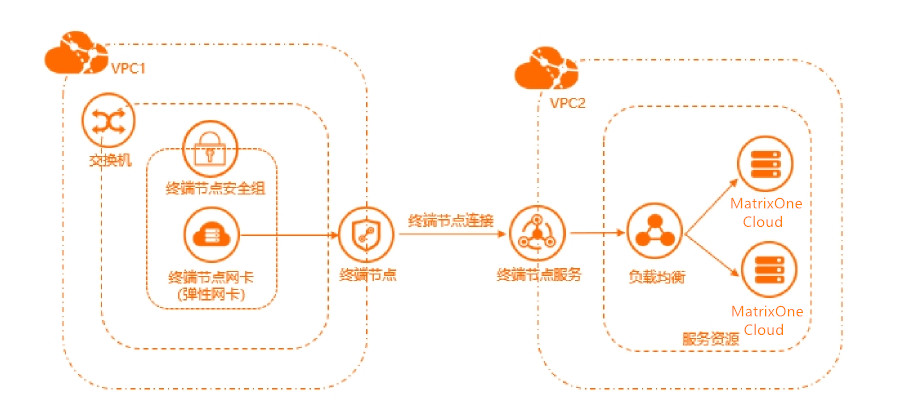
For more detailed information on the concept of Alibaba Cloud Private Network Connection (PrivateLink), please refer to the following documentation:
How to use private network links
Step 1: Obtain private network connection related information on the MatrixOne Intelligence instance management platform
In the instance list of MatrixOne Intelligence instance management platform, find the MatrixOne instance you need to access, clickConnection > Connect through third-party tools > Private network connection. You can obtain the service name, Availability Zone ID, and Region ID.
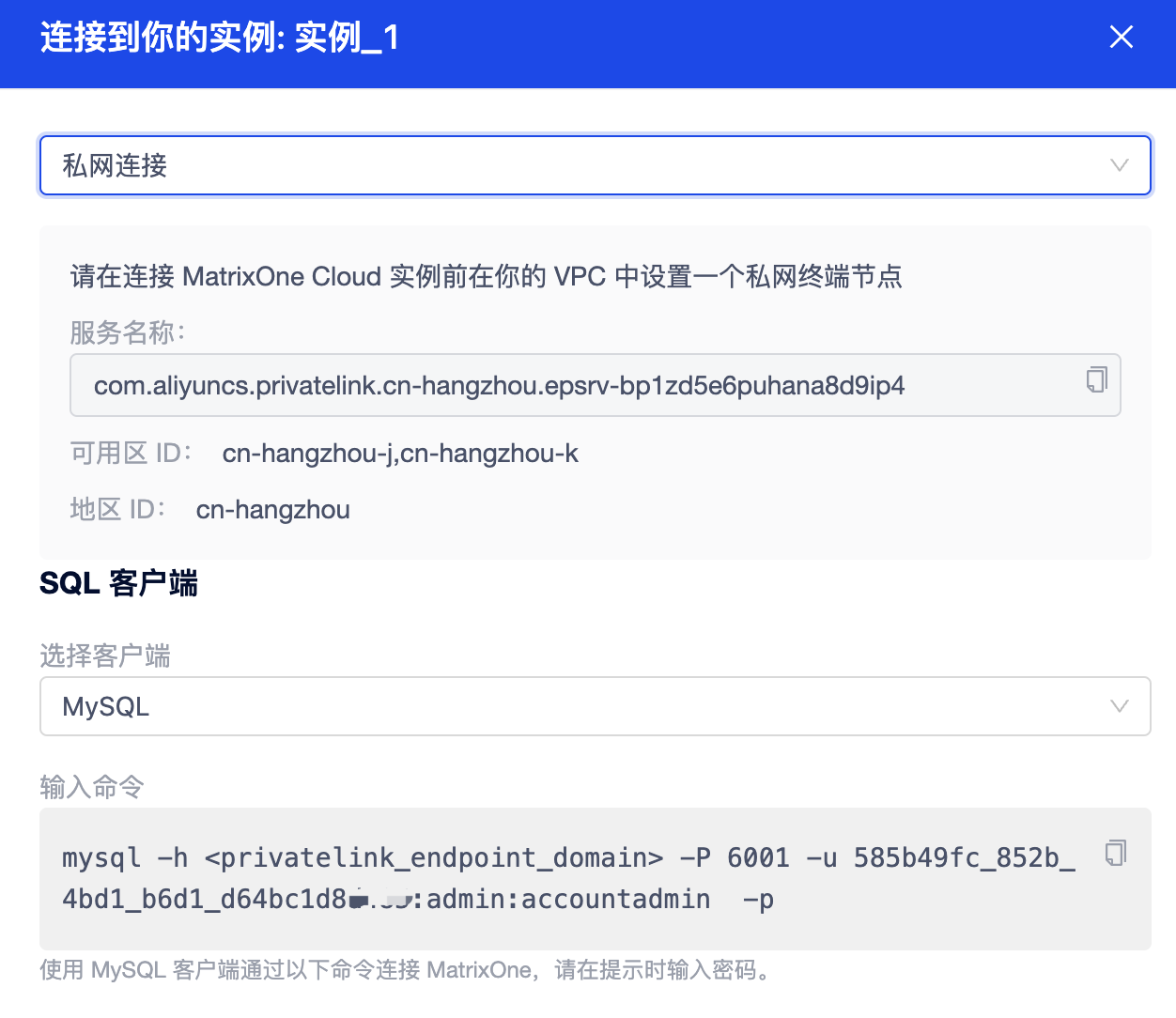
Step 2: Configure the terminal node in Alibaba Cloud Console
Use Alibaba Cloud Management Console to create an endpoint, follow these steps:
-
Log in to Alibaba Cloud Console [Ali Cloud Console] (https://home.console.aliyun.com/home), and open Alibaba Cloud VPC Console [Proprietary Network] (https://vpc.console.aliyun.com/).
-
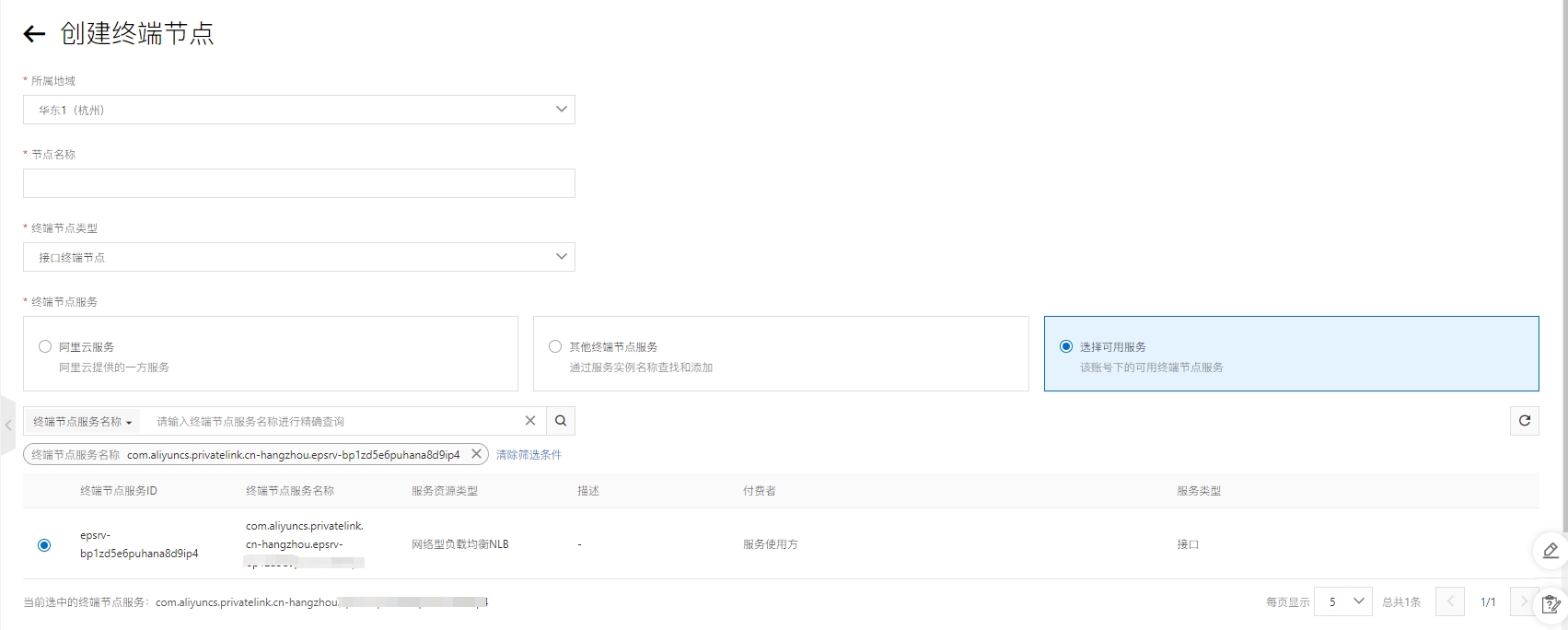
Select the region where your VPC is located from the Region drop-down list. Click the endpoint in the left navigation bar, and click theCreate endpoint in the upper left corner on the right page to enter theCreate endpoint** page.
-
Select theInterface Terminal Node.
-
Search for theservice name in step 1 in the search box, and you can see the available services here and select the available services.
-
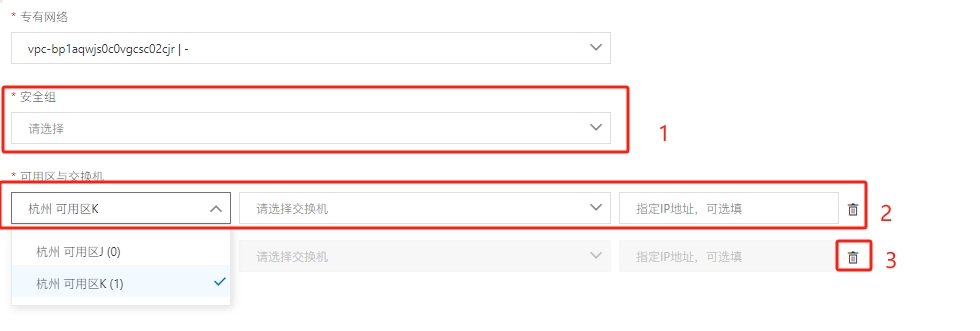
Select the vpc where the business service is located. After adding the proprietary network, the following two options will appear.
-
Select an existing security group or create one.
-
If the Availability Zone switch exists, you want to select the Availability Zone where the endpoint service is located, and if it does not exist, please create one; here two must be filled in by default. These switches are used in different Availability Zones to achieve high availability and fault tolerance.
-
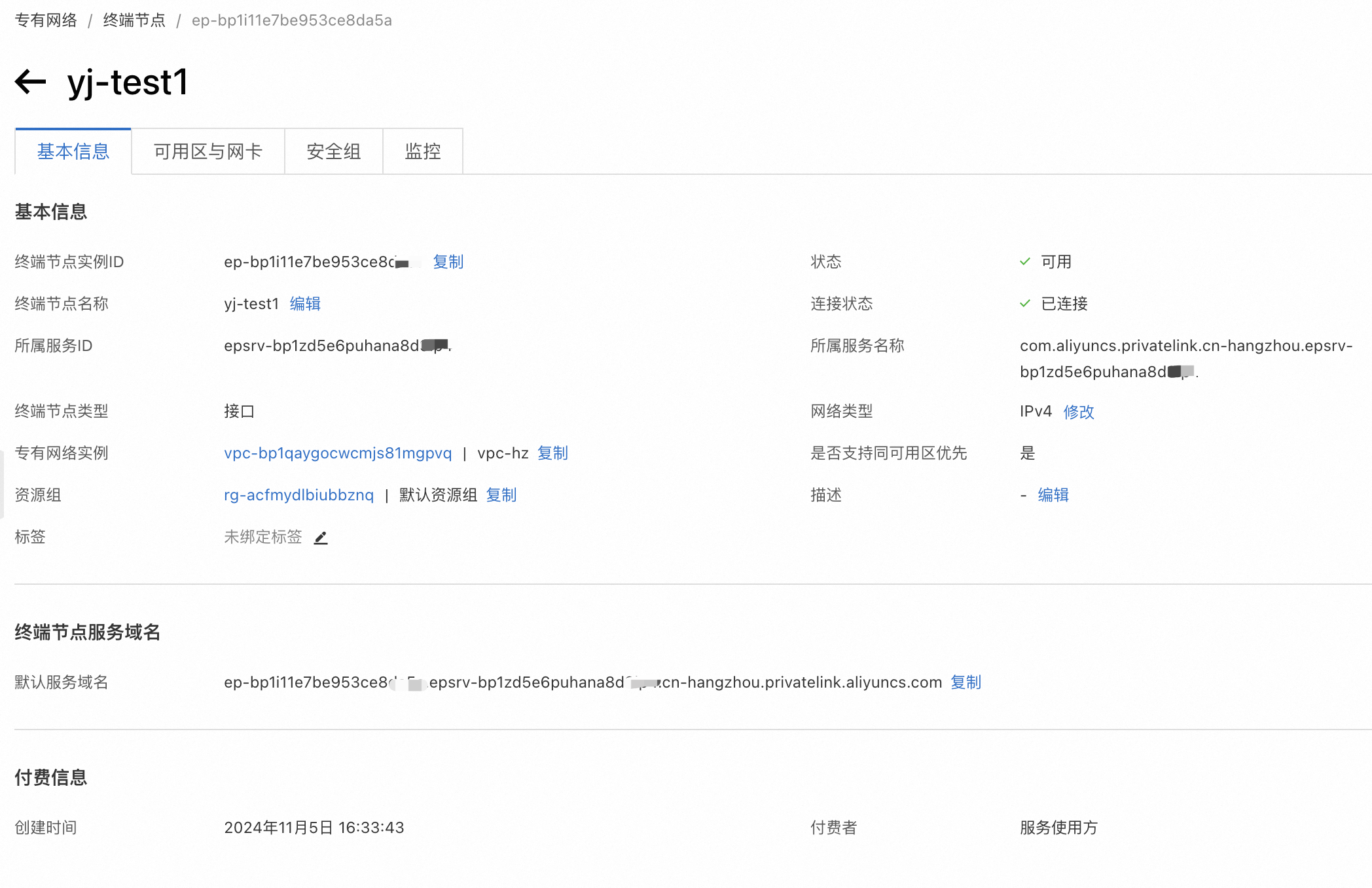
Click Create Endpoint. Wait for the creation to be successful, and on the terminal node details page you will get theterminal node service domain name.
Step 3: Connect the MatrixOne Intelligence service on your ECS host
- Make sure your ECS host has the Mysql Client client installed.
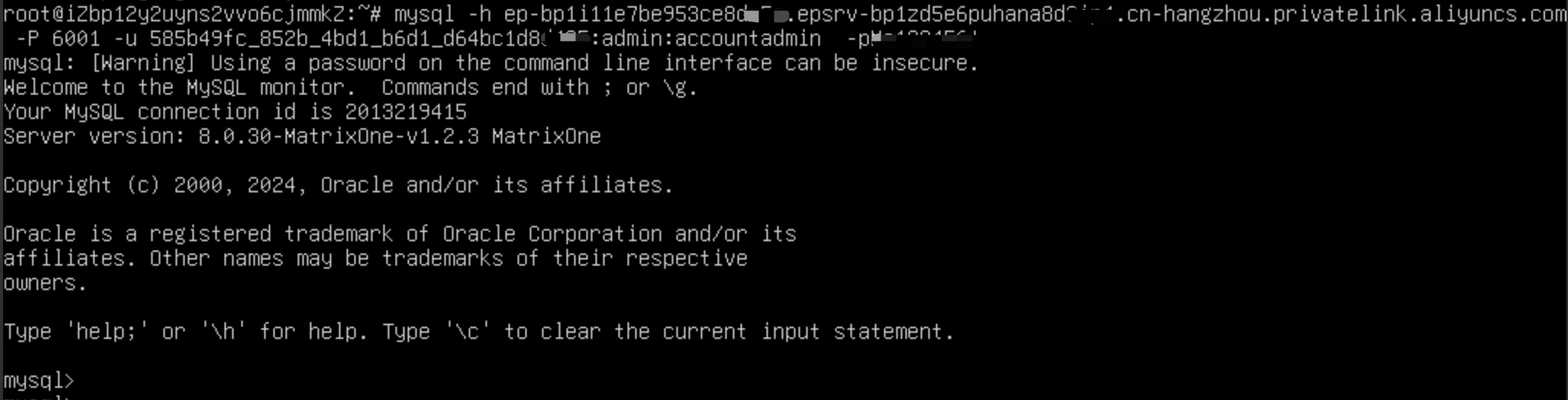
- When connecting to the MatrixOne Intelligence service using MySQL client, you need to sethost to the domain name of the endpoint service.
mysql -h <privatelink_endpoint_domain> -P 6001 -u xxx:admin:accountadmin -p